
Coming Soon · iPhone & iPad
Keep the next cue clear.
CueMesh sends a show cue from one iPhone or iPad to another nearby, with no venue Wi-Fi and no internet, and shows the Host when it was received, shown and acknowledged. It is in pre-release.

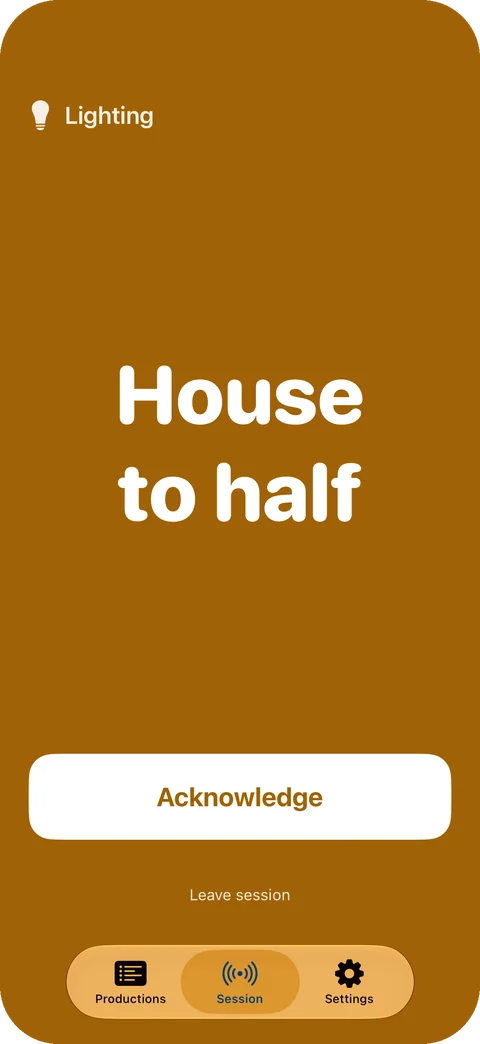
Sending is the beginning.
- HostGo The Host stands a cue by, then sends it with Go, in the production’s running order.
- Participant’s deviceReceived The other device confirms the cue arrived.
- ParticipantPresented The cue fills the Participant’s screen and stays there.
- Participant → HostAcknowledged The Participant taps Acknowledge, and the Host sees it.
A theatre cue light works the same way: a standby is not confirmed until the operator presses to acknowledge it. CueMesh puts that exchange on an iPhone or iPad and sends the cue as words. It is made for theatre, live events, classrooms and small film crews.
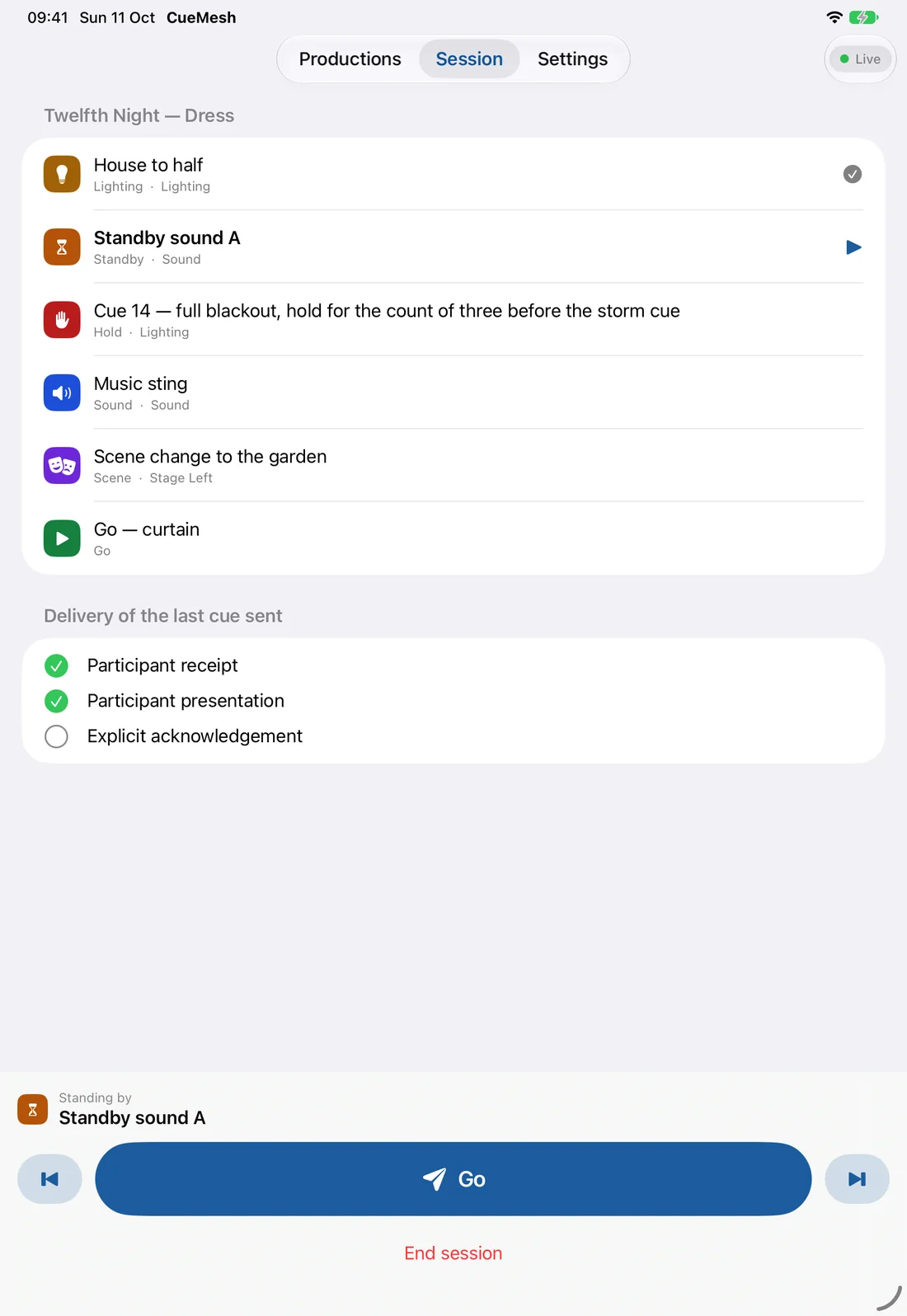
“House to half” has gone out. Participant receipt and Participant presentation are confirmed, Explicit acknowledgement is still open, and the next cue is already standing by.
The screens on this page come from the current pre-release source, built as 26.0.0 (4) and run in the iOS simulator on 11 October 2026 with the app’s sample production. The simulator cannot make the nearby link, so the Host and Participant screens were staged from the app’s own views, not captured from two connected devices. The app may change before release.
A cue list in running order.

- The order
- Drag cues to reorder them. In a session the Host steps through that order, or taps any cue to stand by on it.
- Where it lives
- Cue lists stay on the device they were written on. They are never uploaded.

- A cue
- A title, a kind, an optional role and an optional note. The title is what the Participant sees; the note is never sent.
- Six kinds
- Each has its own symbol as well as its colour, so colour is never the only signal.
- Standby
- Go
- Hold
- Lighting
- Sound
- Scene
Nearby by design.
CueMesh uses Wi-Fi Aware, a direct link between the two devices. No router, venue Wi-Fi, internet connection or account is involved, and pairing happens in Apple’s own pairing sheet.
- Which devices
- iOS or iPadOS 26 or later, on a device with Wi-Fi Aware. Apple’s list is iPhone 12, iPad (10th generation), iPad Air (4th generation), iPad mini (6th generation), iPad Pro 11-inch (3rd generation) and iPad Pro 12.9-inch (5th generation), and every later model of each. On any other device CueMesh says so on first launch, and cue lists can still be written and kept there.
- If the link drops
- CueMesh does not promise delivery; it reports what it has confirmed. When the link is lost, the session stops at a reconnect screen with the current cue kept. Reconnect, and the two devices compare state before carrying on, so a cue that already arrived is not presented twice.
- In a dark house
- The cue’s colour fills the Participant’s screen behind its title in large type, the same in light and dark appearance. The screen stays awake while a session is live, and an iPhone can vibrate when a new cue arrives; both are settings.
CueMesh is for coordination. Never use it for pyrotechnics, rigging or other safety-critical cues.
Preparing for release.
- Free
- The whole Participant role, hosting sessions, unlimited cues and one saved production.
- Lifetime Access
- An optional one-time purchase with no subscription, for unlimited saved productions.
- Not in this build
- One Host cues one Participant at a time; a whole crew at once is not here yet. There is no rehearsal log, no voice or media, and no link to lighting or sound desks.
Neither the app nor the purchase is available yet.
Questions about CueMesh? CueMesh support · Privacy details