
Coming Soon · iPhone & iPad
A small moment to take a sip.
Daily Drop is a water tracker for iPhone and iPad, still in development. Tap what you drank, watch one ring fill toward a goal you chose, and get a few reminders at times you set.
The whole app is three screens.
-
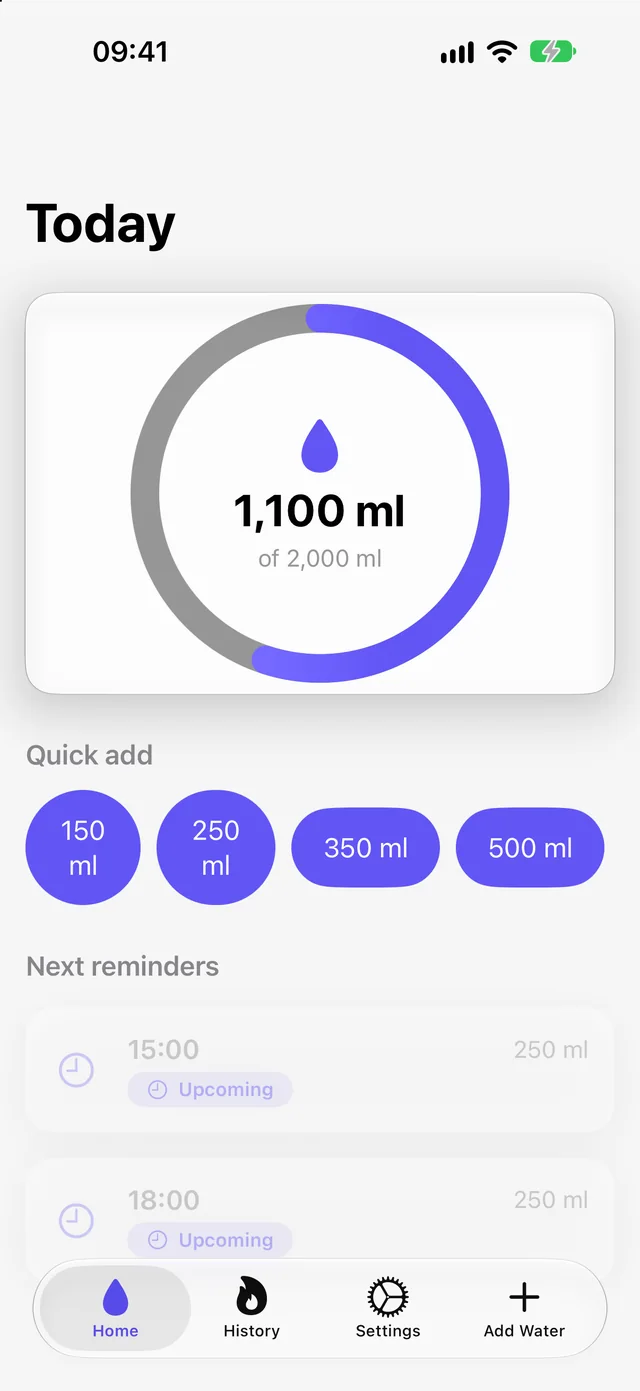
Today
One ring, with your total and your goal as numbers, not only a percentage. Four quick-add buttons, 150, 250, 350 and 500 ml, or type any amount.
-
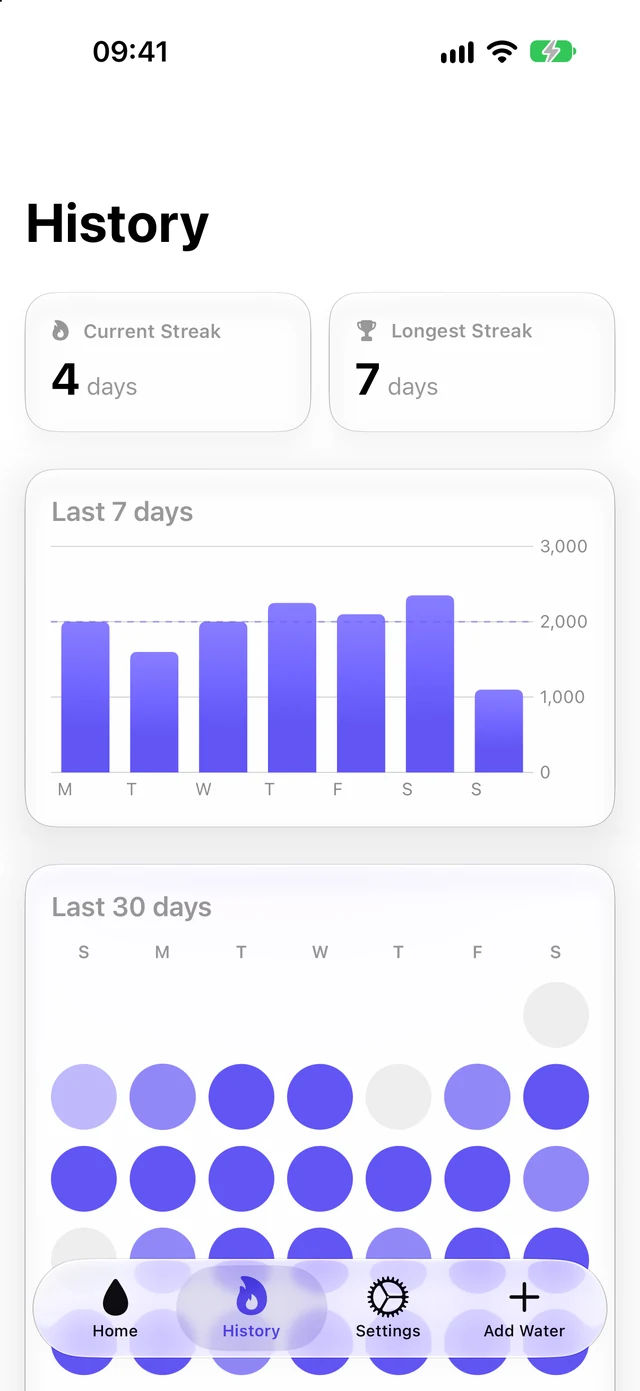
History
Your current and longest streak, the last 7 days against your goal, and the last 30 as a grid that deepens as you get closer.
-
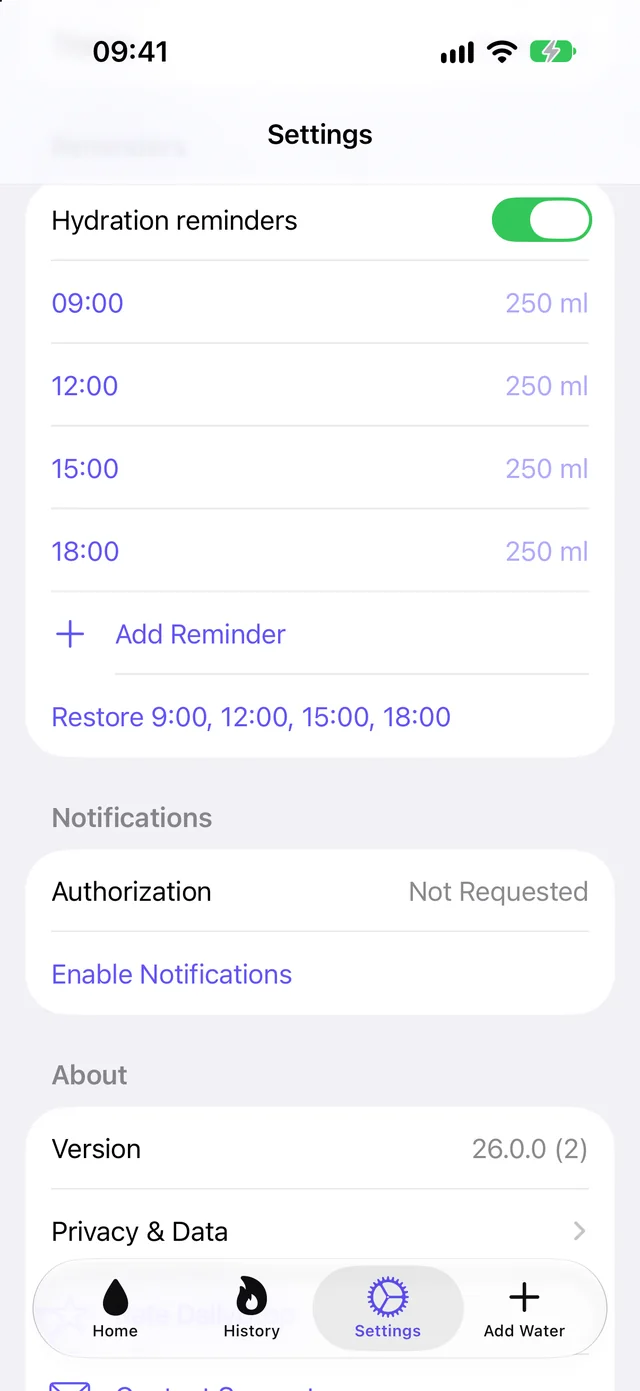
Reminders
Four to start with, at 9:00, 12:00, 15:00 and 18:00. Change a time, add more, or switch them all off. The app sends nothing else.


Pre-release build 26.0.0, captured 11 October 2026. History shows sample entries. The app may change before release.

A month on one screen.
On iPad the same three screens sit under a tab bar at the top, and History fits whole. In this sample month the goal was met on 19 days of 30.
- Each circle is a day. Grey means nothing logged, and the colour deepens through some progress and halfway to goal met. Today has an outline.
- A day still in progress does not break your streak. It joins the streak when you reach the goal.
- History and both streaks look back 30 days.
Keep the ritual light.

There is no public listing, offer, price or release date yet. This is what the current build does and does not do.
- You choose the goal: 1,500, 2,000, 2,500 or 3,000 ml, or your own number from 500 to 10,000 ml. Daily Drop does not work one out for you, and it is not medical advice.
- A reminder is one line, “Time to hydrate. A gentle reminder to drink some water.”, at the times on your list, every day, and only if you allow notifications. There is no badge on the icon.
- There is no message when you miss a day. The circle stays pale and the streak starts again.
- Amounts show in millilitres or fluid ounces.
- Logged water, goals, streaks and reminder settings are stored on your device.
- The ring, the chart and every day in the grid carry labels for VoiceOver, and the ring’s fill animation stops under Reduce Motion.
- The current build has no account, cloud sync, analytics, advertising or HealthKit connection, and no widgets or Apple Watch app.
Questions about Daily Drop? Daily Drop support · Privacy details