
Coming Soon · iPhone
One careful move.
MinePocket is a Minesweeper game for iPhone, still in development. Your first tap is always safe and always opens part of the board. After that it is you, the numbers and a flag.

One board, start to finish.
-
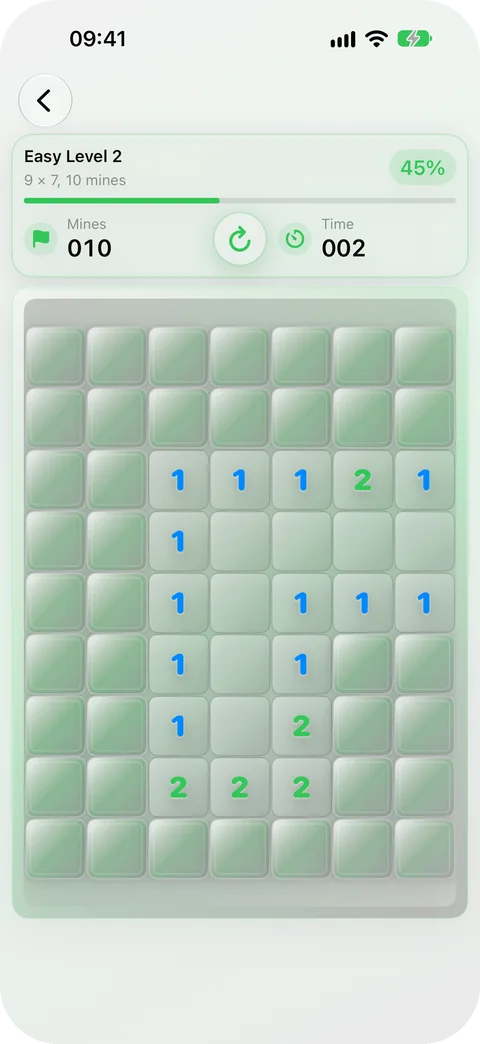
A safe first tap
Mines are placed after you tap, never on that square or the eight around it. This one tap cleared 24 squares.
-
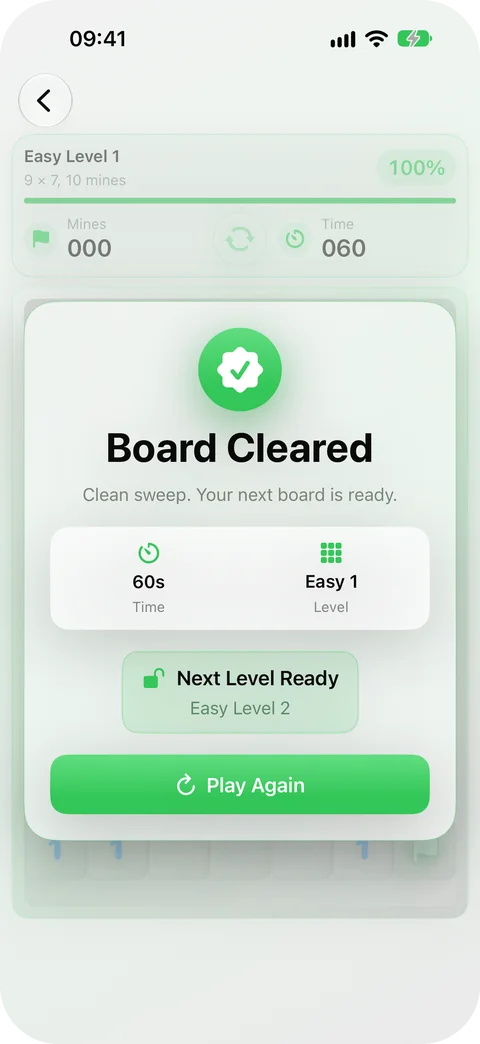
Clear it, move up
A cleared board records your time and readies the next level. On this iPhone, Easy keeps 10 mines for five levels, then adds more, up to 15 by level 12.
-
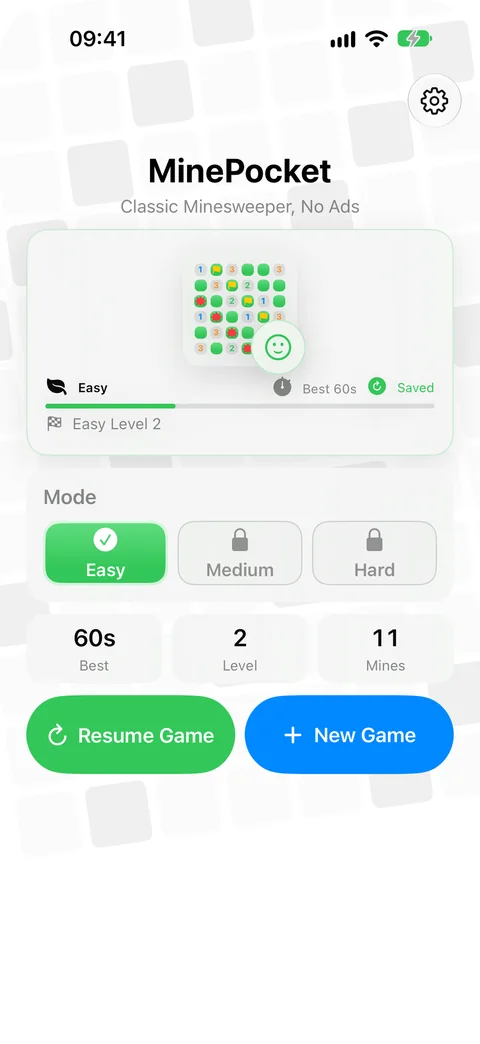
Stop any time
One unfinished board is kept on your iPhone, timer included. We quit the app, reopened it and carried on.


Pre-release build 26.0.0 (2) in the iPhone 18 Pro simulator, captured 11 October 2026. It may change before release.
Try a board on this page.
A puzzle made for this page, not the app: six rows of seven with six mines, and it can be finished without guessing. Tap any square to begin, then open every square that is not a mine. A number counts the mines touching its square.
Where to start: the 2 on the left edge touches exactly two hidden squares, so both are mines. The 2 beside it touches those two and one more, so that third square is safe.
On this page the opening is the same every time and there are no flags. In the app it forms around your first tap, a hold plants a flag, and a random board can end on a guess.
The rules, exactly.
- Reveal
- Tap a hidden square. An empty one opens its neighbours until it reaches numbers. Reveal every square without a mine and the board is cleared; flags are optional.
- Flag
- Touch and hold for 0.45 seconds to plant a flag. Anything shorter is a tap and opens the square. A flagged square ignores taps.
- Board
- Squares are never smaller than 44 points, so the board is cut to fit the screen and nothing needs zooming. On the iPhone in these captures that is 9 rows of 7 squares, each 50 points across, with 10 mines.
- Timer
- Starts with your first tap, counts whole seconds and stops at 999. The best time is kept for each mode.
- Haptics
- A light tap for a reveal, firmer for a flag, heavy for a mine. One switch in Settings turns them off.
- VoiceOver
- Every square is a labelled button: its row, its column and what it shows, such as “Row 1, column 1, hidden” or “Row 3, column 3, 1 nearby mines”.
What it leaves out.
MinePocket is small on purpose. The current build has none of these.
- Ads, accounts, analytics or tracking. The build uses Apple’s own frameworks and nothing else.
- A guess-free mode. After the safe opening the mines fall at random, so a board can end on a coin flip. The diagram shows one that did.
- Chording. Tapping an open number does nothing. Each square is opened by its own tap.
- Daily puzzles, leaderboards, hints, undo or custom boards. You get a board, a timer and your own best time.
- Landscape, or languages other than English. It is designed for an iPhone held upright.
Where it stands.
MinePocket is not on the App Store. Version 26.0.0 is being prepared, and there is no download or release date yet.
In this build Easy and the Classic theme are open, and its welcome screen says Easy is “included for unlimited play, with no ads or accounts”. Medium, Hard and four more themes show a lock. How they open, and any price, has not been announced.
Progress, best times and the saved board stay on your iPhone; there is no account and no sync. The optional feedback form in Settings sends your message with the app version, iOS version and device type.
Questions about MinePocket? MinePocket support · Privacy details