
Coming Soon · iPhone & iPad
A small deck. A useful sitting.
Deckloom is a flashcard app for iPhone and iPad, still in development. Hand it your notes and it drafts a starter deck on the device with Apple Intelligence. You read and fix every card before it is saved, then practice the whole deck in one sitting.

Five sentences in. Five cards to check.
Sample notes on cell biology, and the deck the current build wrote from them on the device, shown as it came out. Turn a card over to see its back.
Cell membranes regulate transport and maintain homeostasis. Ribosomes translate messenger RNA into proteins. Mitochondria produce ATP through aerobic respiration. The nucleus stores DNA and coordinates cell activity. Lysosomes digest waste and worn-out cell parts.
Cellular Organelles and Functions
Front What regulates transport and maintains homeostasis?
Back Cell membranes
Front What translates messenger RNA into proteins?
Back Ribosomes
Front What produces ATP through aerobic respiration?
Back Mitochondria
Front What stores DNA and coordinates cell activity?
Back Nucleus
Front What digests waste and worn-out cell parts?
Back Lysosomes
One run of pre-release build 26.0.0 in the iOS Simulator, 11 October 2026. The model also chose the deck’s name. Two more runs of the same notes gave the same five cards under a slightly different name. Other notes give other cards, and a card can be wrong. These cards turn over on this page; the app’s own practice screen is further down.
Bring in what you’re studying.
Start from text you already have. Everything lands in one editor, where you can trim it before a single card is made.
- Paste
- Whatever text is on the clipboard.
- Share
- From Notes, Safari or another app: choose Deckloom in the Share sheet, and the text, webpage or document is waiting when you open the app.
- A webpage
- Type its address and Deckloom fetches the readable text from that site.
- A file
- Plain text, Markdown, RTF, or a PDF with readable text, up to 2 MB. A scanned PDF has no text to read, and Word and HTML files are refused. On iPad you can also drag text or a document onto the editor.
The editor takes between 20 and 8,000 characters, and a counter shows where you are. A deck is three to twelve cards however long the notes, and long notes are where generation struggled in testing, so a page at a time works best. An imported webpage can bring menu text with it, so read it through before you generate.

Nothing is saved until you’ve read it.
The button reads Generate Editable Deck. The draft opens in Review Deck, with a name for the deck and a front and back for every card.
- Rename the deck, and rewrite either side of any card.
- Swipe away a card that is wrong, or one you don’t need.
- Save keeps what is left. Close the draft instead and no deck is created.
Generation runs on the device, on Apple Intelligence. It needs an iPhone or iPad that supports Apple Intelligence, with it switched on, its model ready, and the app in a language the model supports. Apple lists the supported models. If a deck takes longer than 45 seconds, Deckloom stops and asks for shorter notes.
When generation can’t run, Deckloom says why and offers to create the deck by hand: name it, then type each front and back yourself. That needs no Apple Intelligence.
Why you read it first.
Seventeen more sets of notes went through the same build. Notes under 3,000 characters became a deck every time: twelve decks, 76 cards, six of them worth fixing. Longer notes were the weak spot.
| Notes | Cards | What came back |
|---|---|---|
| The cell notes above, twice more | 5, 5 | The same five cards both times, under a slightly different name. |
| Five dated sentences of history | 5 | The right dates. One front said more than the notes did. |
| Eight Spanish and English word pairs | 8 | One card per pair: the word on the front, its meaning on the back. |
| Five sentences of physics formulas | 7 | Each formula and each unit on a card of its own. |
| Lecture bullets full of abbreviations | 5 | Abbreviations kept as written. One back only repeated its front. |
| Notes in German, app in English | 5 | Cards in German. |
| One fact, 22 characters long | 3 | Three is the fewest it writes, so one card was padding. |
| Notes with a mistake in them | 5 | The mistake became a card. |
| A pancake recipe | 4 | It makes cards from anything. |
| 36 facts in 2,800 characters, twice | 12, 12 | Twelve is the most it writes. One run used only the first 15 sentences. The other spread out, and two of its questions did not fit their answers. |
| Five longer notes, 3,500 to 7,200 characters | 12, 12 | Three hit the 45-second cut-off and made nothing. Two finished, with every card from the opening third. |
Front End of Louis XVI’s reign Back Executed in January 1793
The notes gave the date of his execution. The front turned it into the end of his reign, which the notes did not say.
Front How are ATPs made? Back Through mitochondrial processes
Padding. The notes held one fact, and a deck has at least three cards.
Front How many chambers does the human heart have? Back Three chambers.
The mistake was in the notes. Deckloom does not check facts; it kept it.
Front What layer holds 78% of the air? Back Nitrogen makes up about 78 percent of the air.
The answer is from the notes. The question does not fit it.
Each set of notes was run once through the app’s own generator, with its 45-second limit, in the simulator on a Mac. A real iPhone or iPad may behave differently, and no speed is claimed here.
Then one honest sitting.
-
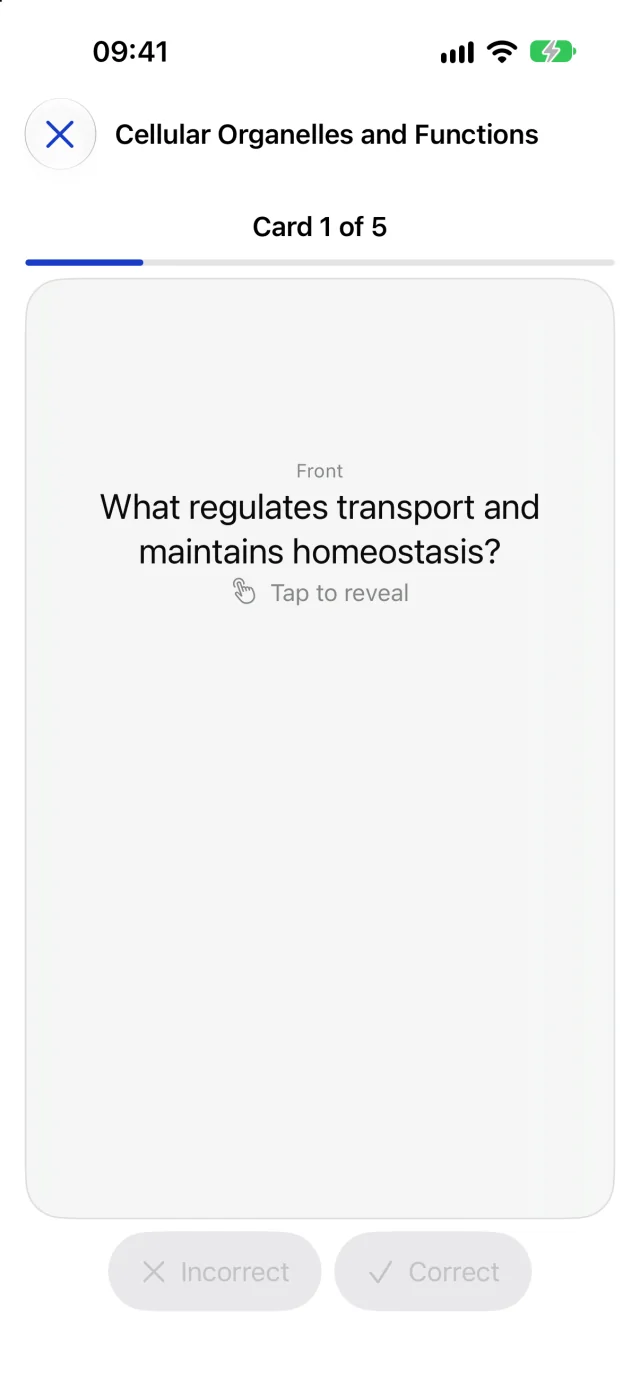
Read the front
Practice takes the whole deck once, in the order the cards were added.
-
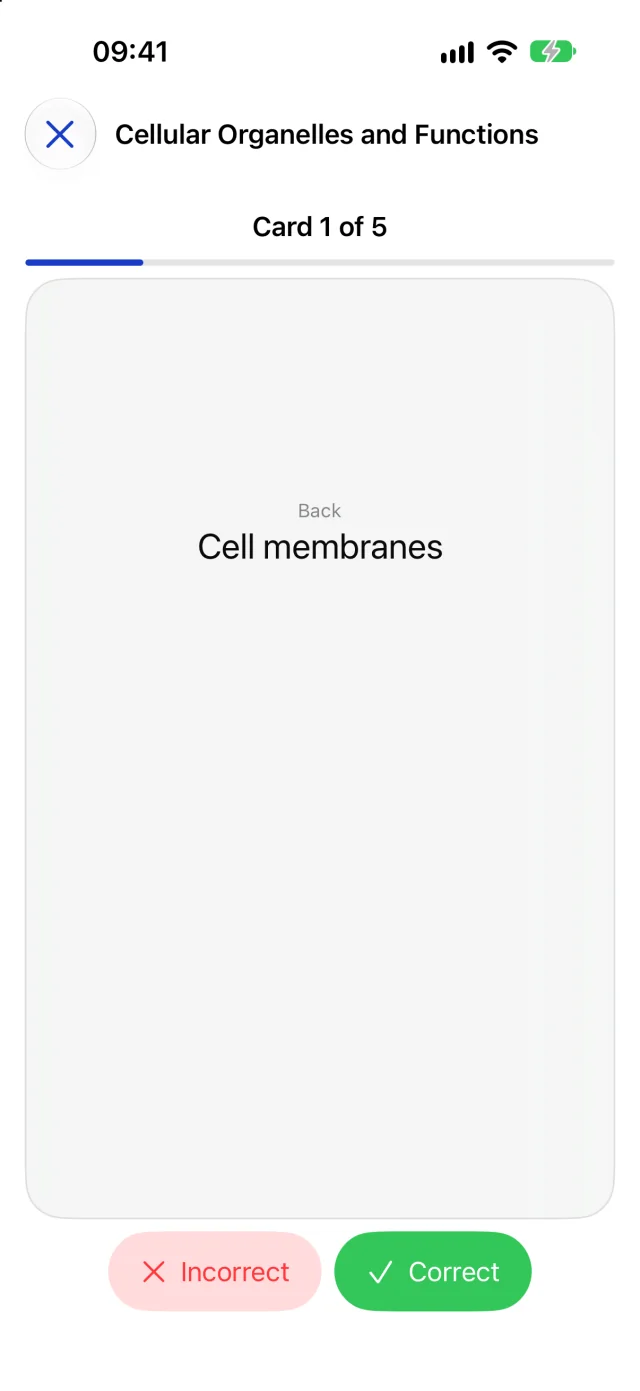
Turn it over, mark it yourself
Tap the card for the back. Correct or Incorrect is your own call; the app does not check your answer.
-
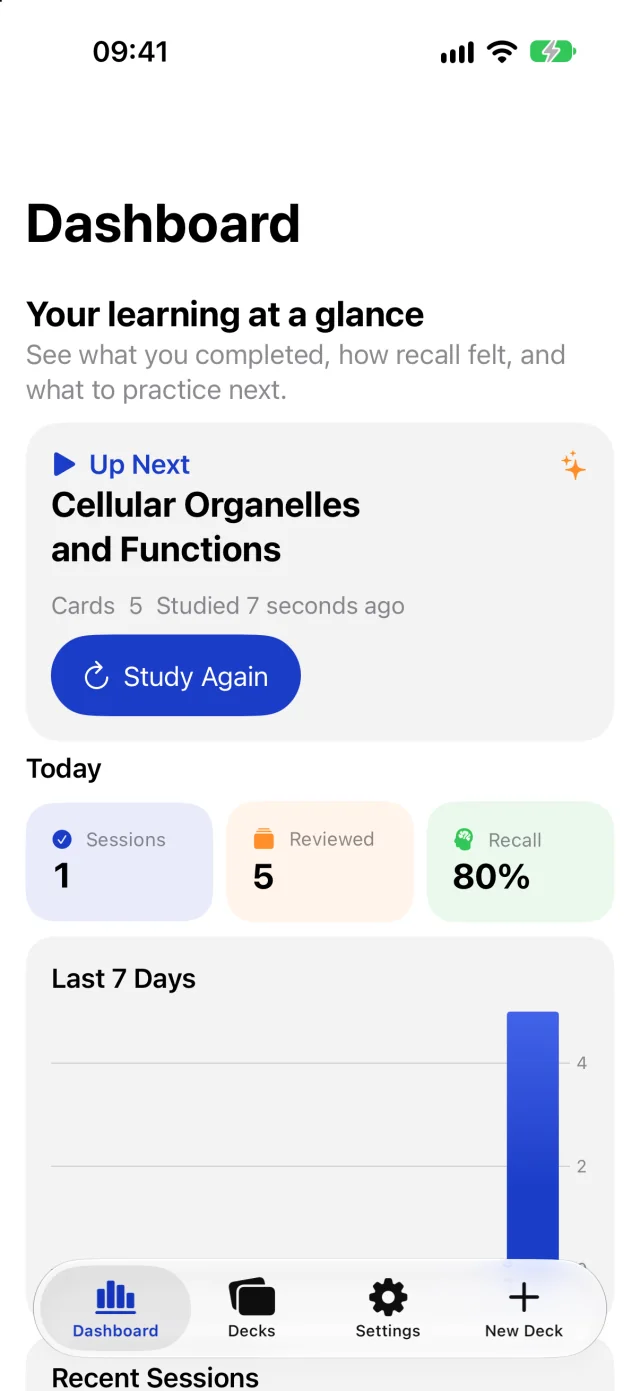
See what you did
A finished sitting shows on the Dashboard: sessions and cards reviewed today, the share you marked correct, the last seven days, and recent sessions.


After the last card the app reported “4 of 5 correct in Cellular Organelles and Functions. 1 marked incorrect.” Close a sitting early and nothing is recorded, and practice never changes a card. Pre-release build 26.0.0 in the iOS Simulator, 11 October 2026, after one sitting with the sample deck.
What it leaves out.
Deckloom is small on purpose. The current build does none of these.
- No spaced repetition. It does not schedule cards or decide what is due. Every sitting is the whole deck.
- Text only. No images or audio on cards, and no scanning of photos or handwriting.
- No per-card record. It keeps the totals of each finished sitting, not which cards you missed.
- No fact-checking. It turns your notes into cards, mistakes included.
- No sync, sharing or export. A deck stays on the device it was made on.
No account. Decks stay local.
Decks, cards and practice results are stored on your device. Deckloom has no account and no analytics, sends none of your study material to Crafter Apps, and has no in-app feedback service at this time. Cards are generated on the device. The one thing it fetches for a deck is a webpage you ask it to import, from the address you typed.
Deckloom is not on the App Store yet. The current build needs iOS 26 or iPadOS 26. Pricing, the free and paid split and a release date have not been announced, and what you see here may change before release.
Questions about Deckloom? Deckloom support · Privacy details