
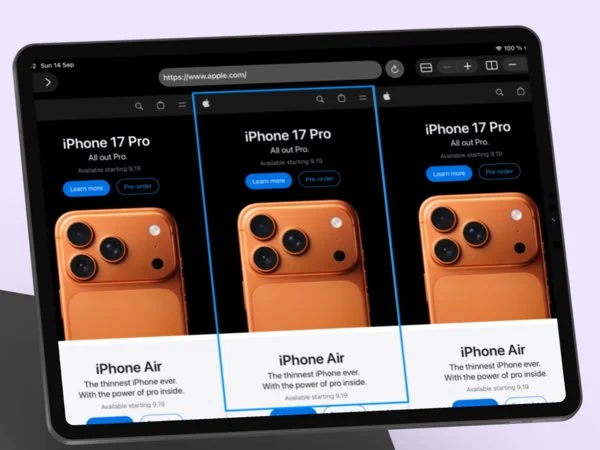
Several live web pages. One iPad screen.
WebCraft is a grid browser for iPad. Arrange live web pages in rows and columns, tap one to navigate or refresh it, and keep the others running beside it.

iPad only
At a glance
- Devices
- iPad
- Requires
- iPadOS 26 or later
- Price
- Free download · Lifetime Access $19.99 · One-time purchase · No subscriptionUS App Store price, checked October 11, 2026 · Family Sharing included
- Free version
- Grids up to two rows and two columns, so four live pages
- Languages
- English
- Your data
- Websites keep their cookies and storage in WebKit on this iPad. No account, analytics or Crafter Apps server.
- Version
- 25.0.1 · updated
Arrange the grid around the task.
- Two rows Read one page while you write in another.
- Three columns Compare prices, docs or dashboards.
- Four at once Research, video, notes and chat in view.
Layout diagrams are illustrations. Two rows and Four at once fit the free grid of up to two rows and two columns; Three columns needs Lifetime Access.
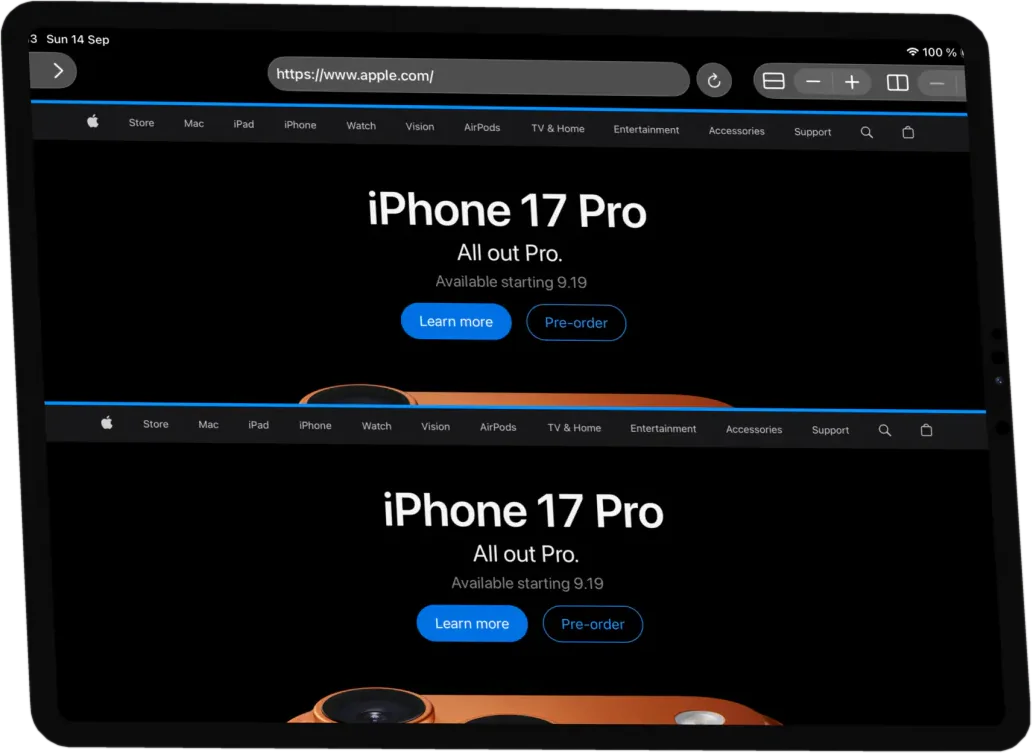
Every page stays live.
Tap a page to select it, then use the address bar, back, forward and refresh in the glass toolbar; a new page opens on apple.com until you type an address. Two steppers set rows and columns separately: up to two of each in the free version, more with Lifetime Access. Each page keeps running while you work in another.
No accounts, no cloud and no analytics. Browsing data stays in WebKit storage on your iPad.
Questions
What does the free version include?
Grids of up to two rows and two columns, so four live pages at once. Lifetime Access, a one-time purchase with no subscription, unlocks larger grids, and Family Sharing is included.
Which iPads does it run on?
Any iPad with iPadOS 26 or later. WebCraft is an iPad app; there is no iPhone version. The Mac App Store also offers it on Apple silicon Macs as an iPad app, marked “Not verified for macOS”.
Is WebCraft a private browser?
No. It has no account, analytics or Crafter Apps browsing server, but pages load through Apple’s WebKit like in any browser. Websites can set cookies, keep you signed in and ask for permissions under their own policies.
Can’t I just open several windows?
iPadOS 26 lets you open and arrange windows yourself. WebCraft keeps the pages in one fixed grid inside one window, with one toolbar for the selected page and two steppers that reshape the grid: up to two rows and two columns free, larger grids with Lifetime Access.
Does it keep history, bookmarks or tabs?
No. WebCraft has none of its own; the grid is the whole app, and nothing about it is saved between launches: it opens as one page on apple.com each time. Websites keep their own cookies and sign-ins in WebKit storage on your iPad, as they would in any browser.
Why is it rated 16+?
Because it can open any website. The App Store gives that rating to apps with unrestricted web access, so a Screen Time age limit below it hides WebCraft.
Availability
Free grids go up to two rows and two columns, so four live pages. Lifetime Access unlocks larger grids with one purchase.
- Devices
- iPad
- Download
- Free to download
- Purchase options
- Lifetime Access · One-time purchase · No subscription
Prices vary by country; the App Store shows your local price.
WebCraft support and purchase help
Designed and built by Daniel, an independent Apple developer. Every release is listed in the changelog.