Make music with one finger.
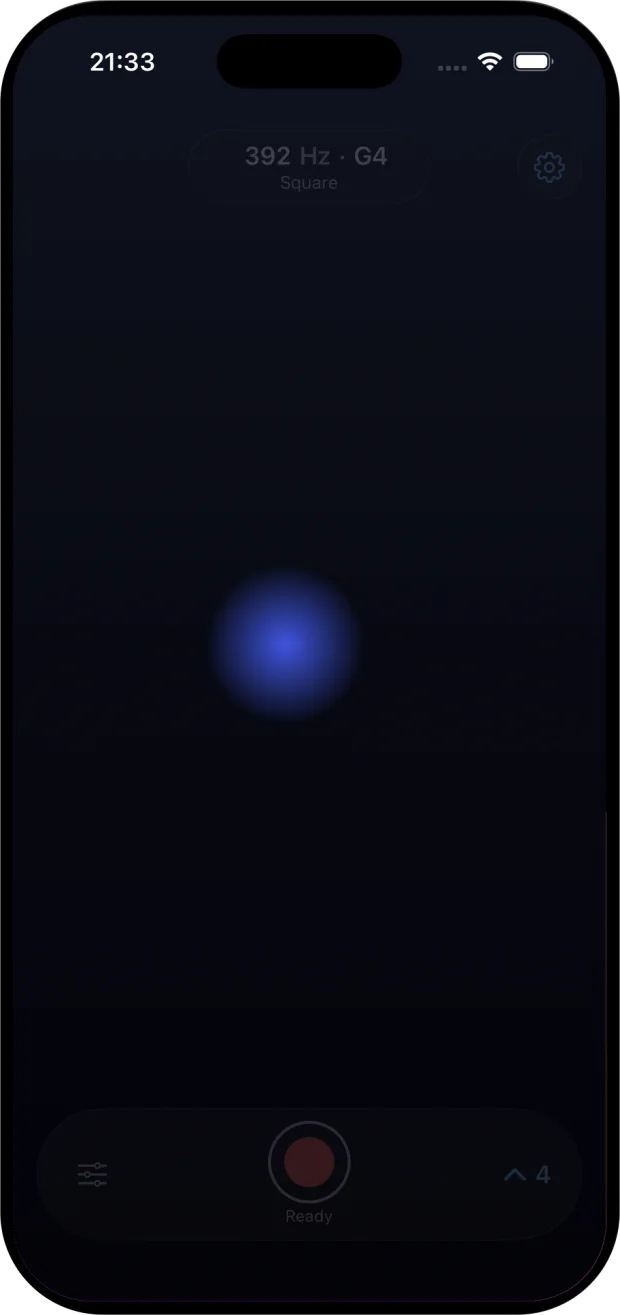
Airwave is a touch theremin for iPhone and iPad. Slide one finger across the pad: left and right sets the pitch across four octaves, up and down sets the volume. Tap record to capture a take and hear it back. The pad, sine wave, reverb and a one-minute take are free.

Best with headphones or a decent speaker. This page makes no sound.
At a glance
- Devices
- iPhone · iPad
- Requires
- iOS 18 and iPadOS 18 or later
- Price
- Free download · Lifetime Access $9.99 · One-time purchase · No subscriptionUS App Store price, checked October 11, 2026 · Family Sharing included
- Free version
- The pad, sine wave and reverb, one take of up to 60 seconds at a time, and one 10-second try of each paid sound
- Languages
- English
- Your data
- Sound is made on this device, with no account and no microphone. Takes stay on the device unless you share them. Optional feedback sends the name, email and message you enter to Daniel’s feedback service.
- Version
- 26.0.0 · updated
Works with
- Share sheet
Sharing a take as a WAV file needs Lifetime Access. Saved takes also appear in the Files app.
Three moves to try first.
-
Glide
Touch down and slide sideways. The pitch follows without steps: one octave for every quarter of the pad.
-
Vibrato
Rock your fingertip side to side as you rise into a note. Small, quick movements make the pitch waver.
-
Silence
The bottom edge is silent. Rise from it to begin a note and sink back to end it, or lift your finger and the sound stops at once.
Keep the glide. Choose the voice.
- Range
- Four octaves of true glide, from A2 (110 Hz) at the left edge to A6 (1,760 Hz) at the right. Each quarter of the pad is one octave, and the readout shows the pitch and note.
- Volume
- Higher on the pad is louder, with the finest control near the bottom. The bottom edge is silent.
- Response
- Every move reaches the tone as a 20-millisecond glide, so the pitch never steps, and a lifted finger releases the note over 30 milliseconds instead of cutting it off.
- Waveforms
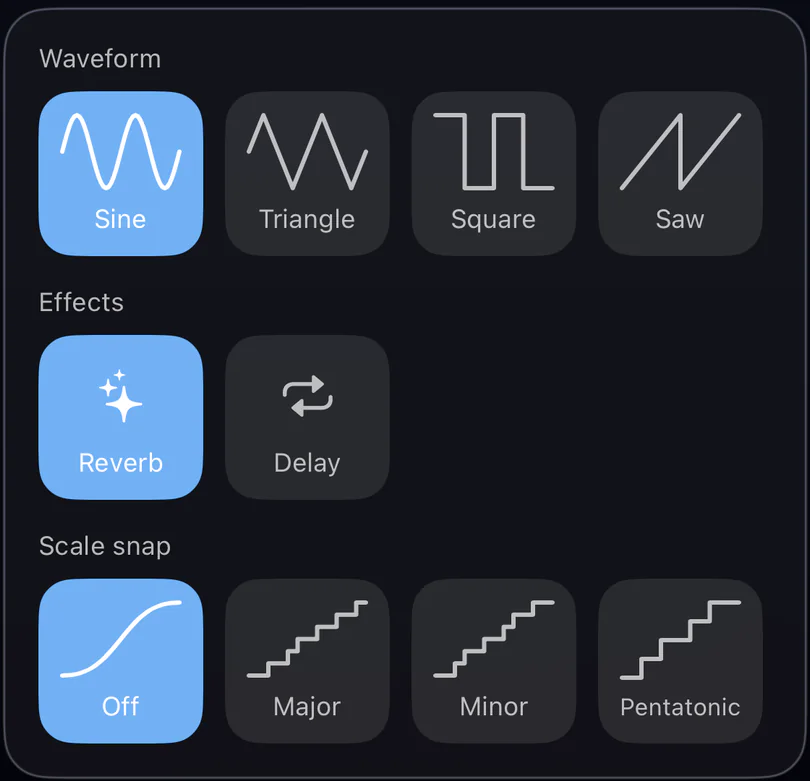
- Sine is free. Triangle, square and sawtooth come with Lifetime Access.
- Effects
- Reverb for space is free. Delay, a 0.28-second echo, comes with Lifetime Access.
- Scale snap
- Off by default, for raw pitch. Major, minor or pentatonic snap, each rooted on A, keeps you in key with Lifetime Access.
- Voice
- One, like a theremin. It follows your first finger and ignores the rest.
Try each paid sound once, for 10 seconds, before you buy.
Record the take.
- A take
- Tap the red button, play, and tap it again. The take is exactly what you heard: the tone, the reverb and the delay.
- Free
- One take at a time, up to 60 seconds. Play it back in the app; it is gone when you quit Airwave.
- Lifetime Access
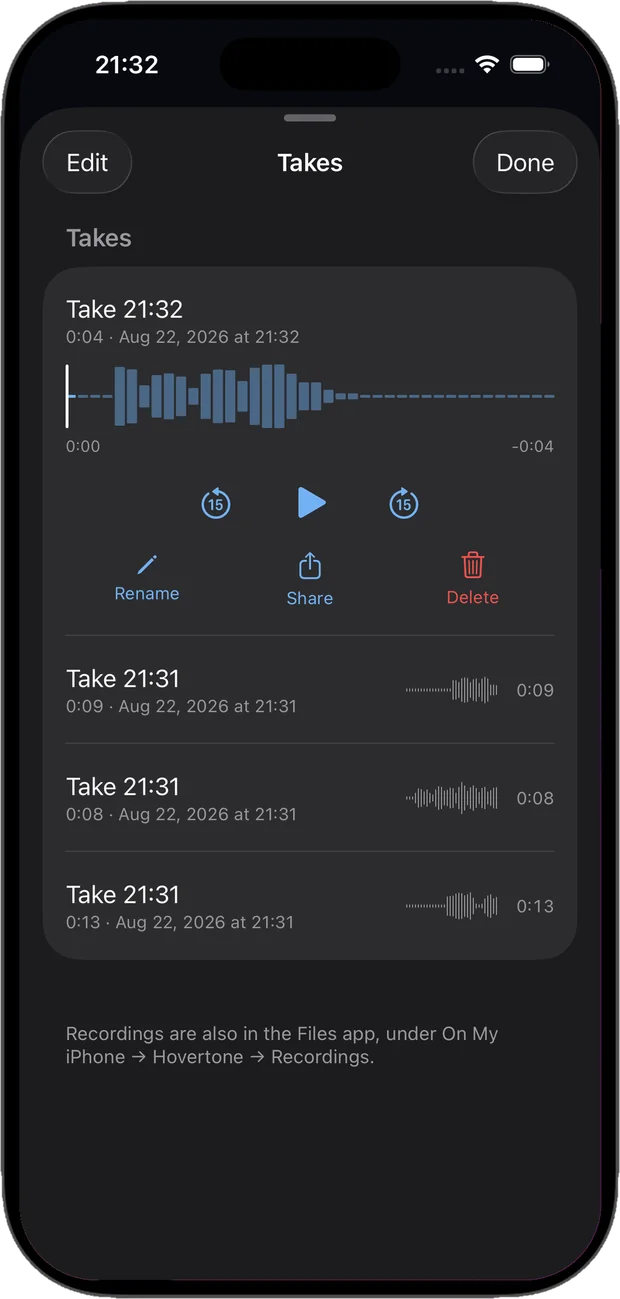
- Takes of any length, kept in a library that opens over the pad, where you can rename, scrub, replay and delete them. Buy while a free take is waiting and that take is kept.
- Share
- A 24-bit WAV at your device’s sample rate, named after the take and levelled to peak at −1 dBFS, for AirDrop, Files or any app that opens audio. With Lifetime Access.
- Interruptions
- A call, a headphone change or leaving the app ends the take and keeps everything you played up to that moment.
More room on iPad.
The same four octaves stretch across the whole screen, in any orientation, so every note has more room under your finger. The glow beneath it grows as you play louder and shifts from cyan to violet as the pitch rises.
On iPhone, turn the phone sideways for the same reason: the four octaves run along the long edge, about twice the room for each note.
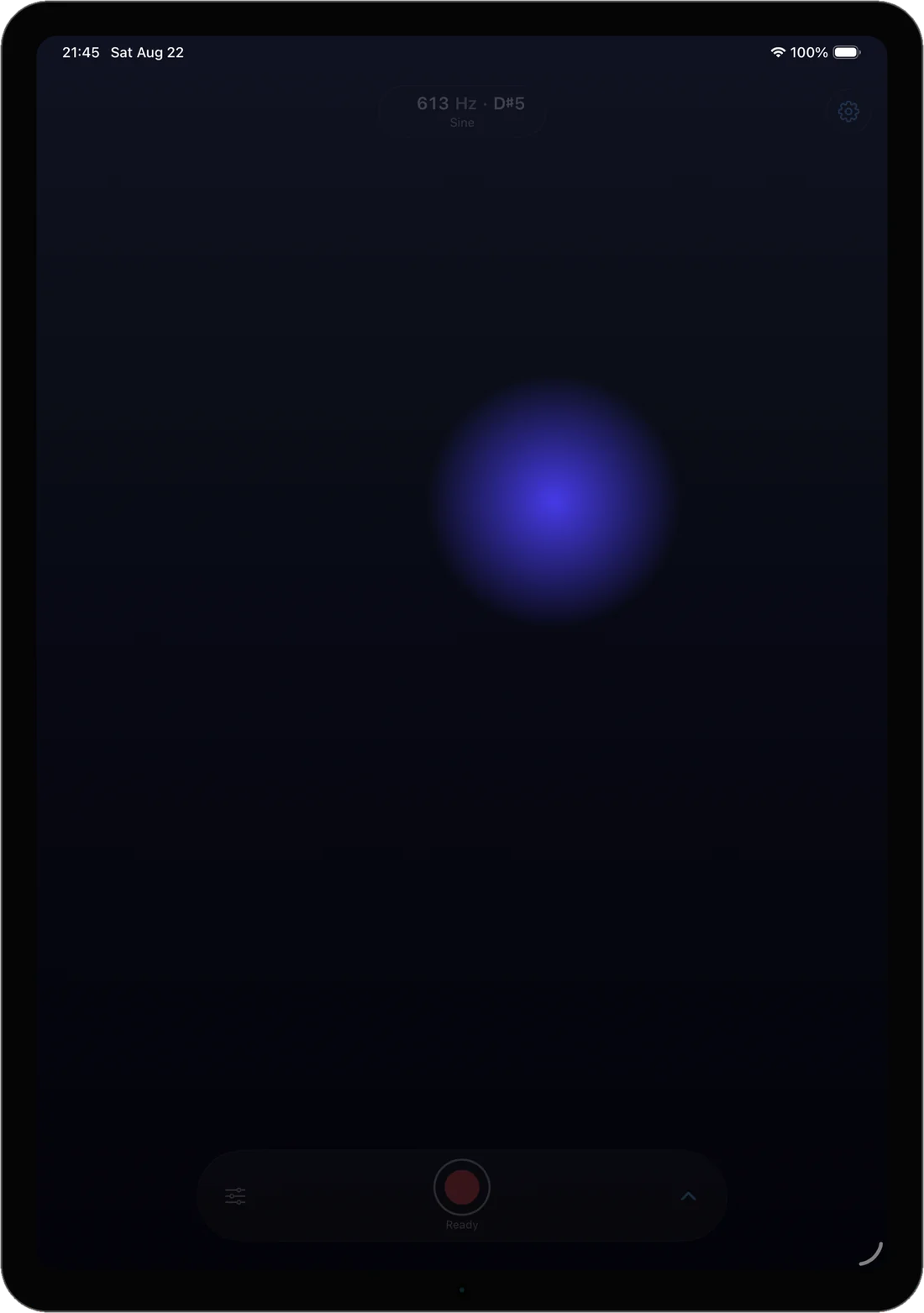
Playable by everyone.
With VoiceOver, the pad becomes a pitch slider, a volume slider and a Play tone button, and the readout is spoken as hertz, note and waveform. Reduce Motion is respected throughout. The pad ignores stray touches, and it silences the note before a call or a headphone change, then recovers. No account, no tracking and no microphone.
Questions
Does Airwave use the camera, the microphone or any permission?
No. You play on the screen, not in the air: Airwave never uses the camera or the microphone and asks for no permissions, so there is nothing to allow in Settings. A take records the instrument’s own sound, not the room.
Will it play when my iPhone is in silent mode?
Yes. Like a hardware instrument, Airwave keeps sounding in silent mode. Set the level with the volume buttons.
Can I record what I play?
Yes. Tap the red record button and play; the take captures exactly what you hear. Free, you get one take at a time of up to 60 seconds, and you can play it back until you quit the app. Lifetime Access removes the limit, keeps every take in a library and lets you share it.
What format are the recordings, and where do they go?
Takes are 24-bit WAV files at your device’s sample rate. With Lifetime Access they are kept on your device and also appear in the Files app, and Share sends a copy levelled to peak at −1 dBFS to AirDrop, Messages, Mail, Files or an audio app. Nothing is uploaded.
What is free, and what does Lifetime Access add?
The pad, the sine wave, reverb and one take of up to 60 seconds at a time are free. Lifetime Access adds triangle, square and sawtooth waves, delay, major, minor and pentatonic scale snap, takes of any length, the takes library and WAV sharing. You can try each paid sound once, for 10 seconds, first. It’s a one-time purchase with no subscription, and Family Sharing is included.
How do I stay in tune?
Watch the readout: it shows the pitch in hertz and the nearest note as you play. With Lifetime Access, scale snap pulls every pitch to the nearest note of A major, A minor or A major pentatonic. It is off by default, because the glide is the instrument.
Why doesn’t a second finger play a chord?
Airwave has one voice, like a theremin. It follows the first finger on the pad and ignores the rest, so a resting thumb won’t cut the note.
Can it make the eerie science-fiction theremin sound?
Yes. That sound is a gliding tone with a slow vibrato, and Airwave’s free sine wave with reverb gets you there. Slide into each note instead of jumping to it, and rock your fingertip slowly from side to side while you hold it.
Does Airwave send MIDI or run as a plug-in?
No. Airwave is a standalone instrument: it has no MIDI and no Audio Unit extension. To use it in a project, record a take and share the WAV to your DAW.
How do I find Airwave on the App Store?
Search for “Airwave: Touch Theremin”, or just “touch theremin”. It is an app for iPhone and iPad in the Music category, and there is no hardware to buy. The Share button in Airwave’s Settings sends a link to this page.
Does Lifetime Access work on both my iPhone and iPad?
Yes. Airwave is one app for iPhone and iPad. Sign in with the same Apple Account and use Restore Purchases in Airwave’s Settings if the other device doesn’t unlock on its own.
Pairs well with

An iPad toy where a tap or a drag makes light, as Airwave’s pad makes sound.

Another one-finger app for iPhone and iPad: air hockey against a fair computer opponent or a friend.

Availability
The pad, sine waveform, reverb and one take of up to 60 seconds at a time are free. Lifetime Access unlocks every waveform, delay, scale snapping, takes of any length, the takes library and WAV sharing.
- Devices
- iPhone · iPad
- Download
- Free to download
- Purchase options
- Lifetime Access · One-time purchase · No subscription
Prices vary by country; the App Store shows your local price.
Airwave support and purchase help
Designed and built by Daniel, an independent Apple developer. Every release is listed in the changelog.