How to check a used iPhone before buying
A used iPhone can look perfect and still be locked to someone else’s account, have a worn battery or a part that was replaced. This checklist follows the order that works best in person: the account first, then Apple’s own information, then the hardware. It also says plainly what an app can test and what no app can.
1. Make sure it isn’t locked to the seller
This is the one check that can make a phone useless, and only Apple’s own process answers it. Ask the seller to turn off Find My, sign out of their Apple Account and erase the iPhone in front of you, then start setting it up. If it asks for the previous owner’s Apple Account, don’t buy it. Apple explains each step in If you want to buy a preowned iPhone.
2. Read what the iPhone reports about itself
- Model and storage: Settings › General › About. Compare them with the listing.
- Battery: Settings › Battery shows battery health on supported models. Apps can’t read this directly, so look at it on the phone.
- Replaced parts: Settings › General › About lists parts and service history on supported models. Apple explains what it means in iPhone Parts and Service History.
3. Test the hardware
These are the checks an app can actually measure, so a guided app is faster and more thorough than poking around by hand:
- Touch: sweep every part of the screen to find dead zones.
- Cameras: take a photo with the front and rear cameras.
- Microphone and speaker: record a short sample, and play a tone the microphone can hear.
- Motion and proximity: the accelerometer, gyroscope and magnetometer respond as you move the phone, and the proximity sensor responds when covered.
- Charging and network: plug in to confirm the phone switches to charging, and complete a network request over the current connection.
4. Check what only you can see
Screen colour and scratches, camera focus and flash, the buttons, the charging port, the SIM tray or eSIM, cellular service, the glass, the frame and the lenses. Use good light and take photos, so you can compare later or show them to the seller.
5. Know what no app can verify
No third-party app can see Activation Lock, Find My, the Apple Account on the phone, the battery health figure in Settings or where a part came from. An app that claims to check those is guessing. Use steps 1 and 2 for them.
6. Keep a record
Save the receipt or a written note from the seller with the date, price, model and serial number, together with your test results. It helps with warranty, insurance and resale.
How iCheckup does this for you
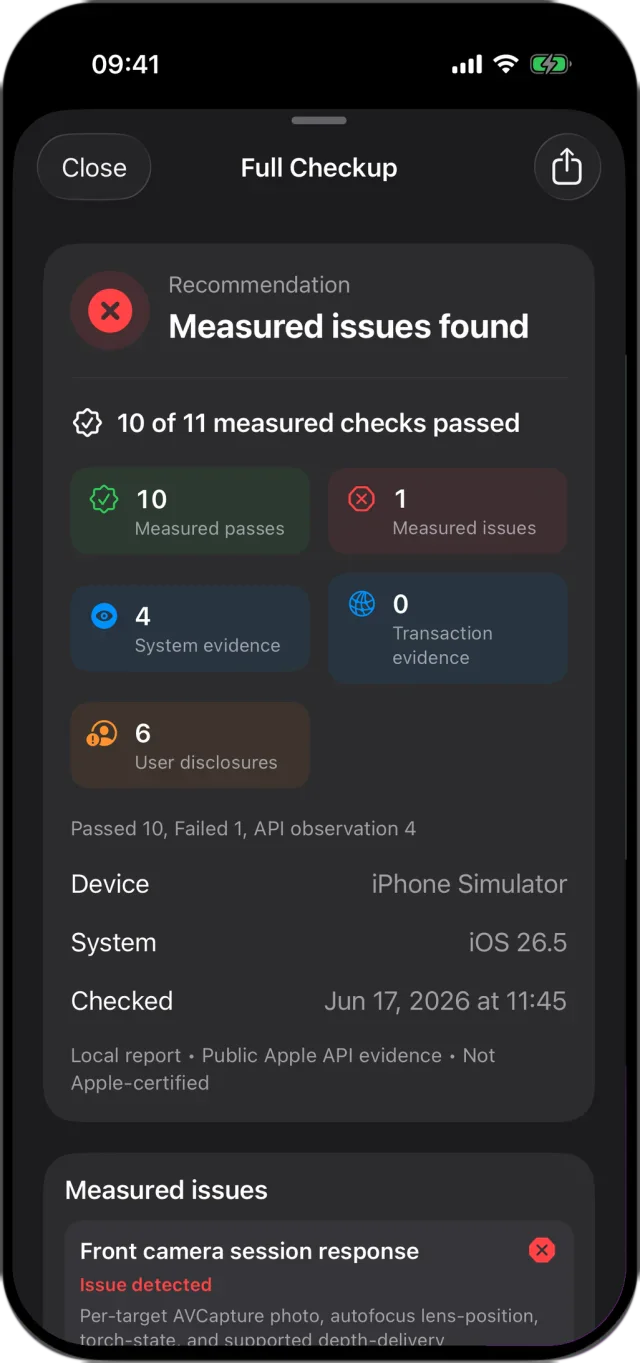
iCheckup walks you through steps 3 and 4 on iPhone or iPad, one movement at a time, and writes a report that labels every result by its source: measured by the app, read from the device, or confirmed by you. It tells you when something isn’t available to apps instead of guessing. Every check is free; Lifetime Access adds PDF and Markdown export, report history, retest comparison and notes.