
Coming Soon · iPhone & iPad
From performer to motion file.
MotionForge records one performer’s body motion with the rear camera of an iPhone or iPad, lets you review the skeleton frame by frame, and exports a BVH file for Blender. Everything runs on the device. It is in pre-release.
- 0
- 5
- 10
- 15
- 20
- 25held
- 30held
- 35
- 40
- 45
- 50
- 55
- 60
Review before the handoff.
- Capture One performer, head to feet, with the rear camera in portrait on a fixed support, in even light with the floor in view. A take runs from 3 to 30 seconds.
- Review Play the skeleton back or scrub it frame by frame. Frames where tracking was lost are marked as gaps; no pose is invented for them.
- Export A BVH file at 60 frames per second, a silent reference video and a plain-text report, through the share sheet.

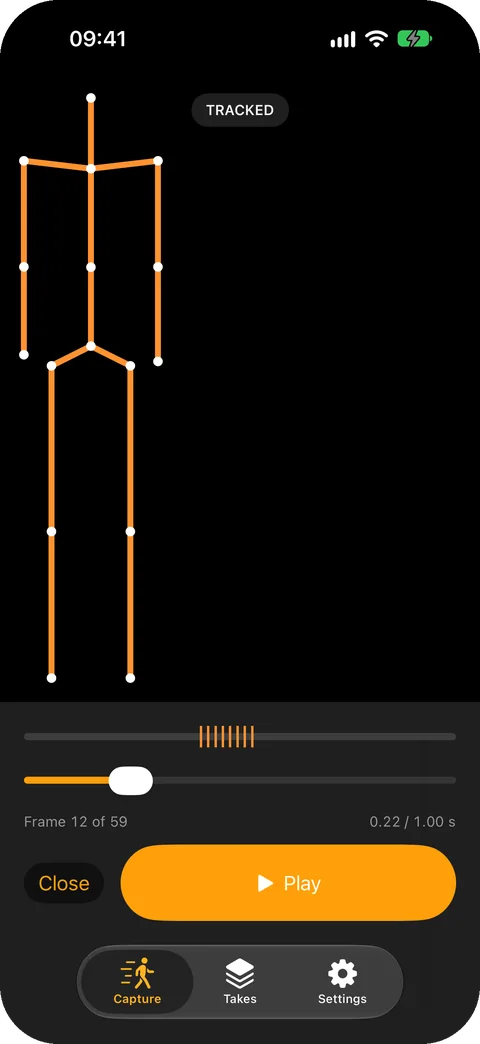
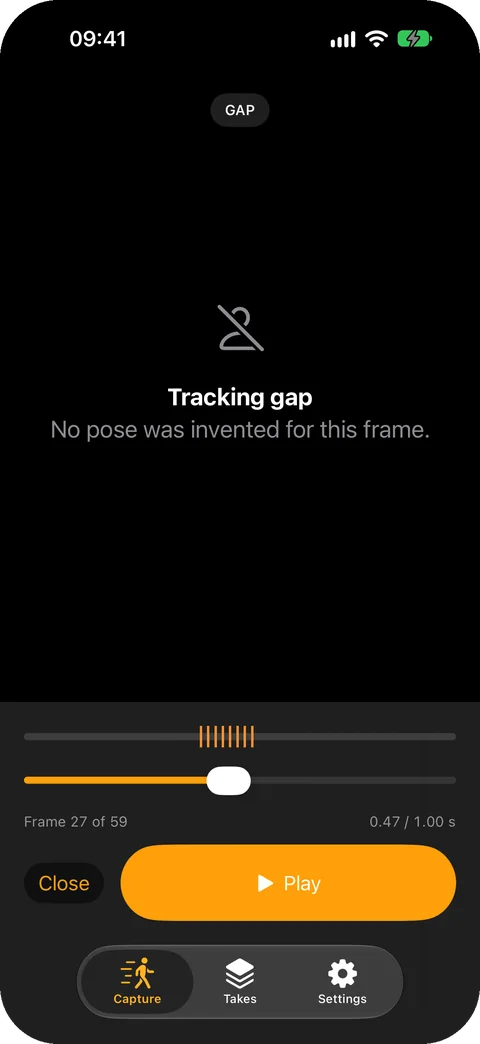

Pre-release build 26.0.0 (3) in the iPhone 18 Pro simulator, captured 11 October 2026. It shows a sample take the app generates for testing, not a captured performance; body tracking itself needs a physical device. It may change before release.
The report answers Blender’s questions.
Blender’s BVH importer asks for a scale, a rotation order, the forward and up axes and a frame rate. Every MotionForge export carries a report that states each of them, so the first import is not a guess.
| Blender asks | The report answers |
|---|---|
| Scale | Units are metres. Import at 1.0. |
| Forward / Up | Y-up. For a Y-up file, Blender’s manual gives −Z forward, Y up. |
| Rotation | Z, X, Y on every joint. The root adds X, Y, Z position. |
| Scale FPS, Update Scene FPS | 60 frames per second, resampled without interpolation. |
BVH conventions
- Units are metres. Import into Blender at scale 1.0.
- Axis basis is ARKit's gravity-aligned Y-up space.
- Root channels: Xposition Yposition Zposition Zrotation Xrotation Yrotation.
- All other joints: Zrotation Xrotation Yrotation.
- Joint rest offsets are read from source frame 0.
- Root motion is world-space; the origin is where the AR session started.

Resampling
- Output rate: 60.000000 frames per second.
- Exported frames: 61
- Method: nearest preceding sample. No interpolation is performed.

Tracking gaps
- 8 of 61 exported frames fell inside a tracking gap.
- BVH cannot represent absent data, so the last tracked pose is held across each gap.
- Those frames are held poses, not measured motion. Review them before use.

MotionForge does not provide medical, biomechanical, safety, or studio-grade measurements. Output is a capture aid, not ground truth.
HIERARCHY
ROOT hips
{
  OFFSET 0.000000 0.000000 0.000000
  CHANNELS 6 Xposition Yposition Zposition Zrotation Xrotation Yrotation
  JOINT spine
  {
    OFFSET 0.000000 0.200000 0.000000
    CHANNELS 3 Zrotation Xrotation Yrotation
    …
MOTION
Frames: 61
Frame Time: 0.016667
0.000000 0.950000 -2.200000 0.000000 0.000000 0.000000 …An honest preview.
In development and not yet available to download.
- What it needs
- An iPhone or iPad with an A12 Bionic chip or later, on iOS or iPadOS 26 or later, its rear camera, and 300 MB of free storage to start a take.
- What it is not
- One performer at a time. No face or finger capture, no retargeting to other rigs, no animation editing, and no studio-grade accuracy.
- Free
- Capture, skeleton playback and BVH export, with three saved takes. Export stays available whatever you have bought.
- Lifetime Access
- A one-time purchase with no subscription that adds unlimited saved takes, shareable through Family Sharing. Not available yet.
Camera footage, skeleton data, saved takes and exports are processed and stored on your device. MotionForge does not upload motion captures or footage, has no account and no analytics, and does not use the microphone. Nothing is metered: there are no credits and no processing minutes to buy.
Questions about MotionForge? MotionForge support · Privacy details