Every country day, counted.
Abroad keeps a private record of the country you were in each day, on iPhone, iPad and Apple Watch, and turns it into Schengen 90/180, 183-day and custom-limit counts, trip plans and PDF reports.

Free download · Lifetime Access is a one-time purchase · No subscription
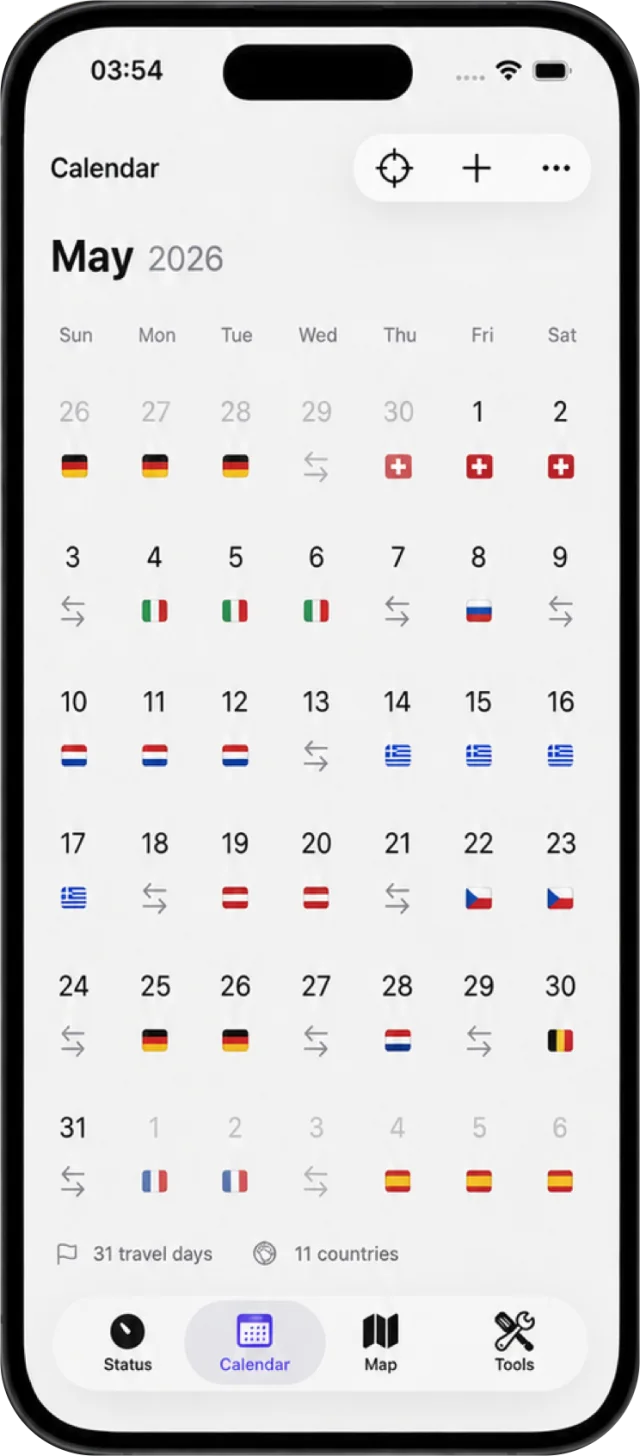
Thresholds, before they surprise you.
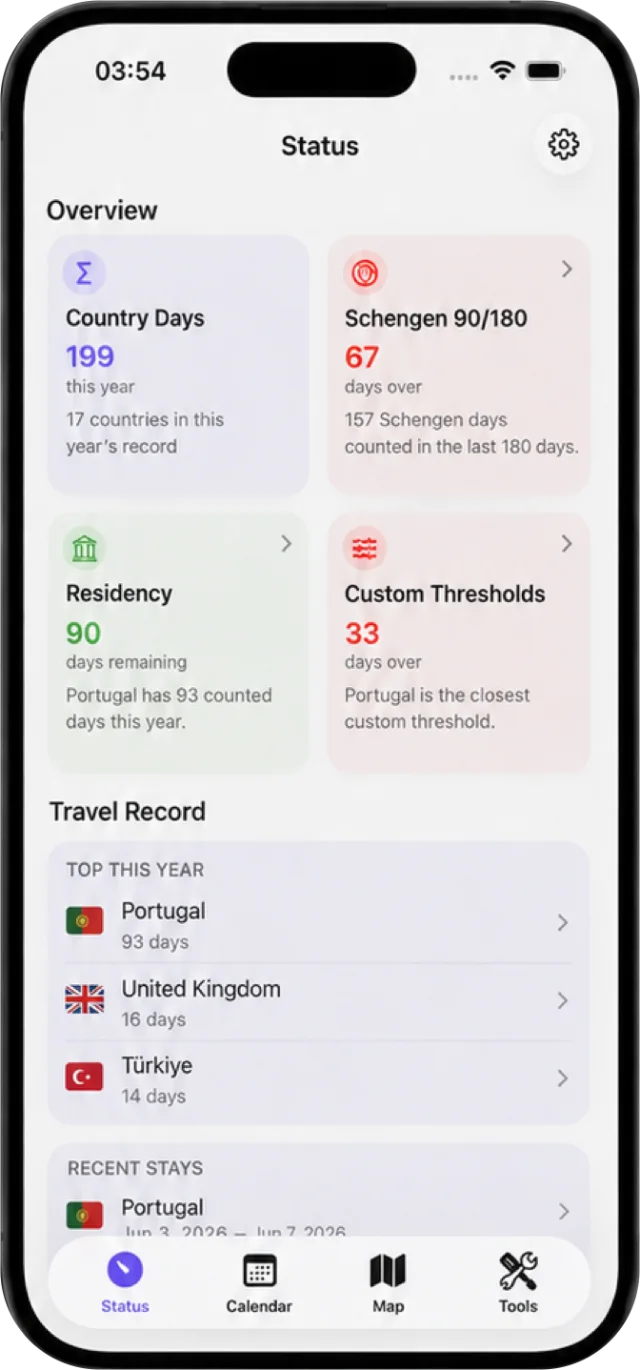
- Schengen 90/180 Days used and days left in the rolling 180-day window, at a glance.
- 183-day tax residency Counted days this year for the country you monitor, with a warning before you reach the threshold.
- Your own limits Add a limit for any country over a calendar year, a rolling 180 or 365 days, or your own date range, with an alert buffer you choose. Templates cover the 183-day and 90-in-180 rules.
For planning and recordkeeping. Not legal, immigration, visa or tax advice. Confirm your allowed stay with the EU’s official tool.
Plan. Check. Export.
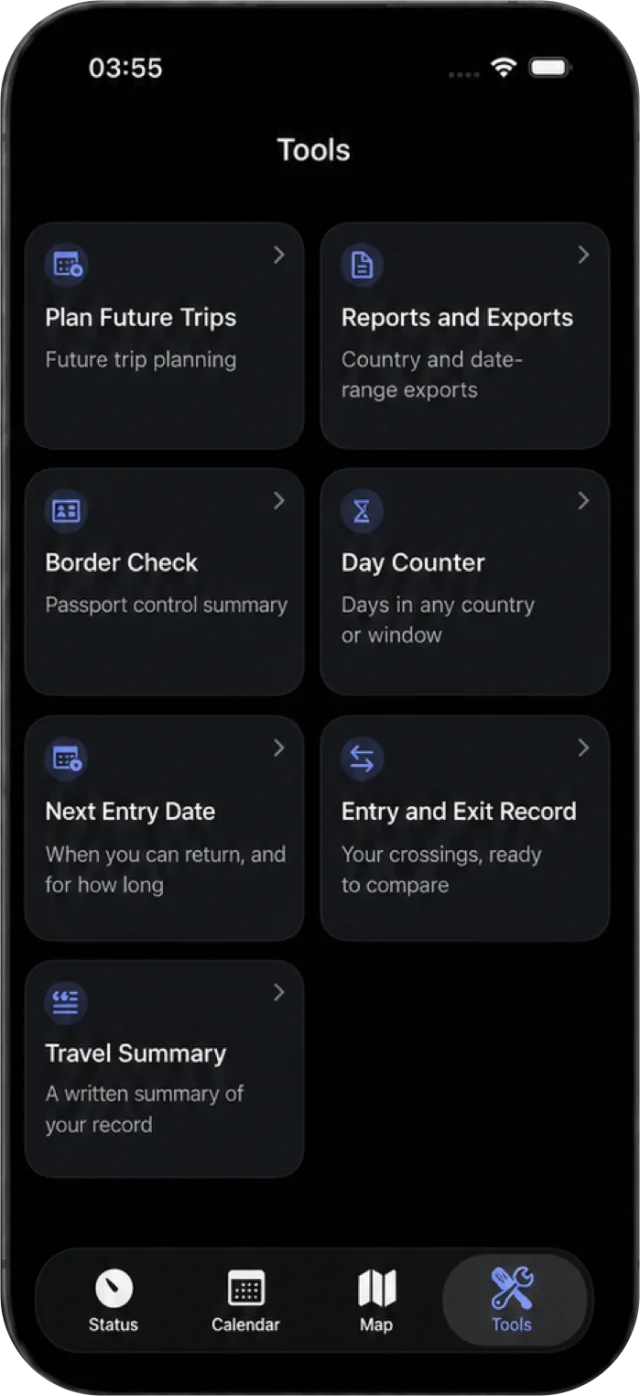
Since 10 April 2026 the EU’s Entry/Exit System has replaced passport stamps: every entry and exit at a Schengen border is registered electronically, and overstays are detected automatically. Your own record is what you check it against.
- Entry and Exit Record Your crossings, ready to compare.
- Border Check A passport-control summary of your stays.
- Next Entry Date When you can return, and for how long.
- Plan Future Trips See what a trip would do to your counts before you book it.
- Day Counter Days in any country or window.
- Reports and Exports Country and date-range PDFs for your own records. Siri can export one.
- Travel Summary A written summary of your record. On an iPhone with Apple Intelligence it is written on the device; otherwise Abroad composes it from the record. Nothing leaves the device.
Days left, on your wrist.
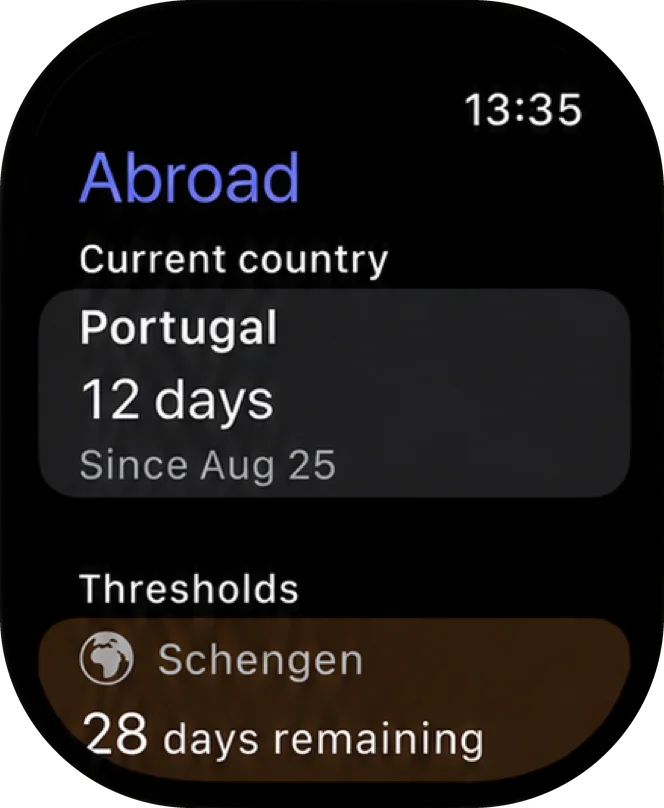
The Apple Watch app shows your current country, your days there and your thresholds. Three complications put them on the watch face: whichever count is closest to its limit, your Schengen days remaining, or your current country.
On iPhone the same count sits in Home Screen and Lock Screen widgets, in two Control Center controls (Schengen days remaining, and Confirm Country for the day a crossing is detected) and in a Live Activity. Siri answers the quick questions: what country am I in, how many days have I spent in France, how many Schengen days do I have left. It can also add a planned trip or export a report.
The Watch app and its complications, the widgets, the controls and the Live Activity come with Lifetime Access.
The world you’ve lived, kept yours.
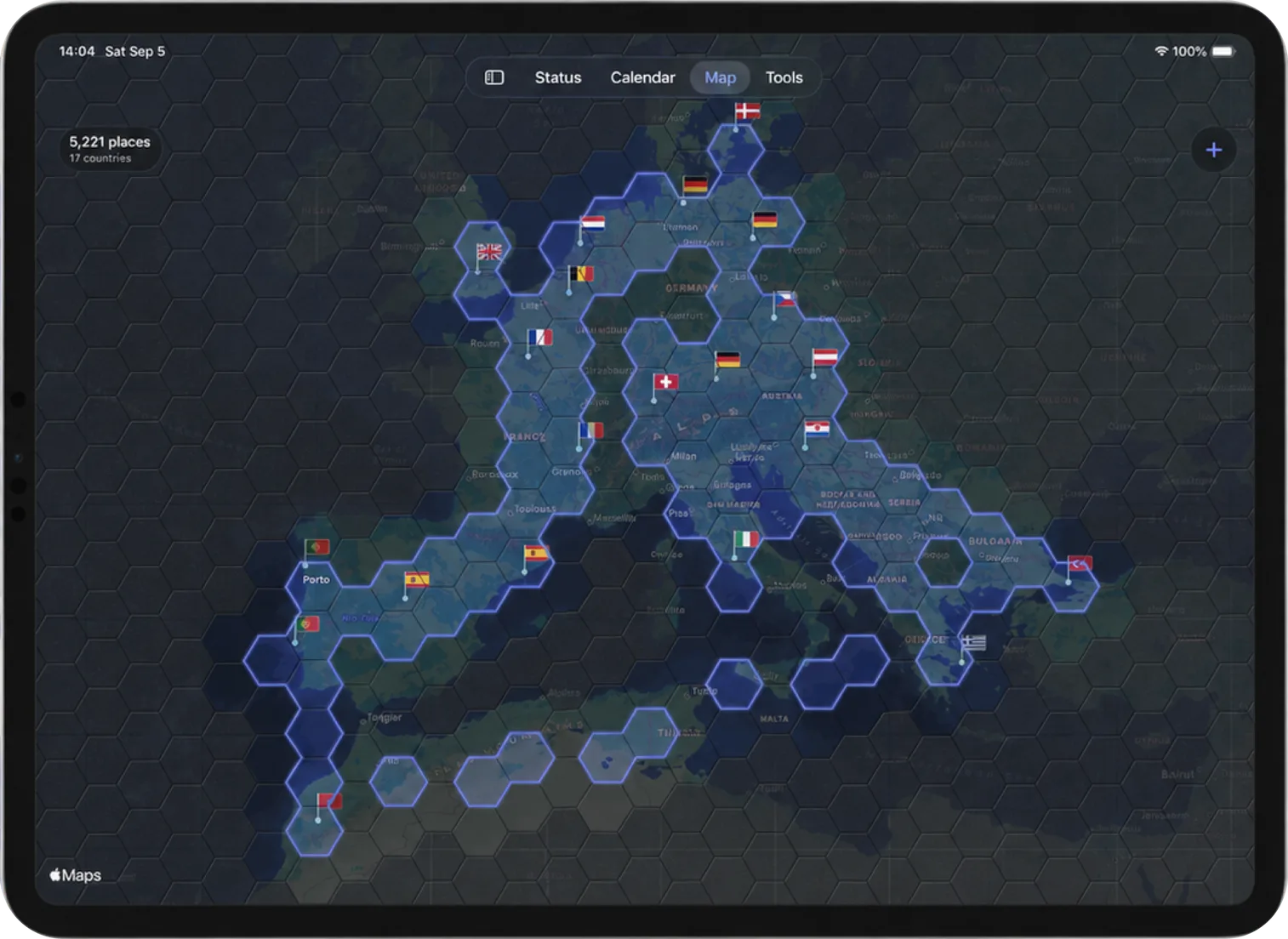
With your permission, significant location changes help detect border crossings without continuous GPS tracking. Or add, edit and correct every stay yourself: Abroad stays useful with location access off.
Your iPhone does the detecting. With Lifetime Access the iPad shows the same record over iCloud, so you can review, correct, plan and export it on a bigger screen; it never tracks on its own.
Records live on your device, and the Map fills in with the places you have been. No account, no advertising trackers, no third-party travel profiling and no Crafter Apps travel-history server. The App Store privacy label reads Data Not Collected.
At a glance
- Devices
- iPhone · iPad · Apple Watch
- Requires
- iOS 18, iPadOS 18 and watchOS 11 or later
- Price
- Free download · Lifetime Access $19.99 · One-time purchase · No subscriptionUS App Store price, checked October 10, 2026 · Family Sharing included
- Free version
- Day tracking for one country
- Languages
- 44
- Your data
- On your devices, with iCloud sync when you have Lifetime Access. No account and no Crafter Apps server.
- Version
- 26.0.2 · updated
Works with
- Siri & Shortcuts
- Home Screen widgets
- Lock Screen widgets
- Control Center
- Live Activities
- Apple Watch app
- Spotlight
The Apple Watch app, the widget trackers, the Schengen control and the Live Activity come with Lifetime Access.
Ask Siri: What country am I in with Abroad
· How many days have I spent in France with Abroad
· Export my travel report with Abroad
Questions
Do I have to allow location access?
No. You can add and correct every stay by hand, and Abroad stays useful with location access off. With your permission, significant location changes help detect border crossings without continuous GPS tracking.
What is free, and what does Lifetime Access add?
The free version tracks days for one country. Lifetime Access is a one-time purchase that adds every other country, the planning and report tools, the Apple Watch app, the widget trackers, the Schengen control, the Live Activity and private iCloud sync. Family Sharing is included.
Does Abroad keep my exact location?
No. It keeps the country for each day. For the map and calendar it also keeps city visits, with the city name, dates and a location rounded to about 1 km, on your devices and in your own iCloud when sync is on. The privacy policy has the details.
Which countries count toward the Schengen 90/180 limit?
The 29 countries of the Schengen area: 25 EU members plus Iceland, Liechtenstein, Norway and Switzerland. Bulgaria and Romania count; Ireland and Cyprus do not. Abroad applies that list to the Schengen count, and days in any other country still count toward your 183-day and custom limits.
I’m an EU citizen or hold a residence permit. Does the 90/180 rule apply to me?
Usually not, and you can turn the Schengen tracker off while keeping your day counts and other thresholds. Abroad can’t know your nationality or permits, so check which rules apply to you.
How does Abroad count a day?
The entry day counts and the exit day does not, except that a same-day stay counts as one day. Abroad applies that convention to every count. The EU’s own calculator counts both the entry day and the exit day, so check your allowed stay with the EU’s official tool before you travel.
What changed with the EU Entry/Exit System?
Since 10 April 2026 the Entry/Exit System has replaced passport stamping at Schengen borders: each entry and exit is registered electronically with your travel document and biometrics, and overstays are detected automatically. Abroad keeps your own dated record, so you can compare your Entry and Exit Record and Border Check with what the border holds.
Can I use Abroad on an iPad without an iPhone?
The iPad shows the record your iPhone keeps, synced over iCloud with Lifetime Access, so you can review, correct, plan and export on a bigger screen. It never detects location itself, so an iPad left at home does not record the wrong country.
Does automatic tracking drain the battery?
Abroad listens for significant location changes only. There is no continuous GPS, background polling or route recording, and it keeps the country for each day rather than where you went.
Is Abroad legal, visa or tax advice?
No. Abroad is for planning and recordkeeping. It does not guarantee eligibility, compliance or residency outcomes; confirm important decisions with official guidance or a qualified professional.

Know where you stand before you book.
Day tracking for one country is free. Lifetime Access is a one-time purchase with no subscription: it adds every other country, the planning and report tools, the Apple Watch app and private iCloud sync.
Pairs well with
Keep home time on your Home Screen: each clock widget can show its own time zone.
Scan residence permits, boarding passes and receipts into private PDFs beside your travel reports.
Availability
Lifetime Access is a one-time purchase, shareable with Family Sharing.
- Devices
- iPhone · iPad · Apple Watch
- Download
- Free to download
- Purchase options
- Lifetime Access · One-time purchase · No subscription
Prices vary by country; the App Store shows your local price.
Abroad support and purchase help
Designed and built by Daniel, an independent Apple developer. Every release is listed in the changelog.