Paper in. Private PDFs out.
Archive is a document scanner for iPhone. It turns receipts, contracts, warranties and everyday paperwork into clean PDFs, with no account and no document cloud: your scans stay on your iPhone, and it works in Airplane Mode.

At a glance
- Devices
- iPhone
- Requires
- iOS 18 or later
- Price
- Free download · Lifetime Access $39.99 · One-time purchase · No subscriptionUS App Store price, checked October 10, 2026 · Family Sharing included
- Free version
- Scan, save, lock and export standard PDFs, with no document limit
- Languages
- 44
- Your data
- Documents stay on your iPhone. No account and no document cloud; a document leaves only when you export or share it.
- Version
- 26.0.2 · updated
Three things, done well.
-
Save privately
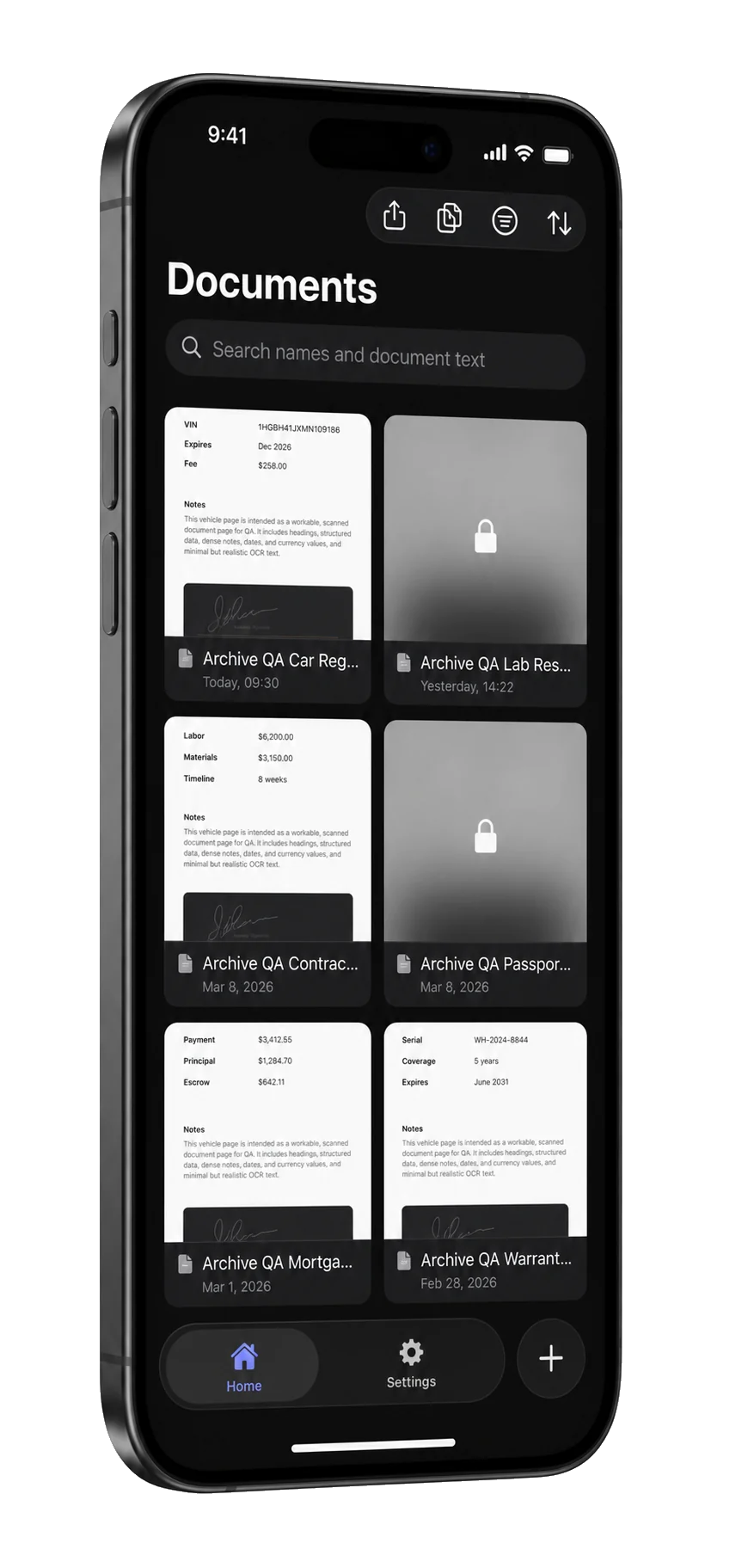
Automatic edge detection and multi-page capture. Documents are stored on your iPhone, and Face ID, Touch ID or your passcode locks the sensitive ones. Locked documents stay blurred in the library, out of text search, and lock again when you leave the app.
-
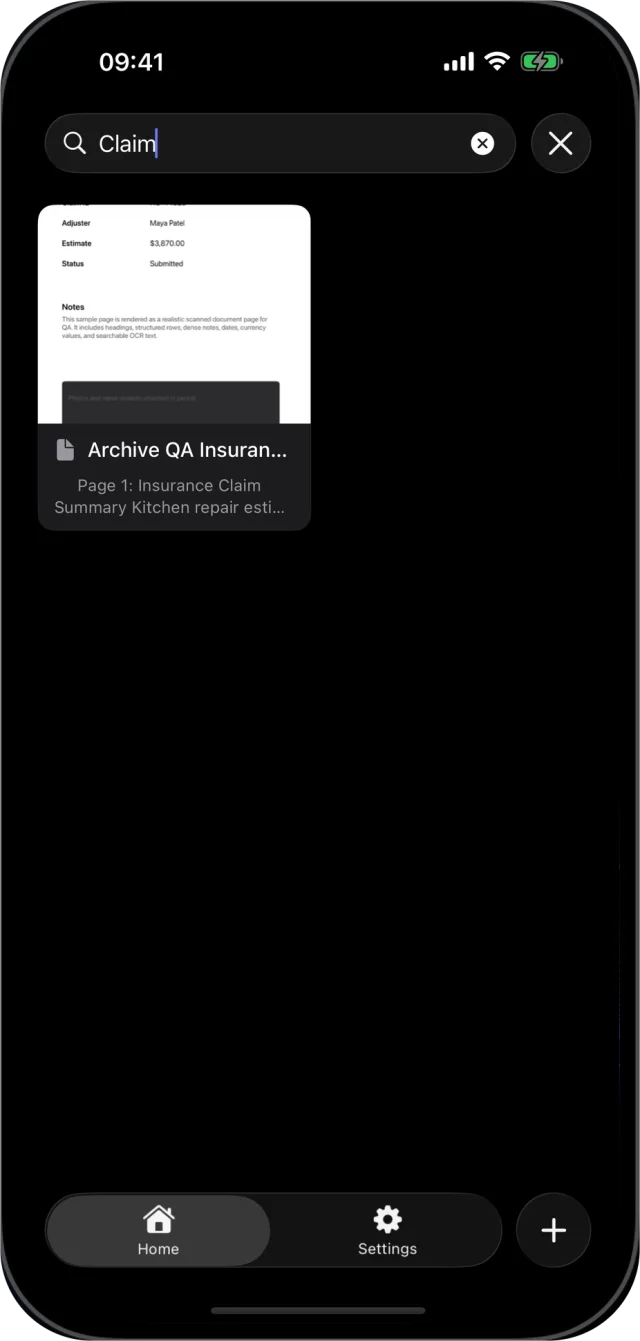
Find by what it says
With Lifetime Access, every new scan is read on your iPhone as soon as you save it, so you can search the words inside a page, not just its name. Recognition depends on page quality, lighting and language.
-
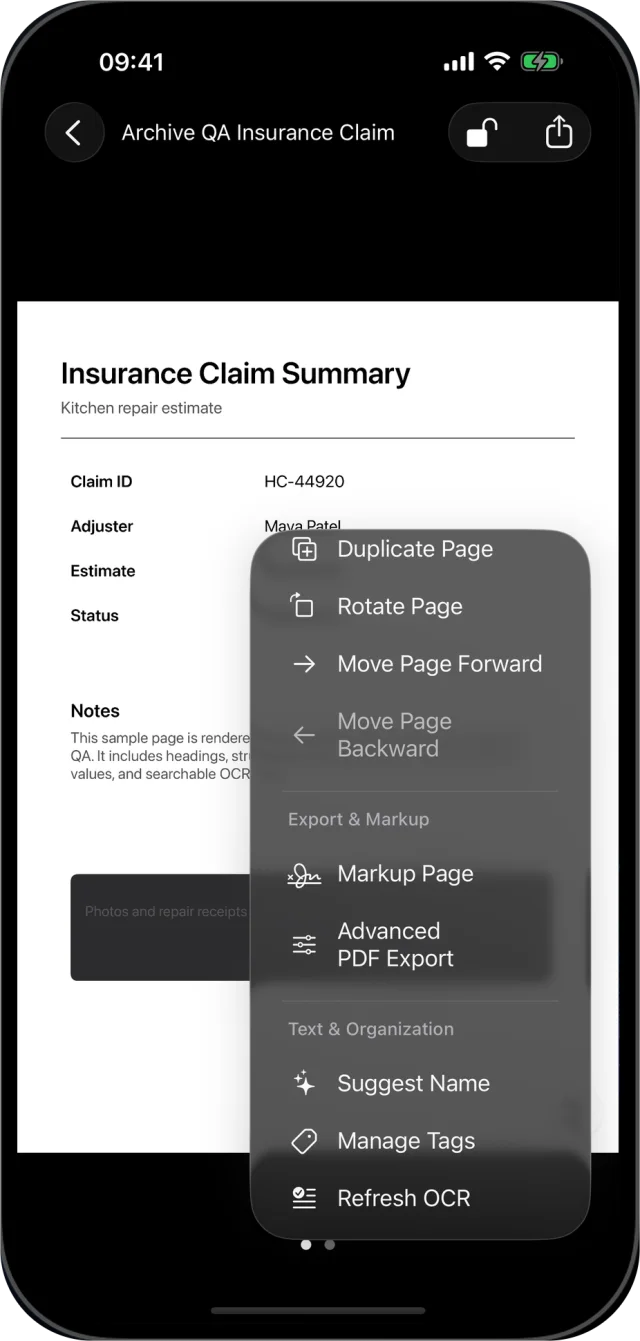
Edit every page
With Lifetime Access: rotate, reorder, duplicate or retake a page, clean it up in grayscale, black and white or high contrast, crop its edges, add markup, merge and split documents, and tag them.
Use what the page says.
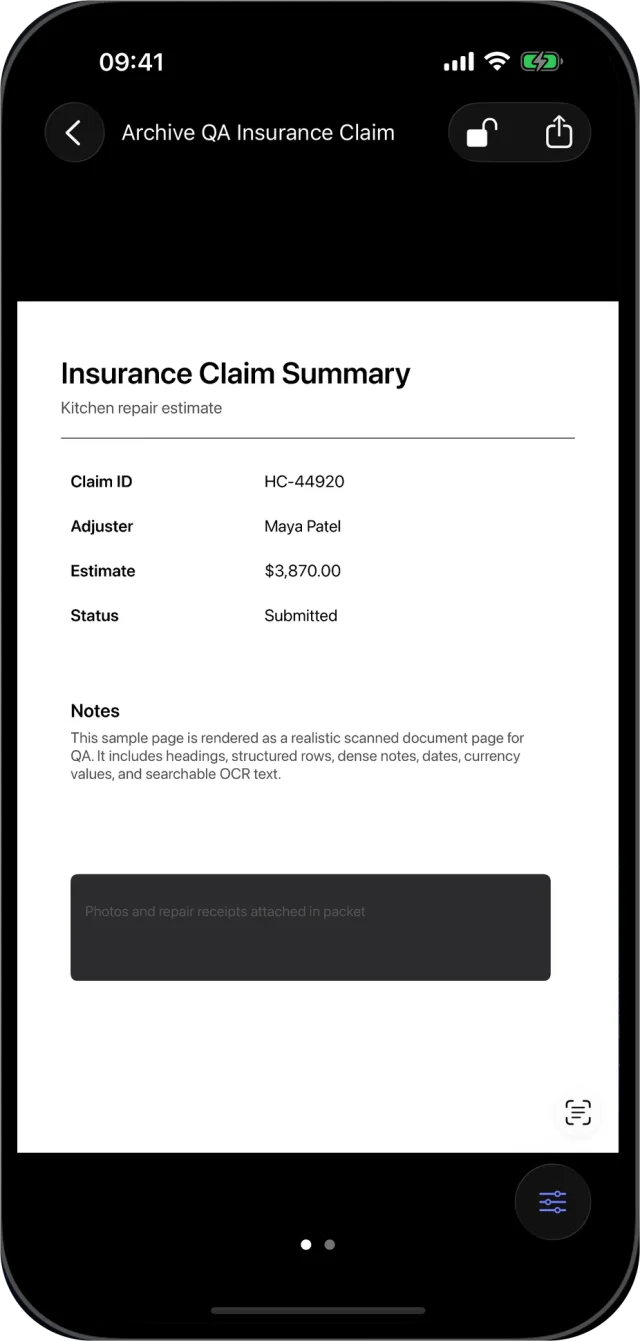
With Lifetime Access, Archive reads every page on your iPhone, in the first one or two languages in your iPhone’s language list that Apple’s text recognition supports.
Live Text
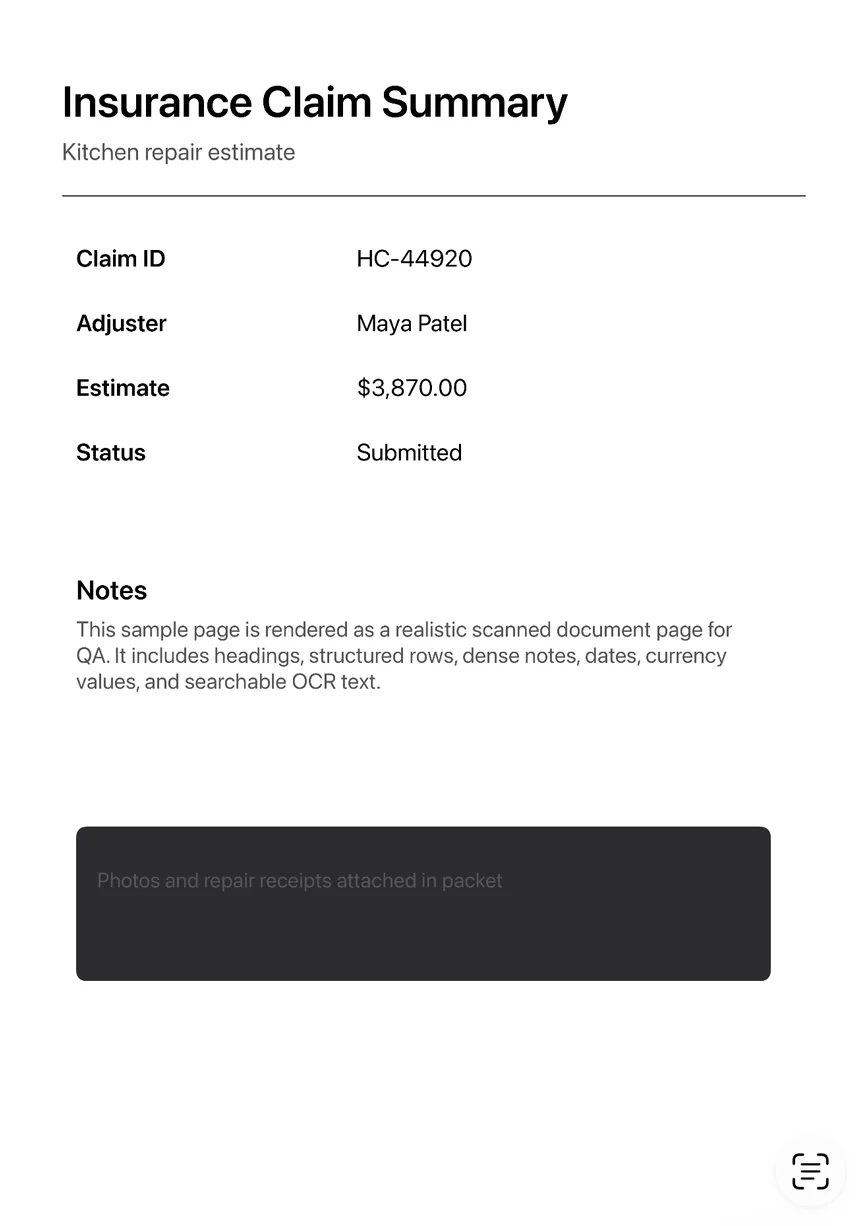
Select and copy words straight from a scanned page.
Extract Table
On iOS 26, Archive finds the first table on a page. Copy its rows and columns into a spreadsheet, or share them as a TSV file.
Suggest Name
A name built from the page’s first line and date, labelled when the page looks like an invoice, receipt, statement or form.
Advanced Export
A PDF with a text layer any reader can search: A4, US Letter or the original size; color, grayscale, black and white or high contrast; compact to high quality; an optional password with copy and print permissions. Batch Export turns every document in the current view into one searchable PDF, leaving locked ones out.
A useful scanner for free.
Included free
- Scan with edge detection and multiple pages
- Name, save, view and delete documents
- Lock documents with Face ID, Touch ID or your passcode
- Export a standard PDF
Lifetime Access
- Text search, Live Text and Extract Table
- Import PDFs and images from Files and Photos
- Tags, Suggest Name, merge, split, page editing and cleanup
- Advanced PDF export, with an optional password, and Batch Export
No account. No document cloud.
Scans, recognized text and tags are processed and stored on your iPhone. A document leaves only when you export or share it; the PDF then carries the document’s name as its title, and Advanced Export adds its tags as keywords. Put your iPhone in Airplane Mode and Archive still scans, recognizes text, searches and exports, because none of it uses a server. No ads, no analytics SDKs, no tracking. Support messages are separate from your library; see the Privacy Policy.
Questions
Does Archive need an account or upload my documents?
No. There is no account and no Archive document cloud. Your library stays on your iPhone, and a document leaves only when you export or share it. If iCloud Backup is on, your iPhone’s backup includes it.
What is free, and what does Lifetime Access add?
Scanning, saving, Face ID or Touch ID locks, search by name and standard PDF export are free, with no limit on documents. Lifetime Access is a one-time purchase with no subscription. It adds text search, Live Text, Extract Table, import from Files and Photos, tags, page editing, Advanced Export and Batch Export. Family Sharing is included.
iOS 26 scans in Notes, Files and the Preview app. What does Archive add?
Those scans end up where that app keeps them: a PDF you save from Preview or Files, or a PDF inside a note. Archive keeps a library of its own on your iPhone, where each document can be locked and, with Lifetime Access, tagged, found by the words on its pages and exported as a PDF that stays searchable in any reader. The scanning step itself uses Apple’s document camera.
Does Archive work offline?
Yes. Scanning, text recognition, search and PDF export all run on your iPhone, so they work in Airplane Mode. Only buying or restoring Lifetime Access needs the App Store.
What if Face ID fails or isn’t set up?
A locked document opens with Face ID, Touch ID or your iPhone passcode. If no passcode is set, Archive points you to Settings to add one before it can unlock anything. Locked documents can still be found by name, never by their text, and Batch Export leaves them out.
Can I bring in PDFs and scans from another app?
Yes, with Lifetime Access. Import PDFs and images from Files, or photos from your library. Each page is stored like a scan, and Refresh OCR makes its text searchable.
Which languages can Archive read?
The first one or two languages in your iPhone’s language list that Apple’s text recognition supports. There is no separate language setting, so keep the languages you scan near the top of that list. Results depend on the print, the light and the page.
Can I password-protect a PDF?
Yes, with Lifetime Access. In Advanced Export, turn on Require password and enter one. The PDF is created on your iPhone, and nothing is uploaded.
Does an exported PDF stay searchable in other apps?
Yes, when you use Advanced Export with Searchable PDF on. The recognized text is written into the file as a text layer, so any PDF reader can search and select it. The free standard export contains the page images only.
Can Archive turn a paper table into a spreadsheet?
On iOS 26, with Lifetime Access, Extract Table reads the first table on the selected page. Copy it and paste it into a spreadsheet, or share it as a TSV file. On iOS 18 the rest of Archive works, but Extract Table isn’t available.
Does Archive run on iPad or Mac, and does it sync?
Archive is an iPhone app. The App Store also offers it on iPad, where it runs as an iPhone app; there is no Mac version. Nothing syncs, because there is no cloud: each device keeps its own library, so move a document by exporting its PDF to Files.

Availability
Scanning, saving, locks and standard PDF export are free. Lifetime Access adds text search, Live Text, Extract Table, imports, tags, page editing and Advanced Export.
- Devices
- iPhone
- Download
- Free to download
- Purchase options
- Lifetime Access · One-time purchase · No subscription
Prices vary by country; the App Store shows your local price.
Archive support and purchase help
Designed and built by Daniel, an independent Apple developer. Every release is listed in the changelog.