
One image in. An Xcode icon catalog out.
AppIcon Maker is an iPhone and iPad app for developers that turns one 1024 × 1024 image into an Xcode AppIcon.appiconset, with no upload.

Preview free · Export with Lifetime Access, a one-time purchase · No subscription
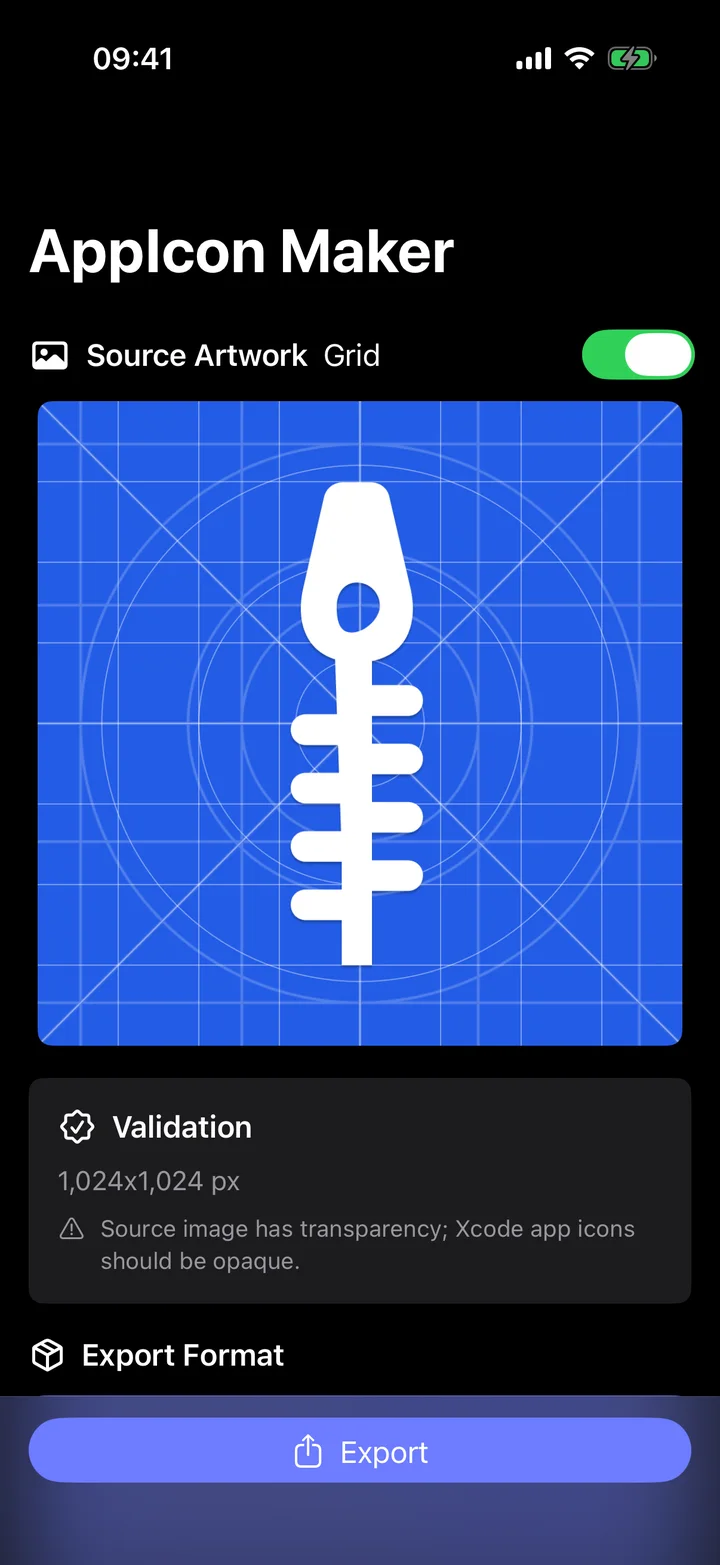
Source, format, output.
-
Know the starting image.
Select the image or drop it in. Bring finished artwork: AppIcon Maker prepares icon assets, it does not design the icon. It checks dimensions and readiness before anything is exported. Non-square, undersized or transparent artwork gets a warning: non-square images are center-cropped and transparent areas are filled white.
-
Choose the catalog.
Modern Xcode exports one universal 1024 × 1024 icon. Classic Full Size Set fills all 18 iPhone, iPad and App Store icon slots, or 10 for iPad only, for projects that need explicit sizes.
-
See what ships.
The output summary lists the folder, asset catalog, PNG files and Contents.json before you export. Then share the ZIP to Files, AirDrop or Mail.
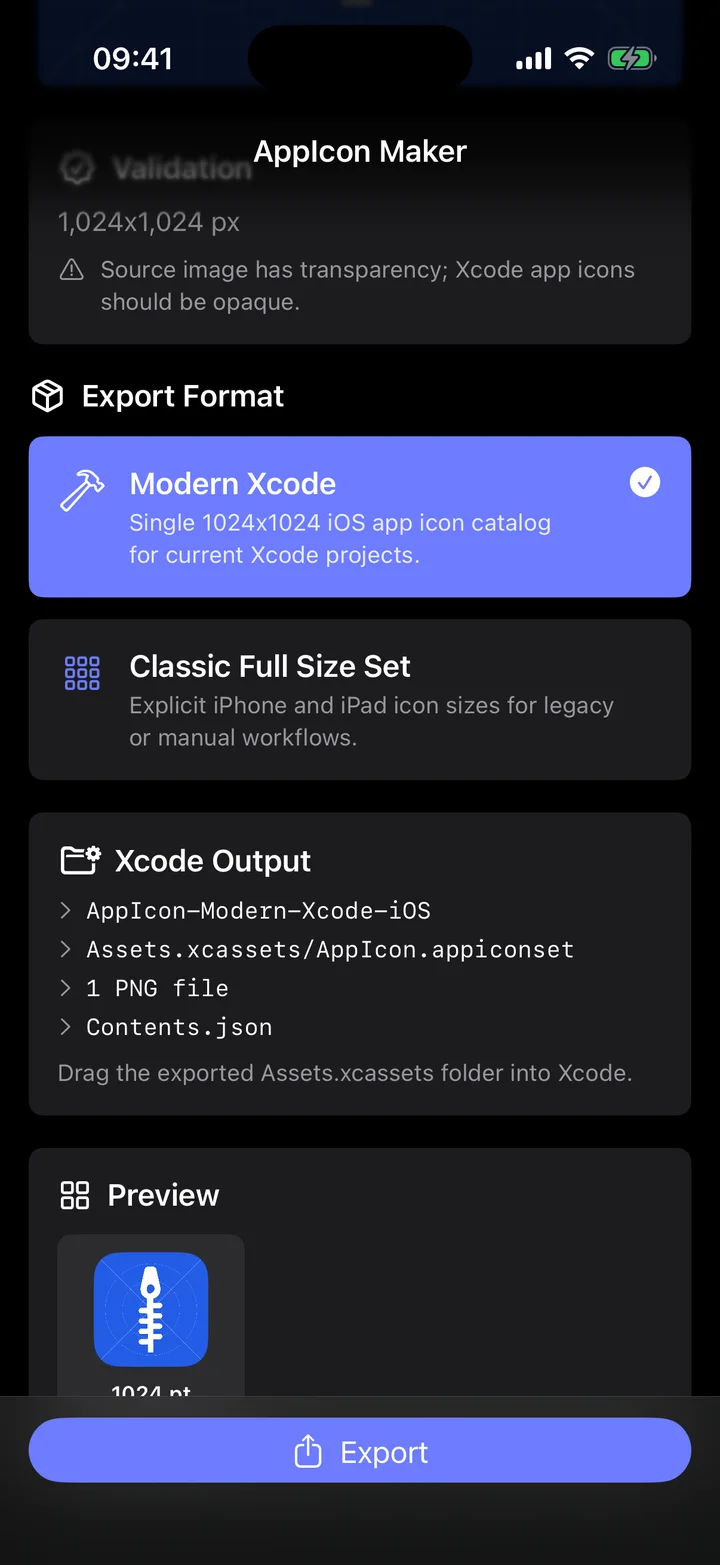
What’s inside the ZIP.
AppIcon-Modern-Xcode-iOS/
└─ Assets.xcassets/
   └─ AppIcon.appiconset/
      ├─ AppIcon-1024.png
└─ Contents.jsonAppIcon-Classic-Full-Size-iOS/
└─ iOS/
└─ AppIcon.appiconset/
├─ icon_20@1x.png
├─ icon_20@2x.png
├─ …
├─ icon_83.5@2x.png
├─ icon_1024@1x.png
└─ Contents.json| Device | Points | Scale | Pixels |
|---|---|---|---|
| iPhone | 20 pt | @2x, @3x | 40, 60 |
| iPhone | 29 pt | @2x, @3x | 58, 87 |
| iPhone | 40 pt | @2x, @3x | 80, 120 |
| iPhone | 60 pt | @2x, @3x | 120, 180 |
| iPad | 20 pt | @1x, @2x | 20, 40 |
| iPad | 29 pt | @1x, @2x | 29, 58 |
| iPad | 40 pt | @1x, @2x | 40, 80 |
| iPad | 76 pt | @1x, @2x | 76, 152 |
| iPad | 83.5 pt | @2x | 167 |
| App Store | 1024 pt | @1x | 1024 |
The ZIP holds one folder named after the format and target; with the iPad target, iOS becomes iPad. Contents.json lists every icon file with its idiom and size. Unzip it and add the AppIcon.appiconset to your project in Xcode.
The iPad target fills only the iPad rows and the App Store icon: 10 slots. AppIcon Maker exports the standard opaque app icon; it doesn’t make dark, clear, tinted or Icon Composer variants.
At a glance
- Devices
- iPhone · iPad
- Requires
- iOS 17 and iPadOS 17 or later
- Price
- Free download · Lifetime Access $14.99 · One-time purchase · No subscriptionUS App Store price, checked October 10, 2026 · Family Sharing included
- Free version
- Import, checks, format choice, preview and the output summary; exporting the ZIP needs Lifetime Access
- Languages
- 44
- Your data
- Artwork is processed on your device and leaves only when you share the ZIP. No account and no upload.
- Version
- 26.0.0 · updated
Questions
Do I need a Mac to make the icon set?
No. AppIcon Maker runs on iPhone and iPad and shares the ZIP through the share sheet, to Files, AirDrop or Mail. You add the AppIcon.appiconset to your project in Xcode.
Should I choose Modern Xcode or the classic set?
Modern Xcode exports one 1024 × 1024 icon for current Xcode projects. Apple’s asset catalog guide says iOS and iPadOS apps generate every icon variation from a single 1024 × 1024 image, and that single size is the default for a new app or a new icon. Classic Full Size Set writes explicit iPhone and iPad sizes for older or manual workflows.
I use Icon Composer. Do I still need an asset catalog icon?
Only if you want your existing icon on earlier releases. Apple’s Icon Composer guide says the Icon Composer file replaces the asset catalog icon and Xcode generates a similar-looking version of the Liquid Glass icon for previous releases; to keep your existing icon there, continue to use an asset catalog. AppIcon Maker makes that catalog.
Can it make dark, clear, tinted or Icon Composer icons?
No. It exports the standard app icon only, with no dark, clear or tinted variants and no Icon Composer file. Make those in Xcode or Icon Composer.
What if my image has transparency or isn’t square?
You’ll see a warning. Non-square images are center-cropped and transparent areas are filled white, because app icons must be opaque. Artwork smaller than 1024 × 1024 also gets a warning, since the export may look soft.
What is free, and what does Lifetime Access add?
Importing, the checks, the format choice, the preview and the output summary are free, and AppIcon Maker never uploads your artwork. Lifetime Access is a one-time purchase that unlocks creating and sharing the ZIP. Family Sharing is included.
Bring the artwork. Leave with the catalog.
Processing stays on your device: no account, no upload, no ads and no tracking.

Pairs well with
Finds the SF Symbols for the inside of your app on the same iPhone or iPad, while AppIcon Maker handles the icon outside it.

Drafts translations of your app's English strings on a Mac, for the same Xcode project.
Availability
Import, validation, format choice, preview and the export summary are free. Lifetime Access unlocks creating and sharing the final ZIP.
- Devices
- iPhone · iPad
- Download
- Free to download
- Purchase options
- Lifetime Access · One-time purchase · No subscription
Prices vary by country; the App Store shows your local price.
AppIcon Maker support and purchase help
Designed and built by Daniel, an independent Apple developer. Every release is listed in the changelog.