
Find the timing that feels right.
Crafter Motion is an iPhone and iPad app for SwiftUI developers that shapes a timing curve by touch and copies it as SwiftUI code.

Free to edit and copy · Lifetime Access is a one-time purchase · No subscription
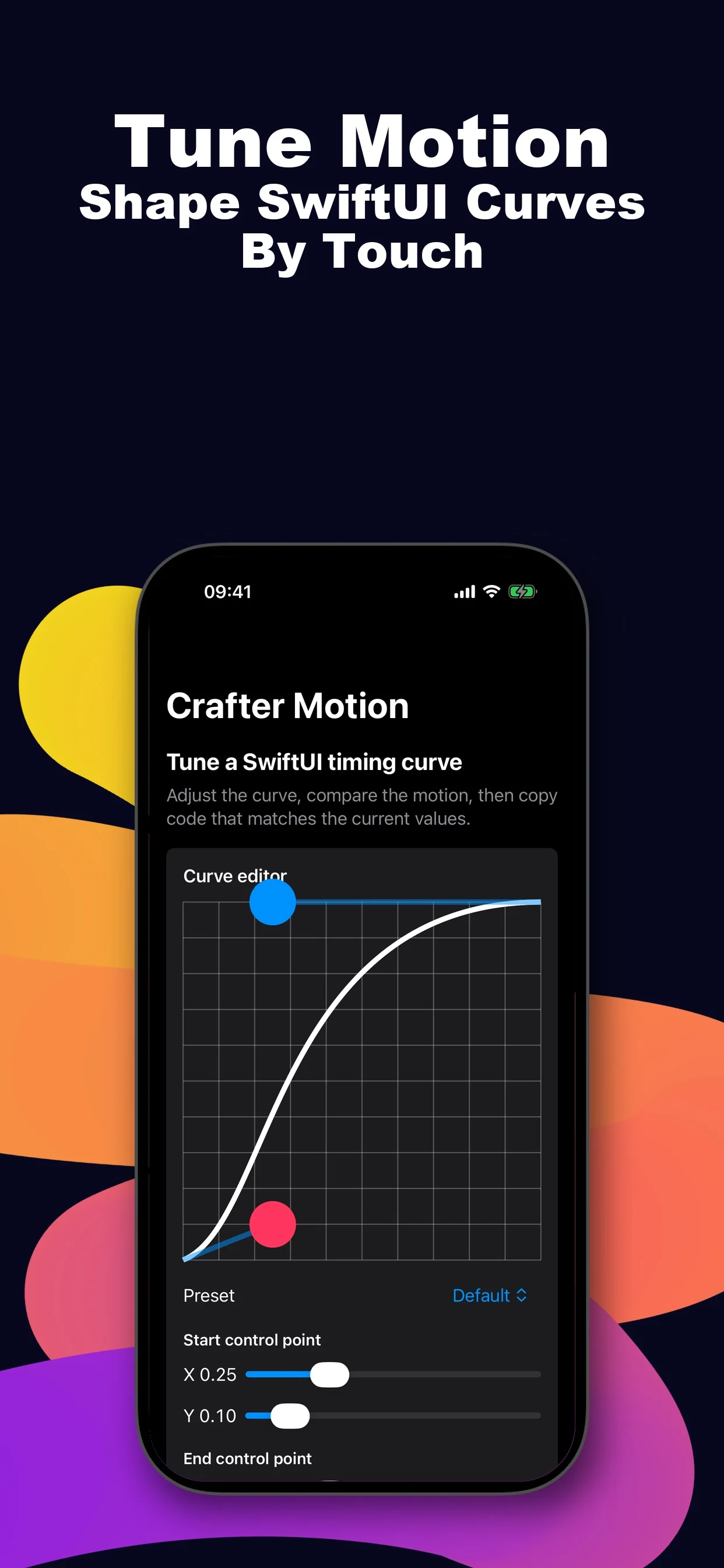
Race a preset against the baseline.
A curve is only half the story, so Crafter Motion replays it beside its default. Pick one of the five free presets to try that on this page. They are the five CSS keyword curves, ease, linear, ease-in, ease-out and ease-in-out, with the same numbers, so a curve you tune from one of them starts where the web does.
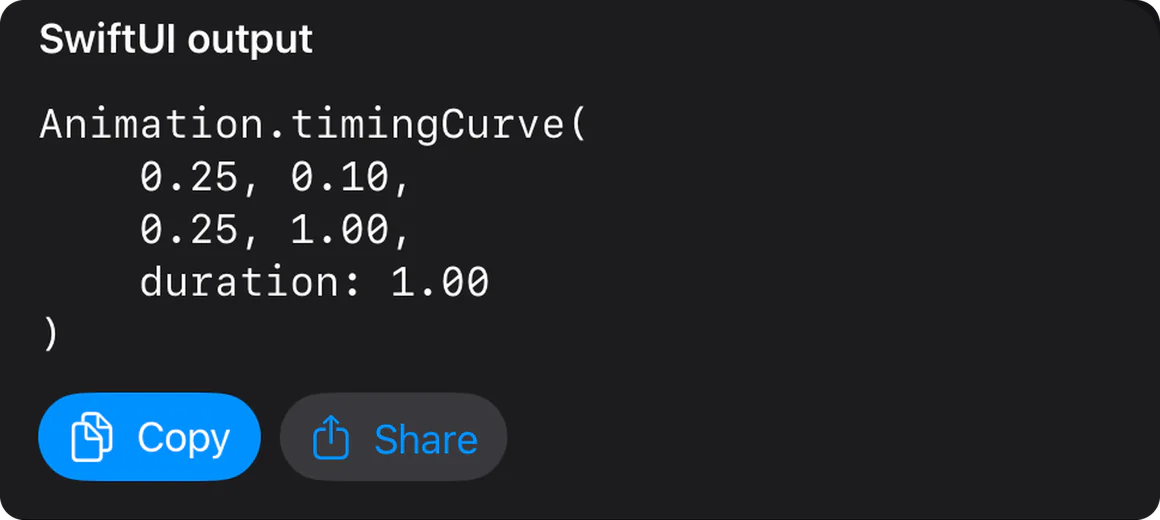
Animation.timingCurve(
    0.25, 0.10,
    0.25, 1.00,
    duration: 1.00
)Animation.timingCurve(
0.00, 0.00,
1.00, 1.00,
duration: 1.00
)Animation.timingCurve(
0.42, 0.00,
1.00, 1.00,
duration: 1.00
)Animation.timingCurve(
0.00, 0.00,
0.58, 1.00,
duration: 1.00
)Animation.timingCurve(
0.42, 0.00,
0.58, 1.00,
duration: 1.00
)A website demonstration: the curve is drawn and the two markers are timed in CSS with each preset’s own numbers, over the one second in the code. It is not the app. Under Reduce Motion the markers jump to the end, as the app’s previews do.
Drag two points, or set them to the hundredth.
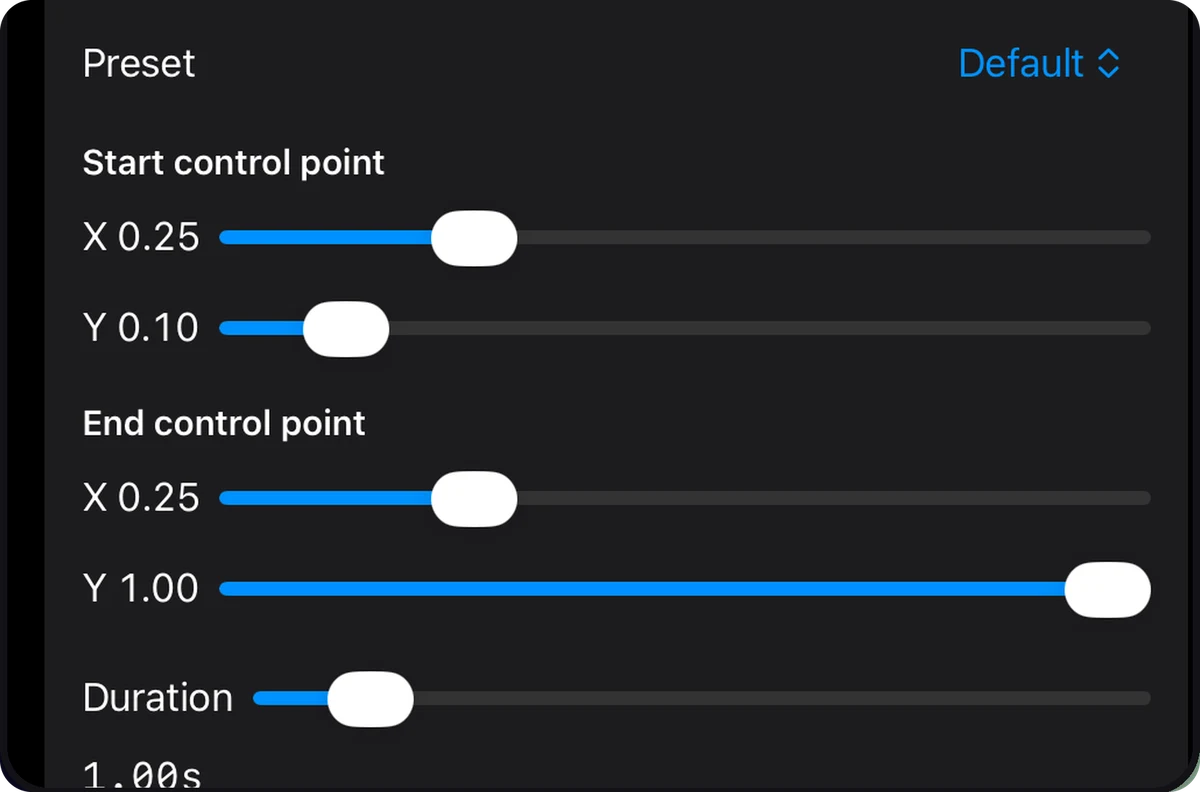
Move the control points on the graph, or use a slider for each coordinate and for the duration. The code updates with every change.
Both points stay between 0 and 1, so a curve never overshoots, and the duration runs from 0.10 to 9.99 seconds. No springs or keyframes.
Replay it, then copy it.
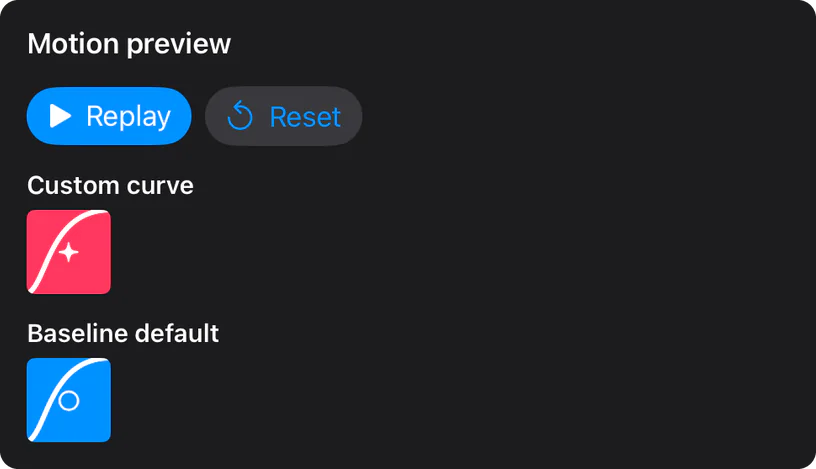
Replay runs your curve and the baseline together for the same duration. When it feels right, Copy or Share hands you the Animation.timingCurve value. All of this is free, with no account, ads or tracking.
The same four numbers, in three more formats.
Lifetime Access writes the curve as a SwiftUI example, a CSS value and a JSON design token. It also saves named curves on your device and adds six presets for sheets, cards, toasts, tabs, drag release and reveals.
withAnimation(
    .timingCurve(
        0.25, 0.10,
        0.25, 1.00,
        duration: 1.00
    )
) {
    isExpanded.toggle()
}cubic-bezier(0.25, 0.10, 0.25, 1.00)In CSS the duration goes on the transition or animation itself.
{
  "name": "Default",
  "duration": 1.00,
  "timingFunction": {
    "type": "cubicBezier",
    "x1": 0.25,
    "y1": 0.10,
    "x2": 0.25,
    "y2": 1.00
  }
}
The Default curve in each format, as the app writes it.
At a glance
- Devices
- iPhone · iPad
- Requires
- iOS 17 and iPadOS 17 or later
- Price
- Free download · Lifetime Access $9.99 · One-time purchase · No subscriptionUS App Store price, checked October 10, 2026 · Family Sharing included
- Free version
- Curve editing, baseline replay, five presets and copying the SwiftUI value
- Languages
- English
- Your data
- Curves and preferences stay on this device. No account, analytics or cloud sync.
- Version
- 26.0.0 · updated
Questions
What is free, and what does Lifetime Access add?
Editing, duration, the five basic presets, replay against a baseline, and copying or sharing the SwiftUI value are free. Lifetime Access is a one-time purchase that adds named curves saved on your device, a full SwiftUI example, CSS and JSON export, and six presets for sheets, cards, toasts, tabs, drag and reveal. Family Sharing is included.
Which iOS version does the copied value need?
Any SwiftUI app. Apple’s documentation lists Animation.timingCurve from iOS 13, macOS 10.15, tvOS 13, watchOS 6 and visionOS 1, so the value works in projects older than the iOS 17 the app itself needs. Crafter Motion always writes the duration; left out, SwiftUI would use 0.35 seconds.
Can I copy the curve as CSS?
Yes, with Lifetime Access. Crafter Motion writes cubic-bezier() with the same four numbers as the SwiftUI value.
SwiftUI’s default animation is a spring. When is a timing curve the right choice?
Apple’s documentation says the default animation has been a spring since iOS 17, macOS 14, tvOS 17 and watchOS 10, and ease-in-out before that. Apple’s WWDC23 session on springs explains why: a fixed curve cannot carry the velocity of a gesture, so a spring feels more natural for movement, while linear motion still suits a repeating indicator. A timing curve is the right choice when you want a fixed duration, a shape you can read on a graph, or the same curve in CSS. Crafter Motion makes that curve and does nothing with springs.
Can I make a curve that overshoots or bounces?
No. Both control points stay between 0 and 1, so a curve never overshoots. For a bounce in SwiftUI, use a spring animation instead.
What happens with Reduce Motion on?
Replay moves the previews to their end positions without the sweeping animation.
Where are saved curves stored?
On the current device only. There is no account or sync.
Feel the curve before you ship it.
Shaping, replaying and copying a curve cost nothing.
Pairs well with

Designs the scrollTransition effect for the same SwiftUI views and generates the code.
Copies SF Symbols as SwiftUI code for the views you animate.

Availability
- Devices
- iPhone · iPad
- Download
- Free to download
- Purchase options
- Lifetime Access · One-time purchase · No subscription
Prices vary by country; the App Store shows your local price.
Crafter Motion support and purchase help
Designed and built by Daniel, an independent Apple developer. Every release is listed in the changelog.