Shape the scroll. Copy the SwiftUI.
ScrollCraft is an iPhone, iPad and Mac app for SwiftUI developers that turns slider settings into scrollTransition() code you can copy.

Free editor · Lifetime Access is a one-time purchase · No subscription
Pick a template. Scroll the page.
The bars on this page move with the values of ScrollCraft’s three free templates, and the code is what the app generates for each one.
.scrollTransition { content, phase in
  content
    .opacity(phase == .topLeading ? 0.25 :
             phase == .identity ? 1 : 0.25)
    .scaleEffect(phase == .topLeading ? 0.9 :
                 phase == .identity ? 1 : 0.9)
    .offset(
      x: phase == .topLeading ? 0 :
         phase == .identity ? 0 : 0,
      y: phase == .topLeading ? -80 :
         phase == .identity ? 0 : 80
    )
    .saturation(phase == .topLeading ? 0.65 :
                phase == .identity ? 1 : 0.65)
}.scrollTransition { content, phase in
content
.opacity(phase == .topLeading ? 0.45 :
phase == .identity ? 1 : 0.45)
.scaleEffect(phase == .topLeading ? 0.95 :
phase == .identity ? 1 : 0.95)
.offset(
x: phase == .topLeading ? 0 :
phase == .identity ? 0 : 0,
y: phase == .topLeading ? -40 :
phase == .identity ? 0 : 40
)
.blur(radius:(phase == .topLeading ? 12 :
phase == .identity ? 0 : 12))
.saturation(phase == .topLeading ? 0.35 :
phase == .identity ? 1 : 0.35)
}.scrollTransition { content, phase in
content
.opacity(phase == .topLeading ? 0.2 :
phase == .identity ? 1 : 0.2)
.scaleEffect(phase == .topLeading ? 0.82 :
phase == .identity ? 1 : 0.82)
.offset(
x: phase == .topLeading ? -120 :
phase == .identity ? 0 : 120,
y: phase == .topLeading ? -20 :
phase == .identity ? 0 : 20
)
.blur(radius:(phase == .topLeading ? 4 :
phase == .identity ? 0 : 4))
.saturation(phase == .topLeading ? 0.7 :
phase == .identity ? 1 : 0.7)
}A website demonstration: in browsers with scroll-driven animation, CSS replays each template’s values as the bars cross the edges of your screen. The code is ScrollCraft’s own output, re-indented to fit. Nine more templates come with Lifetime Access.
Tune every phase.
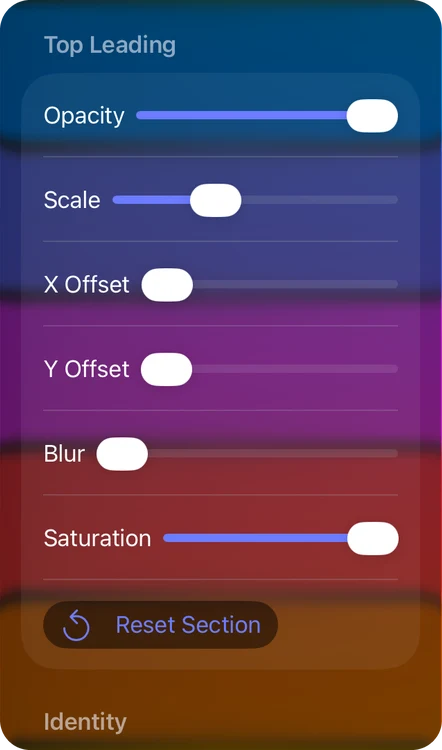
Opacity, scale, offset, blur and saturation, set separately for each phase, plus colors and corner radius, while the preview updates immediately.
.topLeading- The view is at the top or leading edge, scrolling in or out.
.identity- The view is fully inside the visible area.
.bottomTrailing- The view is at the bottom or trailing edge.
A modifier appears in the code only once you move it off its default, so Fade Lift above has no blur line.
Copy it, or export a Swift file.
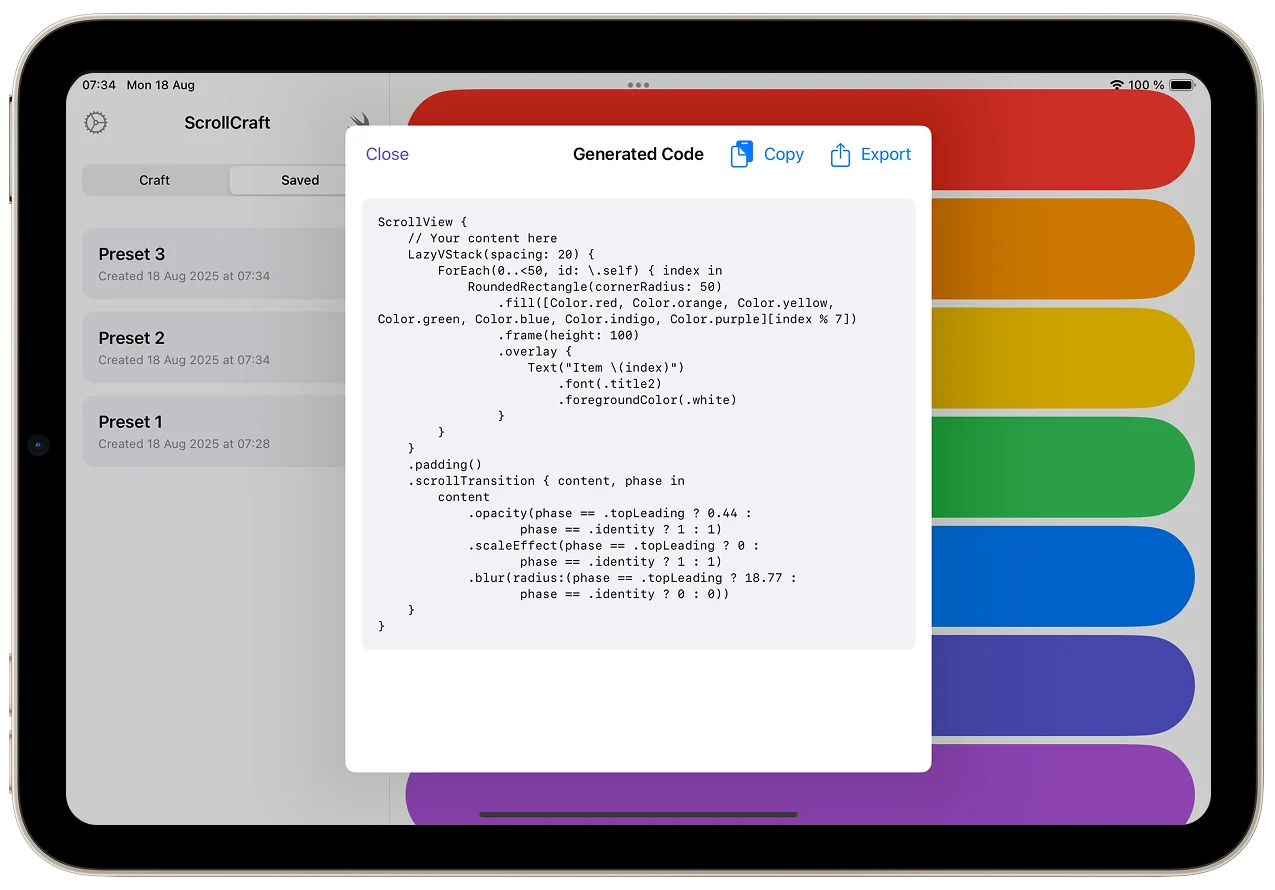
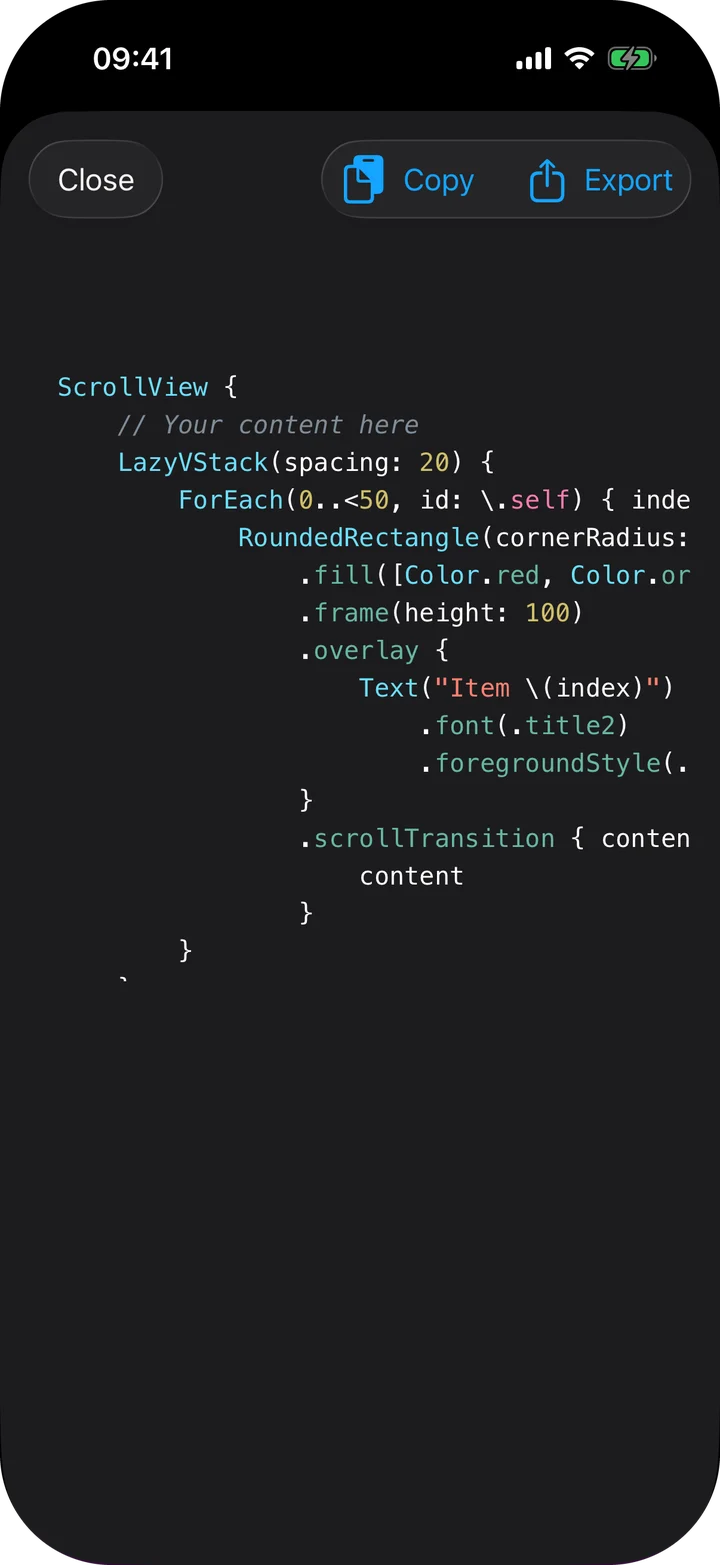
Copy puts the whole ScrollView on the clipboard: a LazyVStack of fifty placeholder rectangles in your colors and corner radius, each carrying the scrollTransition, under a comment that says where your content goes. The first copy is free.
With Lifetime Access, copying is unlimited and Export writes a complete Swift file: import SwiftUI, a ScrollCraftView and a #Preview, ready to open in Xcode. Saved presets stay on your device.
Deliberately small: not a code editor, compiler or general animation suite.
At a glance
- Devices
- iPhone · iPad · Mac
- Requires
- iOS 17, iPadOS 17 and macOS 14 or later
- Price
- Free download · Lifetime Access $19.99 · One-time purchase · No subscriptionUS App Store price, checked October 10, 2026 · Family Sharing included
- Free version
- The full editor, three templates and one code copy
- Languages
- 38
- Your data
- Settings and saved presets stay on your device. No account, and ScrollCraft never reads your clipboard.
- Version
- 26.0.1 · updated
Questions
What is free, and what does Lifetime Access add?
The whole editor, three templates and one code copy are free. Lifetime Access is a one-time purchase that adds unlimited copying, Swift file export, saved presets and the other nine templates. Family Sharing is included.
Which OS versions does the generated code need?
The scrollTransition modifier is available from iOS 17, iPadOS 17 and macOS 14, the same versions ScrollCraft itself needs. Apple’s reference also lists tvOS 17, watchOS 10 and visionOS 1, so the copied code runs there too.
Why can I copy only once?
The free version includes one code copy. After that, Copy opens the Lifetime Access screen. If you already bought Lifetime Access, open Settings and tap Restore Purchases with the same Apple Account.
Does ScrollCraft read my clipboard or send my code anywhere?
No. It places code on the clipboard only when you tap Copy and never reads it. There is no account, and your presets stay on your device.
Is the Mac version a real Mac app?
Yes. ScrollCraft for Mac is a native Mac app for macOS 14 or later, not the iPad app running on a Mac, and it comes from the same App Store listing. Its Craft menu has Show Generated Code (⌘⇧G), Copy Code (⌘⇧C), Export Swift File (⌘E) and Save Preset (⌘S); the last two need Lifetime Access.
Does the effect follow my scrolling, or animate on its own?
It follows your scrolling. The generated code uses the modifier’s default configuration, which Apple’s documentation describes as interactively interpolating the effect as the view scrolls into the visible region. Your sliders set the state at each edge, and SwiftUI draws everything in between.
Does the code work in a horizontal scroll view?
The preview scrolls vertically, but the generated modifier sets no axis, which Apple’s modifier reference says means the axis of the innermost scroll view it sits in. In a horizontal one, Apple’s phase reference says the top-leading values apply at the leading edge and the bottom-trailing values at the trailing edge, so an X Offset becomes the natural slide.
Design your first transition for free.
One listing covers iPhone, iPad and Mac, with no account and no tracking.

Pairs well with
Shapes the timing curve for your SwiftUI animations and copies the Animation.timingCurve value.
Copies SF Symbols as SwiftUI code for the views you animate.
Availability
- Devices
- iPhone · iPad · Mac
- Download
- Free to download
- Purchase options
- Lifetime Access · One-time purchase · No subscription
Prices vary by country; the App Store shows your local price.
ScrollCraft support and purchase help
Designed and built by Daniel, an independent Apple developer. Every release is listed in the changelog.