Your photo. A calm puzzle.
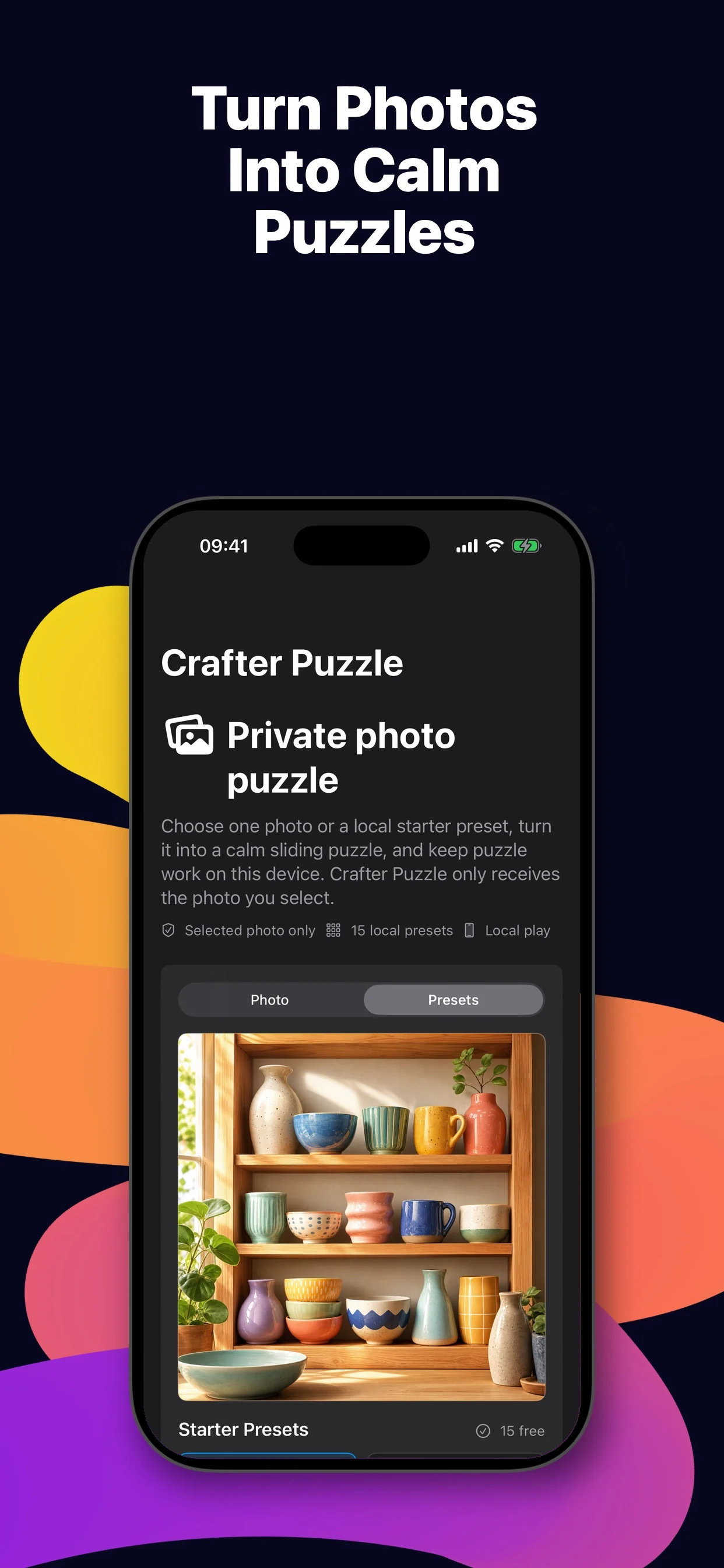
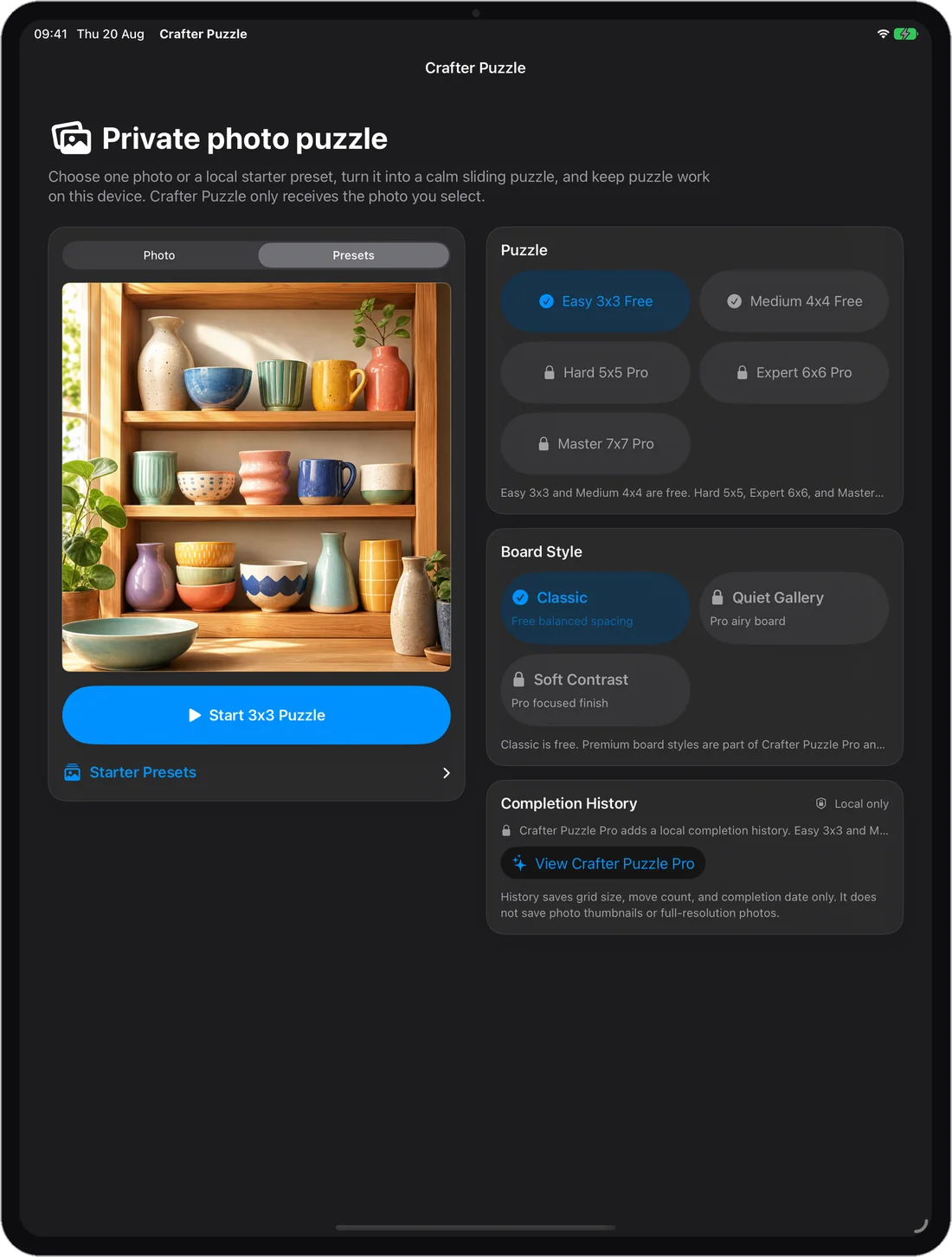
Crafter Puzzle turns one photo you choose, or one of 15 built-in presets, into a sliding-tile puzzle on iPhone and iPad. The 3×3 and 4×4 boards are free and every shuffle can be solved. There are no ads and no timer, and your photo stays on your device.

At a glance
- Devices
- iPhone · iPad
- Requires
- iOS 26 and iPadOS 26 or later
- Price
- Free download · Lifetime Access $4.99 · One-time purchase · No subscriptionUS App Store price, checked October 11, 2026 · Family Sharing included
- Free version
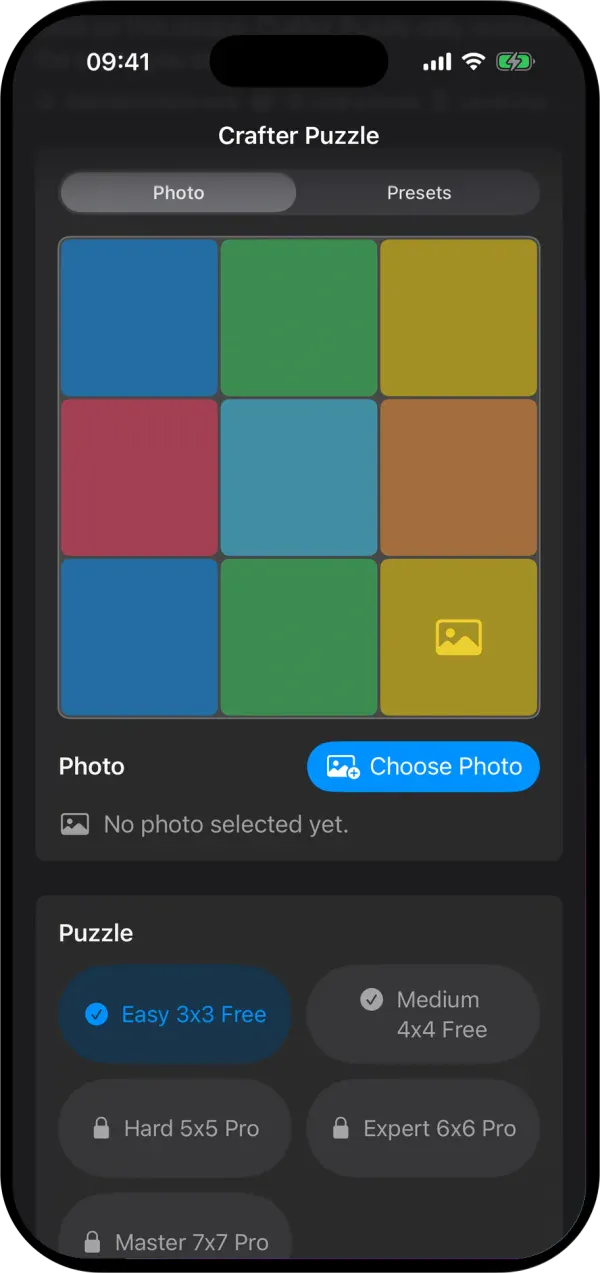
- Easy 3×3 and Medium 4×4 boards, with your photo or any of the 15 presets
- Languages
- 44
- Your data
- Your photo is cut into tiles in memory and is never saved or uploaded. No account.
- Version
- 26.0.1 · updated
Pick a photo, or start from a preset.
What happens to your photo.
You pick one
Apple’s picker shows your library in a process of its own, private by default in Apple’s words. Crafter Puzzle never asks for access to the library and receives only the photo you choose.
It becomes tiles
The app scales the photo to at most 2,048 pixels on its longer side, keeps the centre square and cuts that into tiles, all in memory.
Nothing leaves
The picture is not saved and not sent. The app has no account, no ads and no networking code of its own, and its App Store privacy label reads Data Not Collected.
What is kept
A finished puzzle leaves three facts on the device: the board size, your move count and the date. Never the picture.
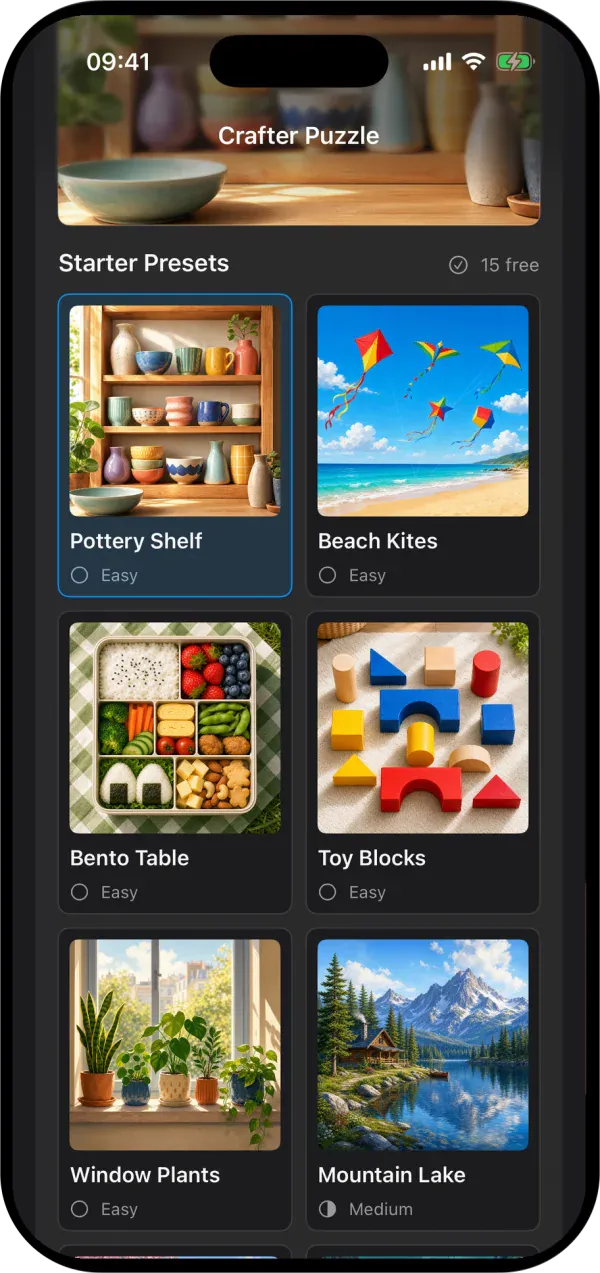
Fifteen presets, graded by the picture.
Easy
Large, distinct areas.
- Pottery Shelf
- Beach Kites
- Bento Table
- Toy Blocks
- Window Plants
Medium
Balanced detail and landmarks.
- Mountain Lake
- Garden Path
- Rainy Tram
- Quilt Table
- Dessert Counter
Hard
Denser, repeated detail.
- Autumn Leaves
- Library Wall
- Coral Reef
- Spice Market
- Star Observatory
All fifteen come with the app, play without a connection and are free on the free boards. The grade is about the picture; the board size is a separate choice.
Five board sizes. Every one can be solved.
- Easy 3×3
- 8 tiles · Free
- Medium 4×4
- 15 tiles, the classic “15 puzzle” · Free
- Hard 5×5
- 24 tiles · Lifetime Access
- Expert 6×6
- 35 tiles · Lifetime Access
- Master 7×7
- 48 tiles · Lifetime Access
Half of all random tile arrangements can’t be solved, as Johnson and Story proved in 1879. Crafter Puzzle never deals one: it shuffles by making 1,000 random legal moves from the finished picture, the same kind of move you make to put it back. So no board it deals is ever more than 1,000 moves from finished, whatever its size.
Played perfectly, any 3×3 board takes at most 31 moves and any 4×4 at most 80. For the 5×5 nobody knows the worst case yet; it lies somewhere between 152 and 205. The app counts yours and never times you.
One shuffle, start to finish.
The app dealt this 3×3 board from the Pottery Shelf preset. Its shortest solution is 24 moves; these are four moments from it.
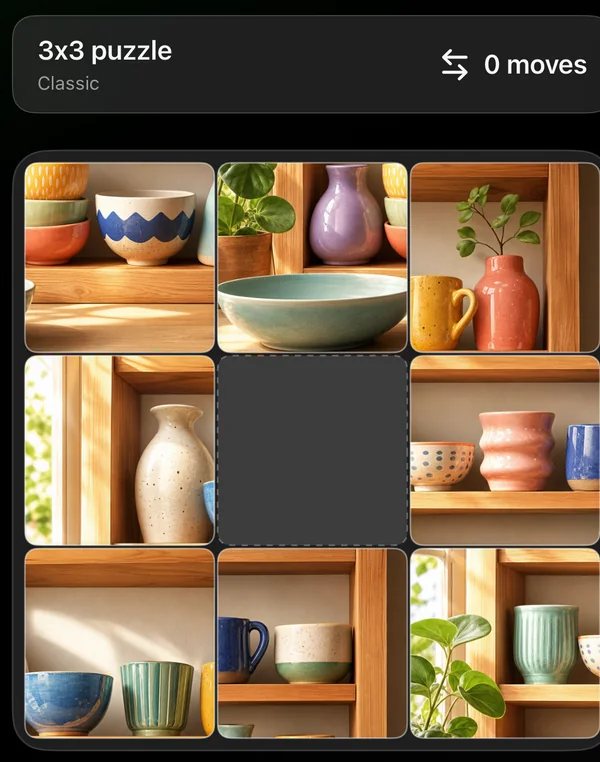
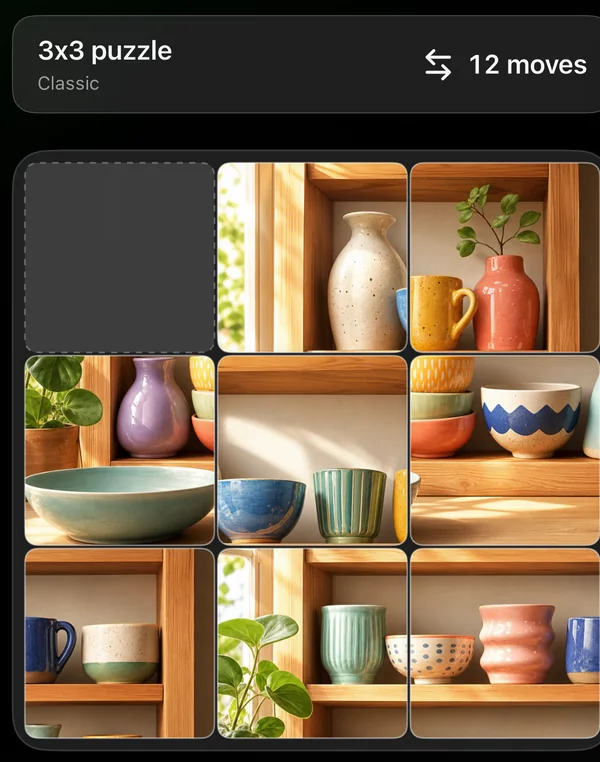
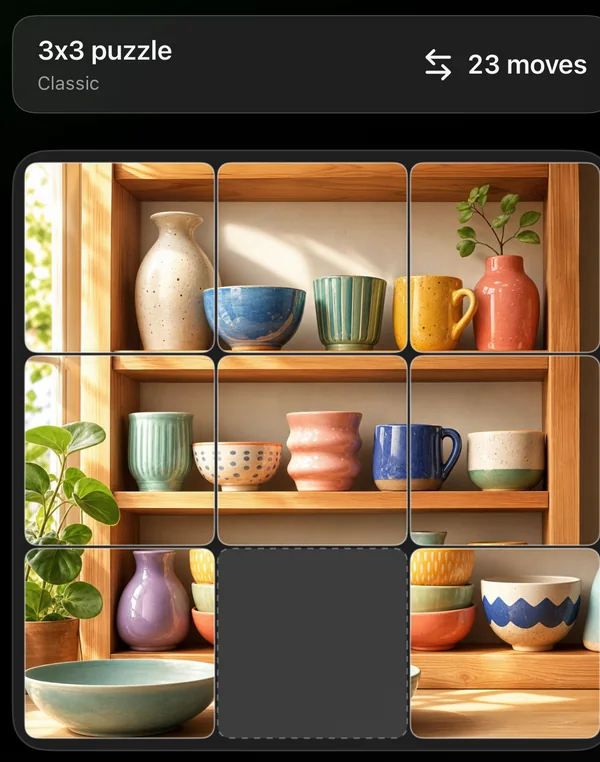
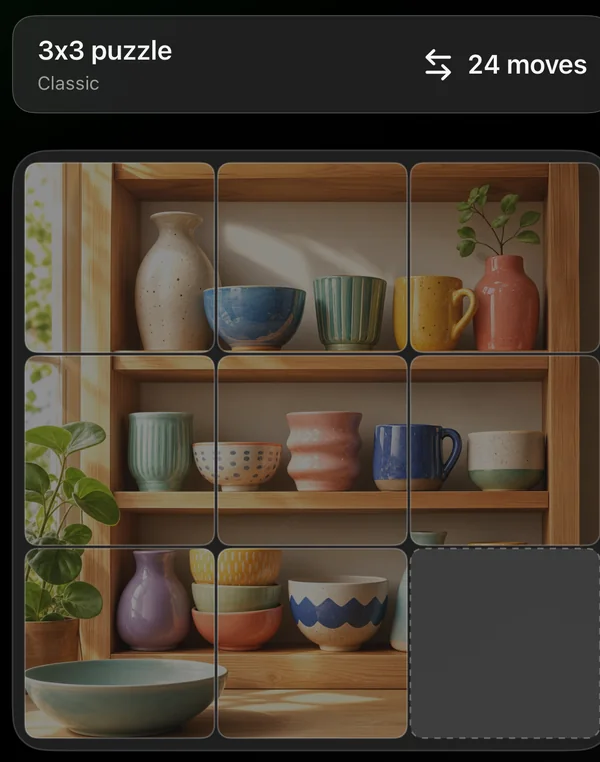
The bottom-right tile is the one the app takes out to make the space, so that corner stays empty when the picture is finished.
Bigger boards when you want them.
Lifetime Access adds the Hard 5×5, Expert 6×6 and Master 7×7 boards, and two more board styles beside the free Classic: Quiet Gallery, with wider gaps between the tiles, and Soft Contrast.
It also opens a history of your last 20 finished puzzles. One purchase, no subscription, and Family Sharing is included.
Questions
Can every puzzle be solved?
Yes. Crafter Puzzle shuffles by making 1,000 random legal moves from the finished picture, so every board can be put back together.
Does the app keep or upload my photo?
No. The photo you choose is cut into tiles in memory on your device. It isn’t uploaded, and it isn’t saved in completion history.
Which boards are free?
Easy 3×3 and Medium 4×4, with your own photo or any of the 15 presets.
What does Lifetime Access add, and can my family use it?
The Hard 5×5, Expert 6×6 and Master 7×7 boards, the Quiet Gallery and Soft Contrast board styles, and a local history of your last 20 finished puzzles that records the board size, moves and date, never the photo. Puzzles you finished before buying are already in it. It’s a one-time purchase with no subscription, and Family Sharing is included.
Which devices does it run on?
iPhone and iPad with iOS 26 or iPadOS 26 or later. On iPhone it plays in portrait; on iPad in any orientation.
Which part of my photo becomes the puzzle?
The centre square. Crafter Puzzle keeps the square in the middle of the photo you pick and cuts that into tiles. There is no cropping step, so choose a photo whose subject sits near the centre. The bottom-right tile of that square is taken out to make the space and stays out when you finish.
Can I see the finished picture while I play?
Not during play. The tiles carry no numbers and there is no preview button, so you rebuild the picture from what you know of it. The presets graded Easy have large, distinct areas for that reason.
What happens if I leave a puzzle half-done?
Switching apps keeps it for as long as iOS keeps Crafter Puzzle open. Going back to the menu ends that shuffle; your photo stays chosen until you close the app. Nothing is saved to disk, so after closing you pick the photo again.
Can I play the same picture again?
Yes. When you finish, Replay shuffles the same picture again with the count back at zero, and New Photo returns to the chooser.
How do you solve a sliding puzzle?
One row at a time, from the top. Put each tile of the row home in turn without disturbing the ones already placed, and bring the last two tiles of a row in together, as a pair. When two rows are left, switch to columns and work in from the left the same way. The last three tiles, in the bottom-right corner, fall into place as you circle them round the space.
Is there a timer or a leaderboard?
No. The app counts your moves and nothing else. There is no Game Center, no streak and no daily goal.
Does it work with VoiceOver?
Each tile is announced by its row and column and whether it can move, and a double-tap slides it into the empty space. VoiceOver does not describe the picture on a tile.
Pairs well with

Also takes just the one photo you pick through Apple’s picker, so you can draw on it instead.

A silent light-show toy for iPad, with no ads or account.


Availability
The 3×3 and 4×4 boards and all 15 presets are free. Lifetime Access adds the 5×5, 6×6 and 7×7 boards, two more board styles and a local history of your last 20 finished puzzles.
- Devices
- iPhone · iPad
- Download
- Free to download
- Purchase options
- Lifetime Access · One-time purchase · No subscription
Prices vary by country; the App Store shows your local price.
Crafter Puzzle support and purchase help
Designed and built by Daniel, an independent Apple developer. Every release is listed in the changelog.