Give a tag a useful job.
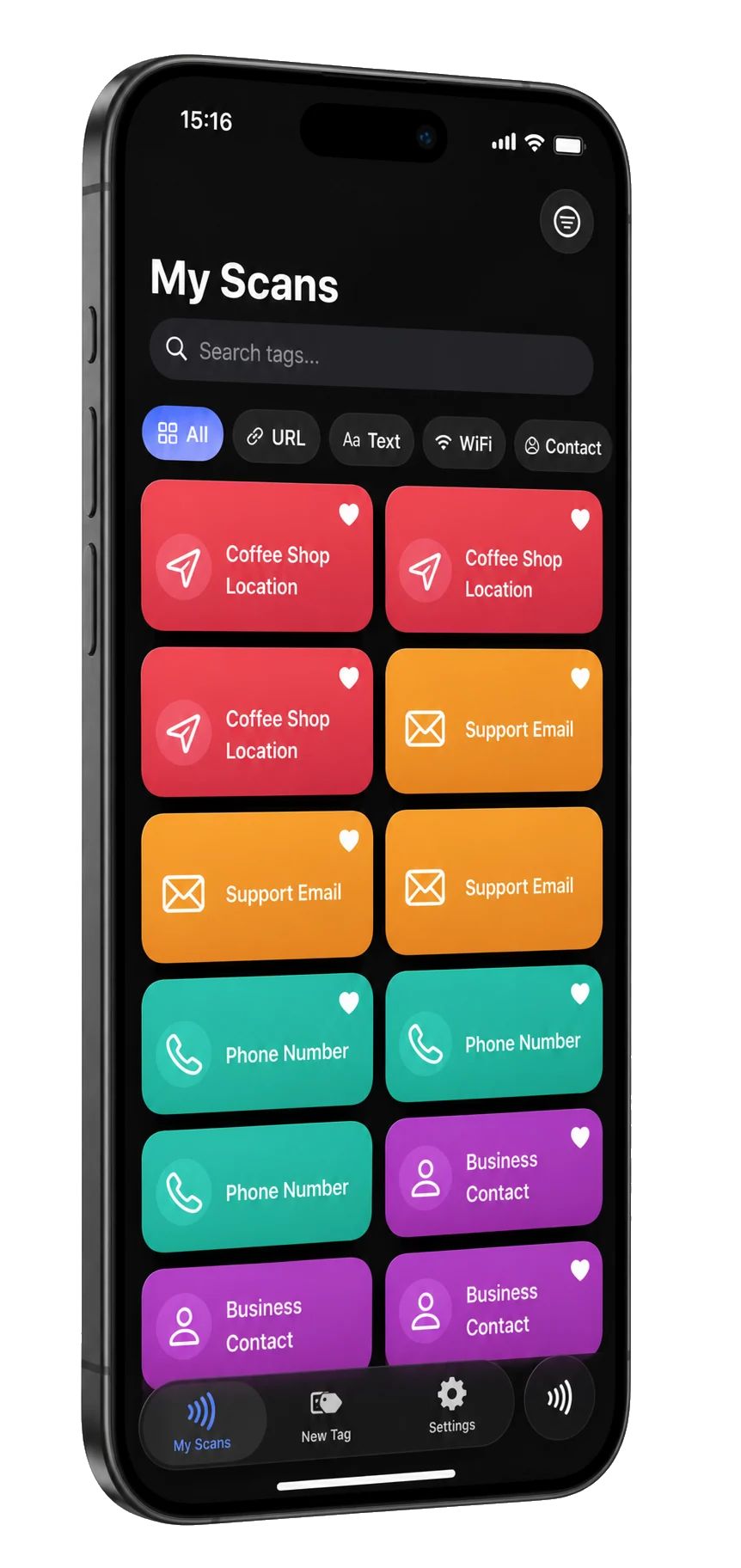
Smart NFC reads, writes and manages NFC tags on iPhone. Put a link, Wi‑Fi network, contact or location on a sticker, check it has room first, and keep every tag you scan or create.

At a glance
- Devices
- iPhone
- Requires
- iOS 17 or later
- Price
- Free download · Lifetime Access $19.99 · One-time purchase · No subscriptionUS App Store price, checked October 11, 2026 · Family Sharing included
- Free version
- One scan and one write, with URL records
- Languages
- 44
- Your data
- Tag history and templates stay on this iPhone; Wi‑Fi passwords and contact details you keep go in the Keychain. No account and no cloud sync.
- Version
- 26.0.5 · updated
Works with
- Siri & Shortcuts
- Home Screen widgets
- Control Center
The Read Tag and New Tag controls need iOS 18. Wi‑Fi and contact tags, including their Siri shortcuts, need Lifetime Access.
Ask Siri: Read a tag with Smart NFC
· Paste a link to a tag with Smart NFC
· New Wi-Fi tag with Smart NFC
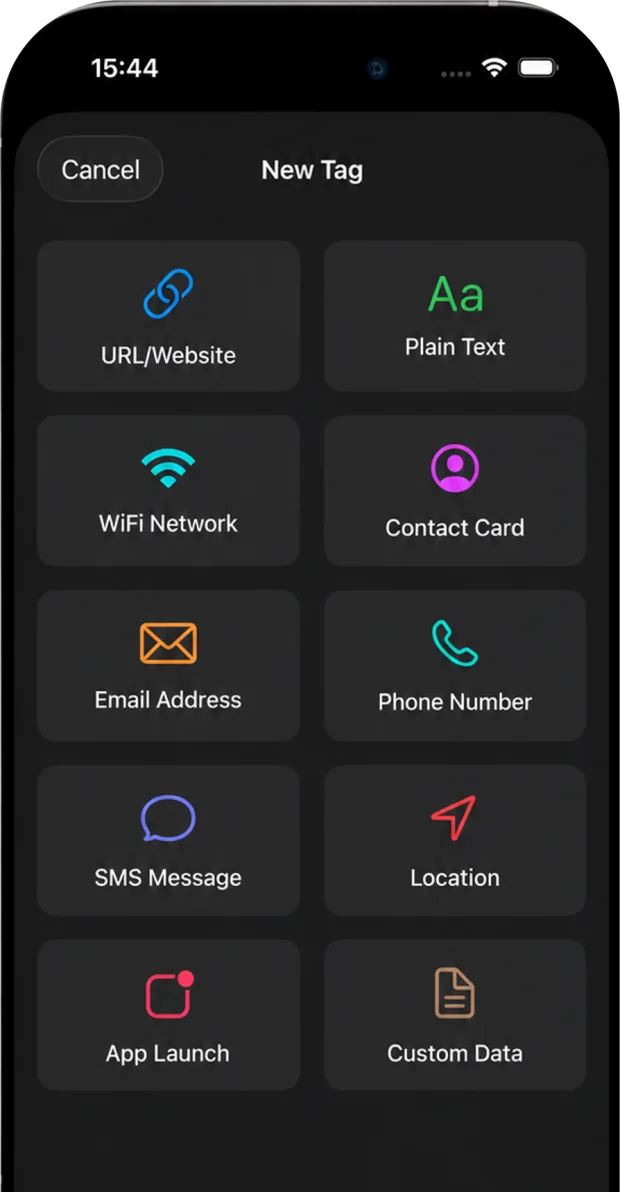
Ten things a tag can do.
- URL
- Text
- Wi‑Fi
- Contact
- Phone
- SMS
- Location
- App launch
- Custom data
URL is free to try. Lifetime Access, one purchase with no subscription, opens all ten.
Save reusable templates, and color each tag with an emoji or SF Symbol so you can find it again.
See what’s inside before you write.
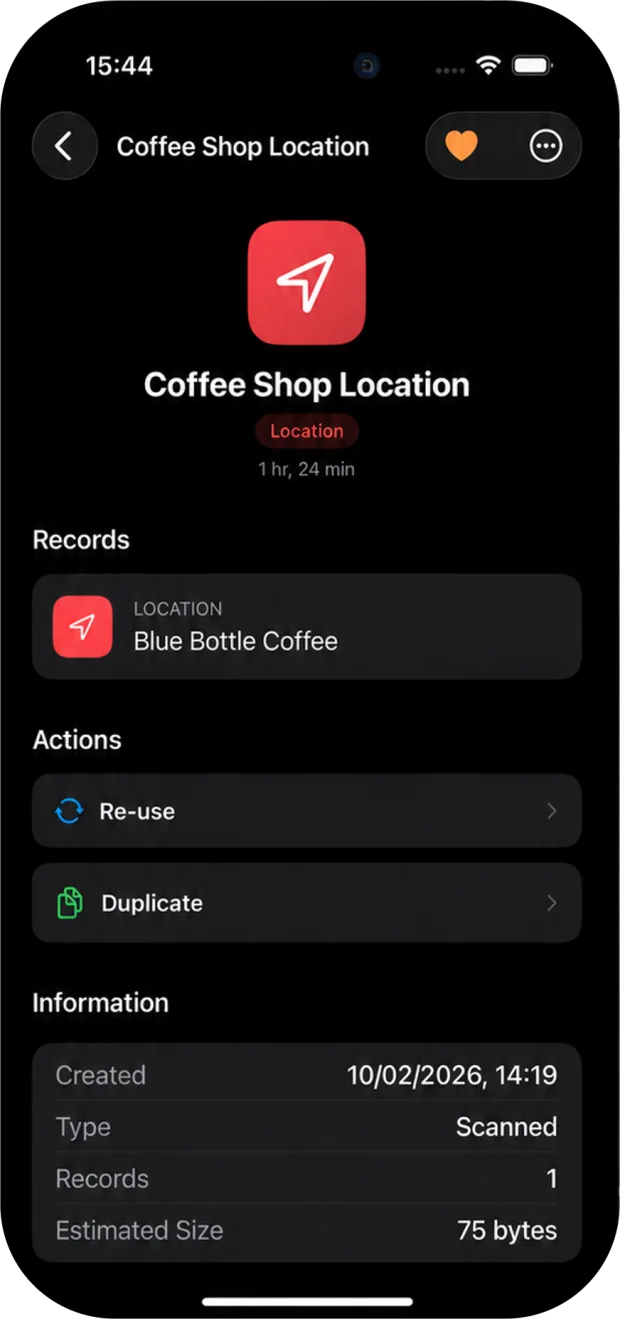
Smart NFC checks a tag’s capacity, lock state, chip family and byte size, and saves its previous message before a write. For 20 seconds after a successful write, undo can restore that message with another scan.
Works with compatible, writable NDEF tags. Smart NFC does not clone tags, bypass protected cards or read payment or access cards.
What opens on someone else’s iPhone.
An iPhone XS or later reads a tag in the background, without an app, only when the tag holds a link it supports. It shows a notification, and opens the link when you tap it.
Opens without an app
- Web links
- Phone and FaceTime
- SMS
- Locations as Apple Maps or Google Maps links
- App launch, when it is a web link
Needs an NFC app on iPhone
- Wi‑Fi networks
- Contact cards
- Plain text
- Locations written as geo: links
- App launch with a custom URL scheme
- Custom data
Source: Apple’s background tag reading documentation. If a tag holds more than one link, the iPhone uses the first. Use writable NDEF tags such as NTAG213, NTAG215 or NTAG216; Smart NFC checks each tag’s room before it writes.
Questions
Can a guest’s iPhone join my Wi‑Fi by tapping the tag?
No. An iPhone reads a Wi‑Fi record only inside an NFC app, such as Smart NFC; reading in the background opens links, not networks. Smart NFC writes Wi‑Fi in the standard WSC format, which Android phones have read without an app since Android 5, with a Connect prompt. For iPhone guests, share the network another way, such as a Wi‑Fi QR code.
Which tags should I buy?
Writable NDEF tags, such as NTAG213, NTAG215 or NTAG216. They hold 144, 504 and 888 bytes: a link or a location fits the smallest, a contact card with several fields may not. Smart NFC reads a tag’s capacity and lock state before it writes, and tells you if the message won’t fit.
Do I need Smart NFC for a Shortcuts automation?
No. The NFC trigger in Apple’s Shortcuts reads only the tag’s identifier and ignores what is written on it, so a blank tag works; see Apple’s guide to triggers. Use Smart NFC when the tag should carry something for other phones: a link, a contact card or a Wi‑Fi network.
Can it copy my access card or lock a tag?
No. Access, transit and payment cards use closed formats that Apple’s Core NFC doesn’t open to apps, and cloning, locking and batch writing aren’t part of Smart NFC today.
Does Smart NFC work on iPad or Mac?
No. iPads have no NFC reader that apps can use, so although the App Store offers the iPhone app on iPad, it cannot scan or write there; there is no Mac version. Apple’s Core NFC needs an iPhone.
Where are Wi‑Fi passwords stored?
In the iOS Keychain, and only when you keep them for later writes; they are never saved in plaintext. There is no account and no cloud sync.
What is free, and what does Lifetime Access add?
You can make one scan and one write, and URL is the free record type. Lifetime Access is a one-time purchase with no subscription that unlocks unlimited scans and writes and all ten record types. Family Sharing is included.
Pairs well with
SmartQR puts links and Wi‑Fi details in a QR code that the iPhone Camera can scan without another app.
Availability
Try it free with one scan and one write using URL records. Lifetime Access adds unlimited scans and writes and all ten record types, with one purchase and no subscription.
- Devices
- iPhone
- Download
- Free to download
- Purchase options
- Lifetime Access · One-time purchase · No subscription
Prices vary by country; the App Store shows your local price.
Smart NFC support and purchase help
Designed and built by Daniel, an independent Apple developer. Every release is listed in the changelog.