How are my apps doing right now?
Crafter Console: Trends is an App Store Connect dashboard for iPhone and iPad that shows indie developers their downloads, revenue and rankings.

Free for one app · Lifetime Access is a one-time purchase · No subscription
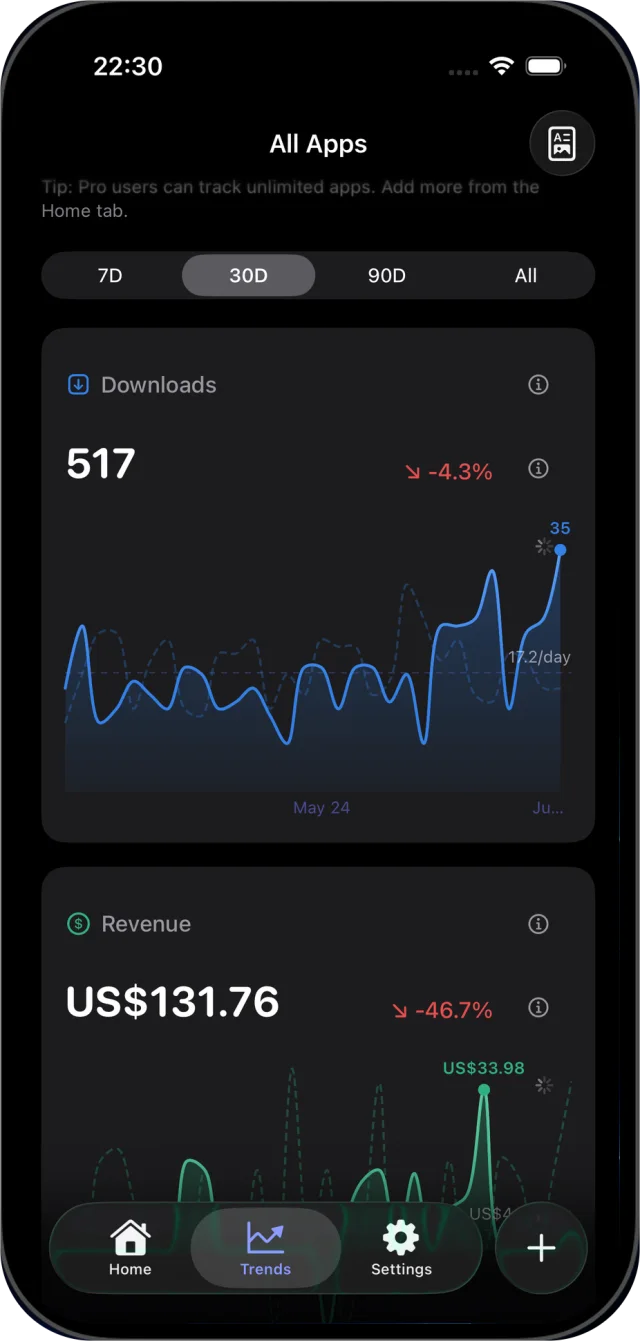
Spot the change, not the noise.
Pick an app and see its downloads and revenue over 7, 30 or 90 days or all time. The period before is drawn as a dashed line on the same chart, and the percentage compares the two totals.
Top countries, subscriptions, a monthly goal and each app’s place in Apple’s US top 200 charts sit on the same dashboard. Export it as a PDF report when you need to share it.
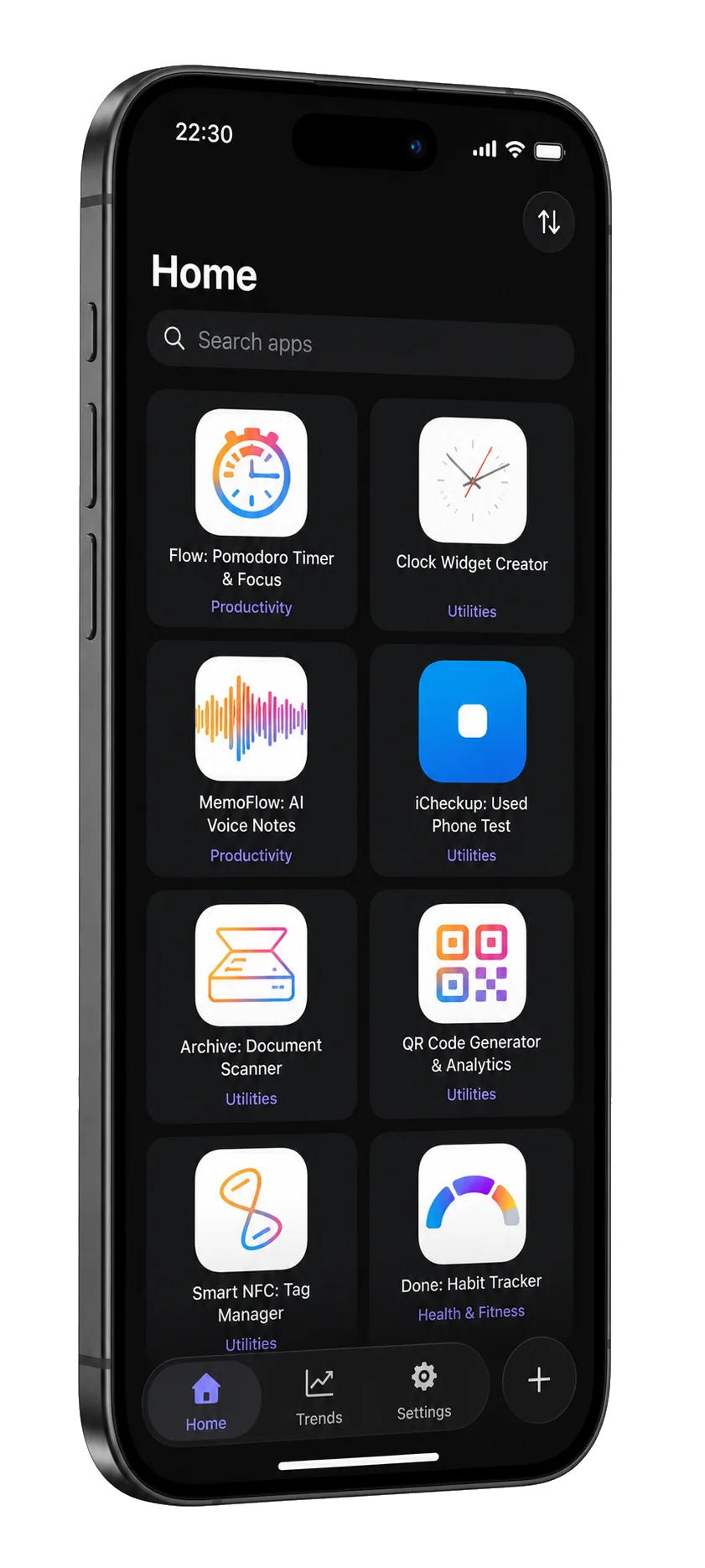
Your key stays on your device.
- Direct to Apple
- Your App Store Connect credentials stay in the Keychain on your device and authenticate directly with Apple. Crafter Apps never receives your sales reports.
- An error is not a zero
- Authentication, permission, rate-limit and network failures keep a visible retry path instead of an empty chart.
- Between launches
- Trends widgets in three sizes, a Monthly Goal widget, a Control Center control that opens the app, and notifications when you pass a download or revenue milestone, beat your best month, reach a goal, or for a weekly recap.
Not a full App Store Connect replacement. No ads, no tracking SDKs.
What you need to connect.
- Issuer ID
At the top of the Integrations page in App Store Connect.
- Key ID
The 10-character identifier of a team key you create in Users and Access › Integrations › Keys, with the Admin, Finance or Sales role.
- Private key
The .p8 file, which Apple lets you download only once. Import the file or paste its contents.
- Vendor Number
In Payments and Financial Reports. Trends needs it for downloads and revenue.
At a glance
- Devices
- iPhone · iPad
- Requires
- iOS 18 and iPadOS 18 or later
- Price
- Free download · Lifetime Access $19.99 · One-time purchase · No subscriptionUS App Store price, checked October 10, 2026 · Family Sharing included
- Free version
- One tracked app, with the widgets and notifications
- Languages
- English
- Your data
- Your API key stays in the Keychain and reports come straight from Apple. Currency rates come from a public service that gets no sales data.
- Version
- 25.0.3 · updated
Works with
- Home Screen widgets
- Control Center
Questions
Does Crafter Apps see my sales?
No. Trends signs requests on your device and talks directly to Apple. It also fetches currency rates from a public exchange-rate service, which receives no sales data, and feedback reaches Daniel only if you choose to send it.
What is free?
Tracking one app, with the widgets and notifications. Lifetime Access is a one-time purchase that removes the limit, with no subscription. Family Sharing is included.
How fresh are the numbers?
Pull to refresh, or let Trends refresh on the interval you choose in Settings, hourly by default. Apple decides when its sales reports become available.
Why are yesterday’s numbers missing?
Apple publishes a day’s sales report the following day, generally by 8 a.m. Pacific Time, according to its report availability table, and a newly released app can take 24 to 48 hours to show its first data. Trends says so on the chart instead of showing a zero.
Which currency does it show?
The one you pick in Settings. Trends converts Apple’s figures with live rates from a public exchange-rate service that receives no sales data.
Which role does the API key need?
Admin, Finance or Sales. Apple’s role table shows that an App Manager key cannot read sales and trends reports, and that a Sales key also needs report access granted in Users and Access.
Does it replace App Store Connect?
No. It answers how your apps are doing and leaves editing to App Store Connect.
Ask the question. Get the number.
Tracking one app is free.
Pairs well with
Trends shows which countries download your apps; AutoTranslate drafts translations of your app's English strings on a Mac.
Prepares the AppIcon.appiconset for your next app on the same iPhone or iPad.
Availability
Monitor one app free. Lifetime Access unlocks unlimited app tracking with one purchase.
- Devices
- iPhone · iPad
- Download
- Free to download
- Purchase options
- Lifetime Access · One-time purchase · No subscription
Prices vary by country; the App Store shows your local price.
Crafter Console: Trends support and purchase help
Designed and built by Daniel, an independent Apple developer. Every release is listed in the changelog.