Focus with intention, not friction.
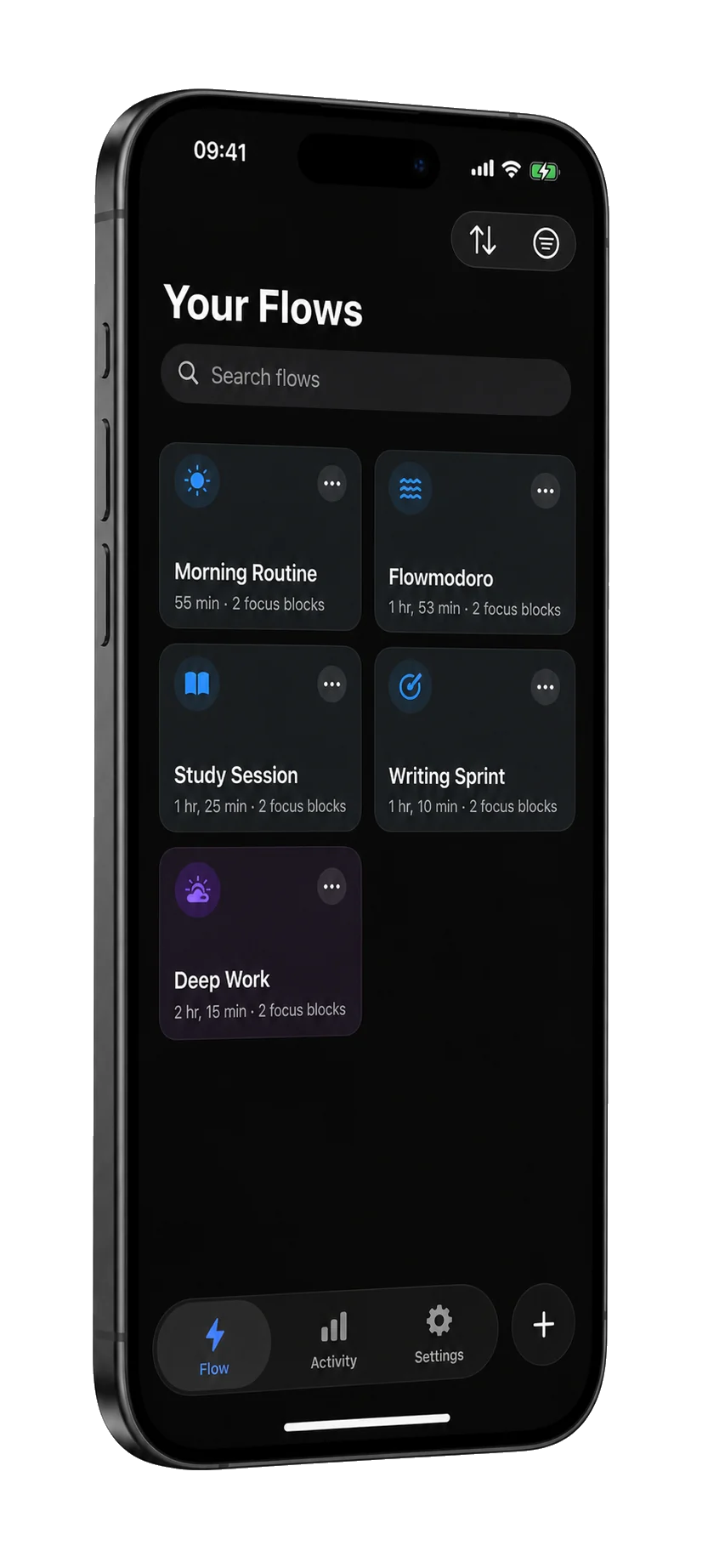
Flow is a Pomodoro focus timer for iPhone, iPad and Apple Watch. Build a flow of focus and break blocks once; press start, and Flow moves you through each one with gentle transitions, not jarring alarms.

iPhone · iPad · Apple Watch
At a glance
- Devices
- iPhone · iPad · Apple Watch
- Requires
- iOS 18, iPadOS 18 and watchOS 26.2 or later
- Price
- Free download · Lifetime Access $24.99 · One-time purchase · No subscriptionUS App Store price, checked October 11, 2026 · Family Sharing included
- Free version
- The Pomodoro preset, a custom flow and basic history
- Languages
- 44
- Your data
- On your device by default. No account, no ads and no tracking.
- Version
- 26.0.1 · updated
Works with
- Siri & Shortcuts
- Home Screen widgets
- Live Activities
- Apple Watch app
Pausing, resuming, skipping and ending a session from the Apple Watch need Lifetime Access.
Ask Siri: Skip block in Flow
· What's running in Flow
· How much did I focus in Flow
One press. Five blocks. No decisions mid‑session.
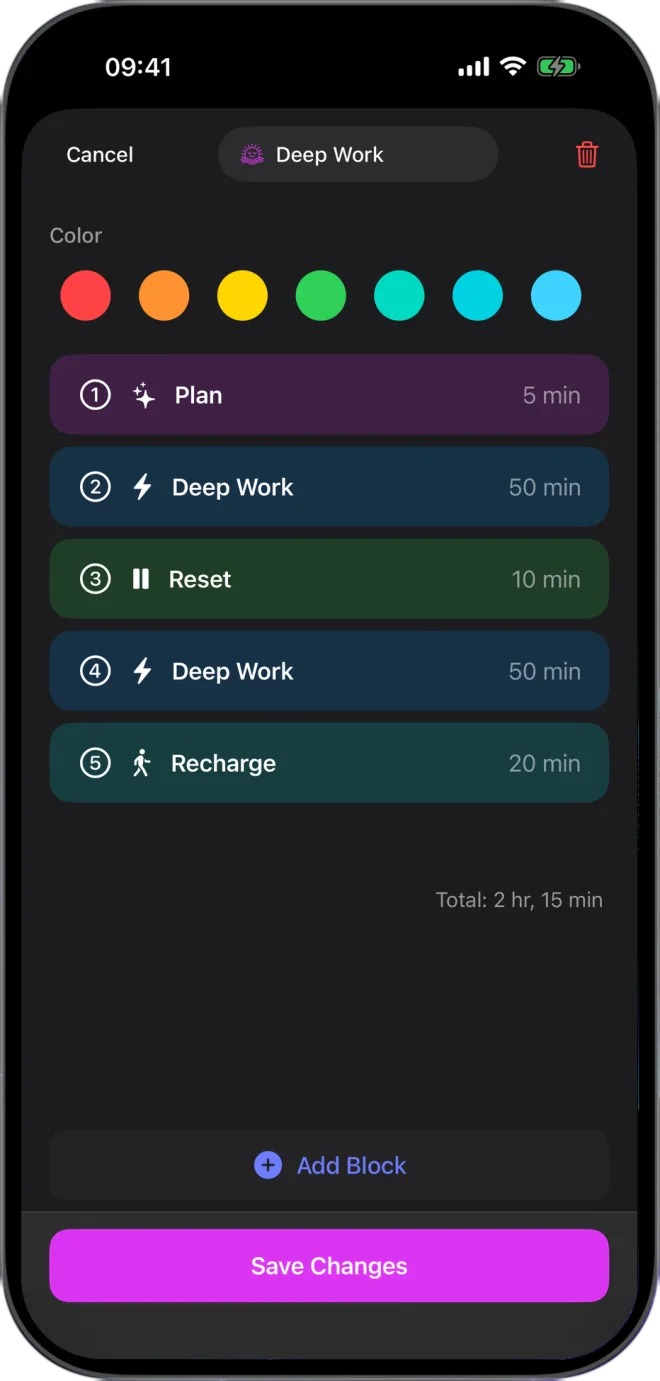
The Deep Work flow from the editor below. Each block runs into the next.
- 5Plan
- 50Deep Work
- 10Reset
- 50Deep Work
- 20Recharge
Total 2 hr 15 min
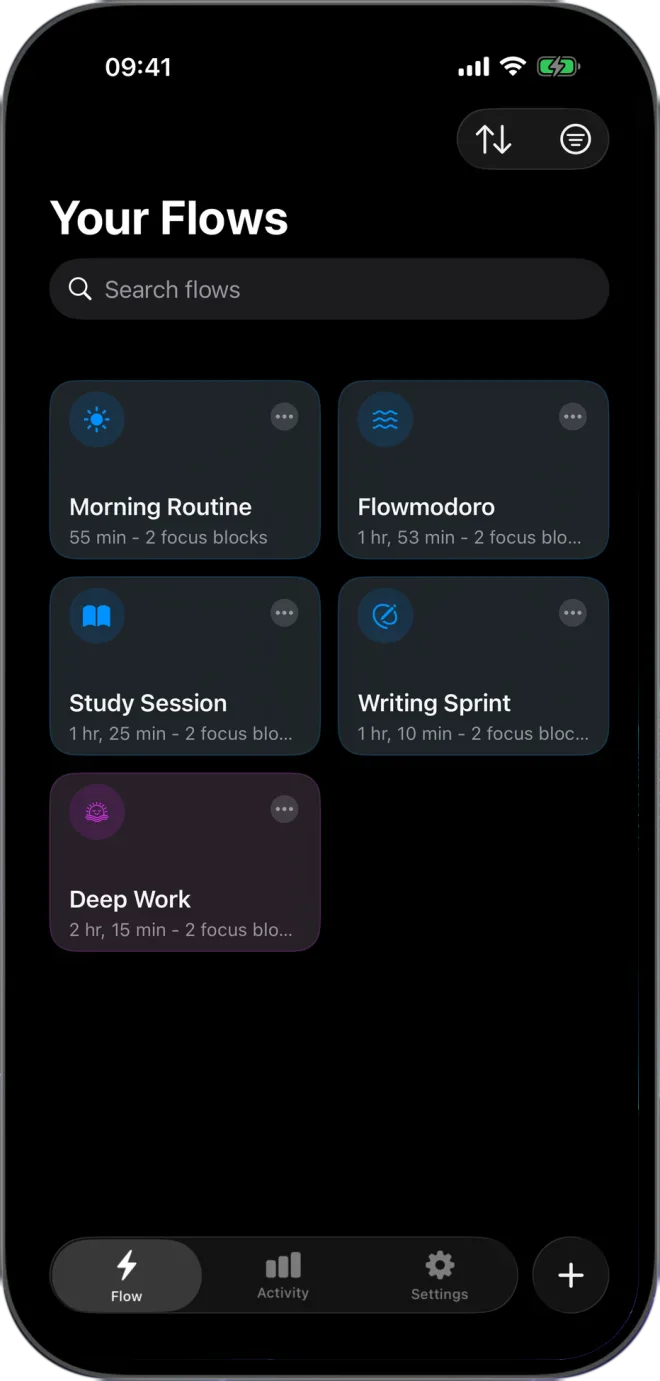
Start from classic Pomodoro, or build your own.
Combine focus, preparation, short-break and long-break blocks, set each length, and give the flow a color. It is saved and ready the next time you sit down, and each block runs into the next on its own.
Ten built-in rhythms.
Pomodoro is free. The other nine presets, and unlimited flows of your own, come with Lifetime Access.
| Preset | Blocks | Total |
|---|---|---|
| Pomodoro Free | 25 min focus × 4, with 5 min breaks and a 15 min long break | 2 hr 10 min |
| Flowmodoro | 45 min focus, 15 min break | 1 hr |
| Deep Work | 90 min focus, 20 min long break | 1 hr 50 min |
| 52/17 | 52 min focus, 17 min break | 1 hr 9 min |
| Quick Focus | 15 min focus | 15 min |
| Study Session | 50 min focus, 10 min break, twice | 2 hr |
| Creative | 60 min focus, 15 min break | 1 hr 15 min |
| Meditation | 20 min meditation | 20 min |
| Morning Routine | 5 min warm-up, 25 min focus, 5 min break | 35 min |
| Evening Wind-down | 15 min reflection, 10 min relaxation | 25 min |
Shield the distractions while you work.
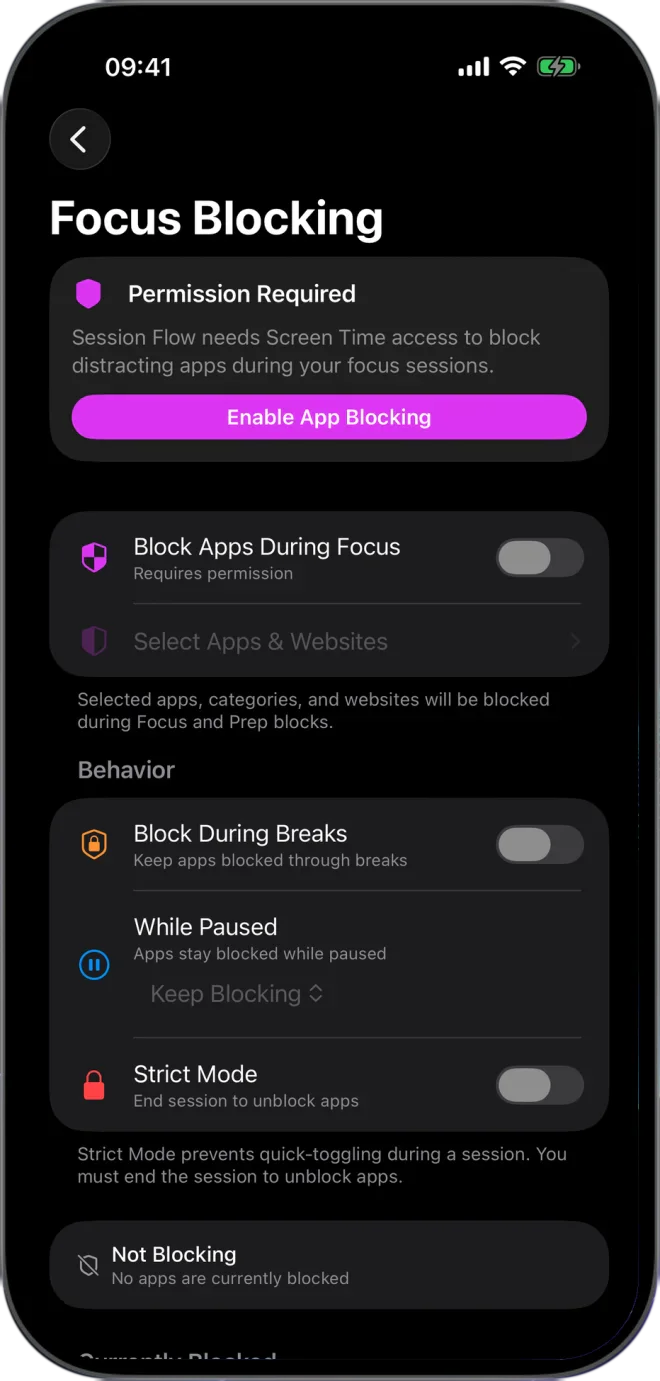
With your permission, optional Focus Blocking uses Apple Screen Time to block the apps, categories and websites you choose during focus and preparation blocks. Flow never learns which apps you chose: Apple hands it opaque tokens and draws the shield itself. Keep them blocked through breaks, or turn on Strict Mode so they stay blocked until the session ends. Focus Blocking comes with Lifetime Access, one purchase with no subscription.
Progress, without the game.
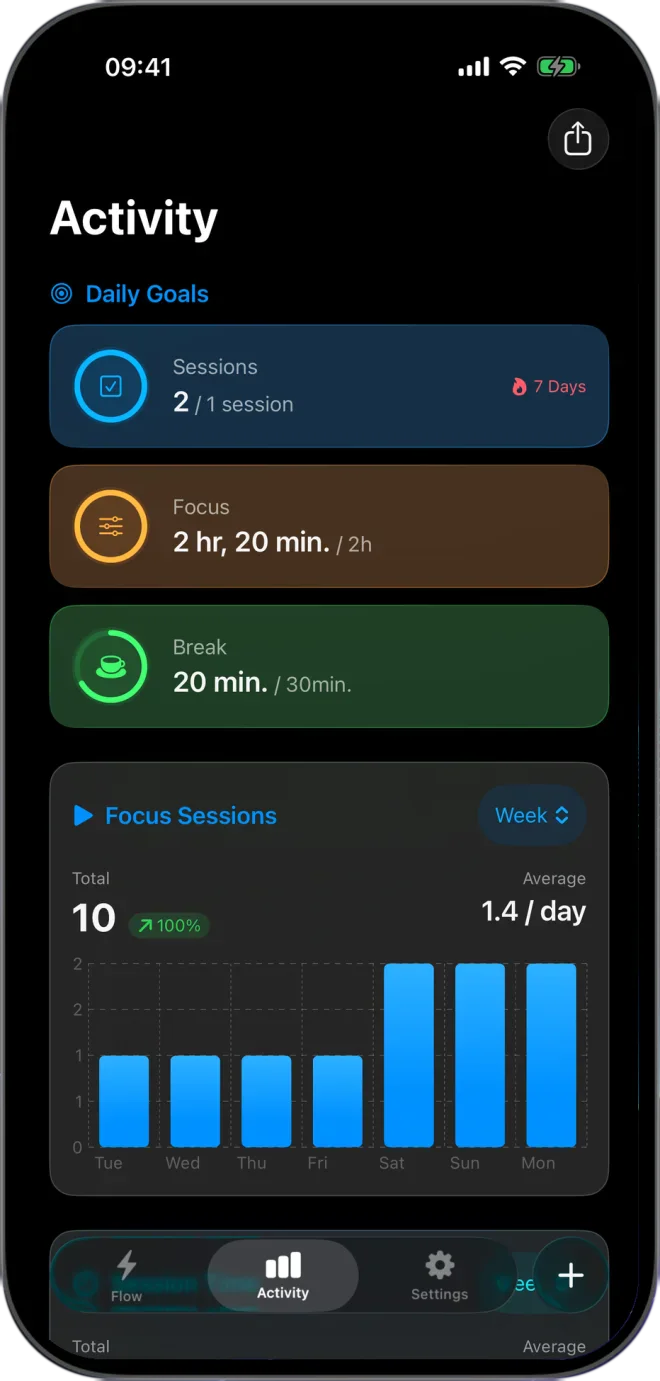
See focused time by day and week, your session history and your daily goals, with a streak count when you keep them up. Honest numbers, no points or leaderboards. With Lifetime Access, Activity also keeps the note and mood from each session and exports your history as a CSV file. Your data stays on your device by default, and no account is required.
Questions
Which focus timers are built in?
Ten presets: Pomodoro (25/5, with a 15-minute long break after the fourth round), Flowmodoro (45/15), Deep Work (90/20), 52/17, Quick Focus (15 minutes), Study Session (50/10, twice), Creative (60/15), Meditation (20 minutes), Morning Routine and Evening Wind-down. Pomodoro is free; the other nine and unlimited custom flows come with Lifetime Access.
What happens when a block ends?
The next block starts on its own, with a short sound you can turn off per flow, and the Live Activity on the Lock Screen and in the Dynamic Island moves on with it. With the screen locked, a notification arrives a minute before the block ends and another at the change. When the last block ends, Flow shows a short summary of the session, where you can add a mood and a note.
Where do the preset rhythms come from?
They are conventions, not prescriptions. Pomodoro is Francesco Cirillo’s 25/5. 52/17 comes from DeskTime’s 2014 look at its most productive users. Deep Work’s 90 minutes follows the roughly 90-minute ultradian cycle, and Flowmodoro borrows from flowtime. Start with one, then change the lengths to suit you.
Can Flow block distracting apps?
Yes, with Lifetime Access. Choose apps, categories and websites, and Flow blocks them through Apple’s Screen Time during focus and preparation blocks. Keep them blocked through breaks, or turn on Strict Mode so they stay blocked until the session ends; Siri and the watch can’t skip or end a session then, though End Session in the app still can.
Can’t a Focus mode or Screen Time do this already?
A Focus silences notifications and can swap your Lock Screen and Home Screen; it doesn’t stop you opening an app. Screen Time’s limits cap how long you use an app in a day. Flow’s shield follows the block: on during focus and preparation, off at the break, and in Strict Mode on until the session ends.
Does it work with Apple Watch?
Yes, on watchOS 26.2 or later: an Apple Watch Series 6 or later, SE (2nd generation) or later, or any Ultra, paired with an iPhone on iOS 26 or later (Apple’s compatibility table). The watch companion and complications show the session running on your iPhone. Pausing, resuming, skipping and ending a session from the watch need Lifetime Access.
Can Siri control a session?
Yes. Say “Skip block in Flow”, “Pause Flow” or “How much did I focus in Flow”. A saved flow starts by name, for example “Start Writing Sprint in Flow”.
Do I need an account?
No. There is no sign-up. Your flows and history are stored on your device by default.
Does Flow sync between iPhone and iPad?
With Lifetime Access, turn on iCloud sync in Settings. It uses your private iCloud, nothing else, and it stays off until you switch it on.
Availability
The classic Pomodoro preset, a custom flow and basic history are free, with no ads. Lifetime Access adds every preset, unlimited custom flows, Focus Blocking, detailed insights, session reminders, optional iCloud sync and Apple Watch controls.
- Devices
- iPhone · iPad · Apple Watch
- Download
- Free to download
- Purchase options
- Lifetime Access · One-time purchase · No subscription
Prices vary by country; the App Store shows your local price.
Flow support and purchase help
Designed and built by Daniel, an independent Apple developer. Every release is listed in the changelog.