
Know where your hours go.
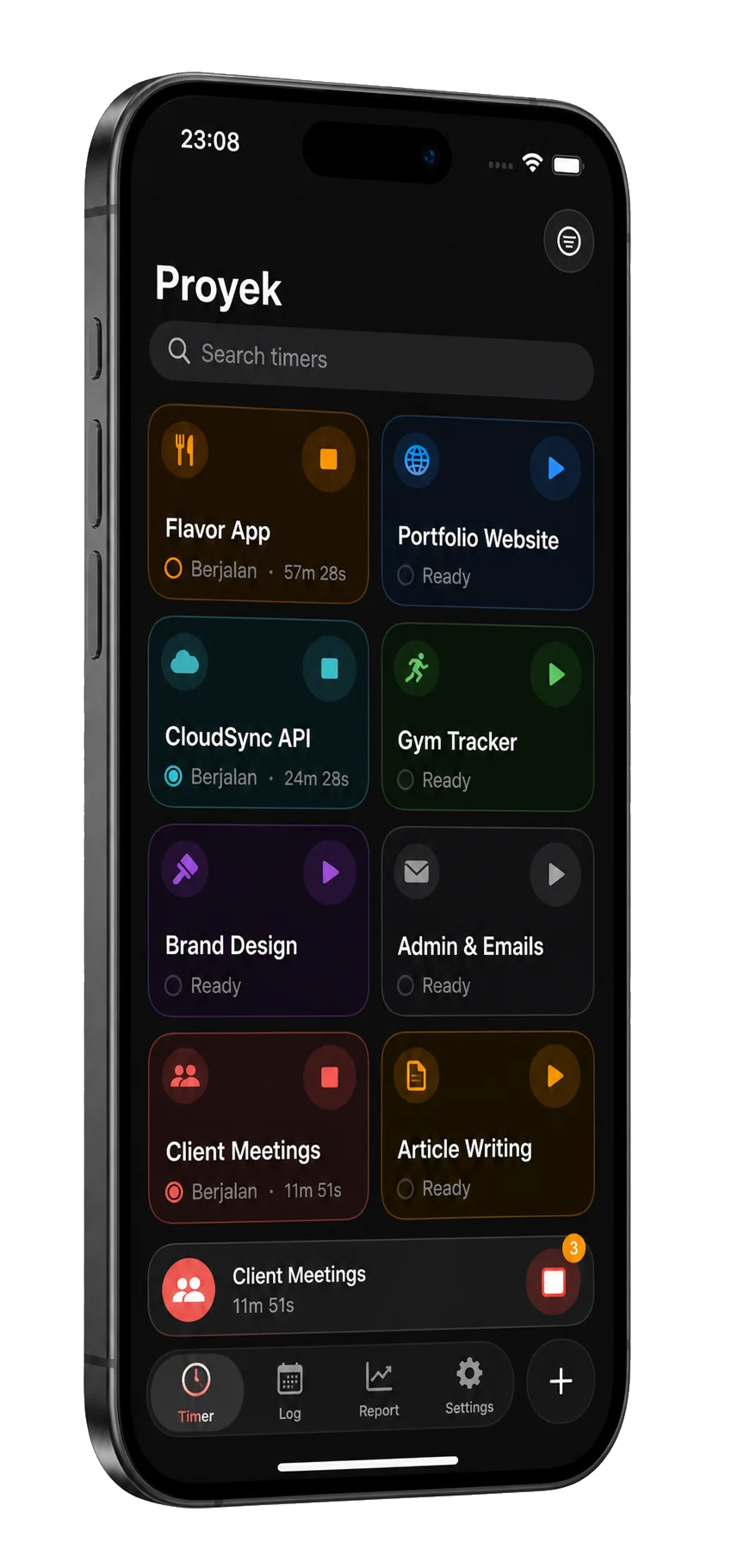
Tempo is an iPhone time tracker for freelancers, consultants and anyone who bills by the hour. One tap starts a project timer. Run several at once, fix any entry later and review your day, week and month.

iPhone · No account · No subscription · Data stays on your device
At a glance
- Devices
- iPhone
- Requires
- iOS 18 or later
- Price
- Free download · Lifetime Access $19.99 · One-time purchase · No subscriptionUS App Store price, checked October 10, 2026 · Family Sharing included
- Free version
- A limited number of projects and your recent history, with every widget
- Languages
- 44
- Your data
- On this iPhone, with no account and no cloud sync for your time data.
- Version
- 26.0.2 · updated
Works with
- Home Screen widgets
- Lock Screen widgets
- Control Center
- Live Activities
- Siri & Shortcuts
Starting, stopping and logging timers with Siri and Shortcuts need Lifetime Access; the widgets, Control Center and the Live Activity don’t.
Ask Siri: What's running in Tempo
· How much did I track in Tempo
· Stop all timers in Tempo
A timesheet that keeps itself.
-
01 Track
One timer per project, several running at once.
Start and stop from a project card, a widget or Control Center, or with Siri when you have Lifetime Access. Elapsed time stays live on your Lock Screen and in the Dynamic Island.

-
02 Correct
Every entry, editable.
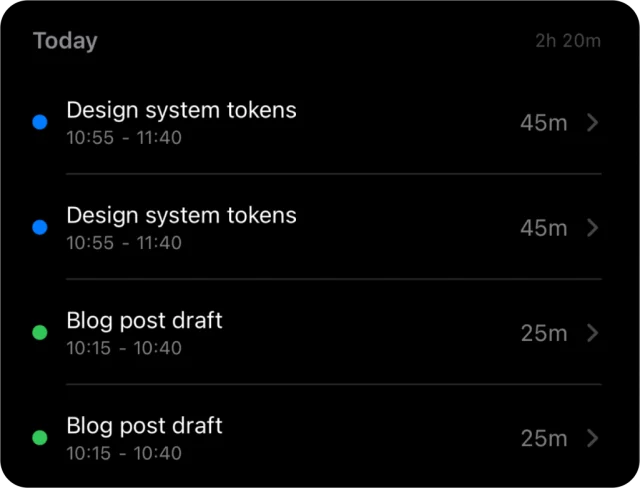
Entries are grouped by day. Add notes and tags, fix a start time you forgot, or add an entry by hand with its own start and end. Times stay exact to the second; nothing is rounded.
-
03 Review
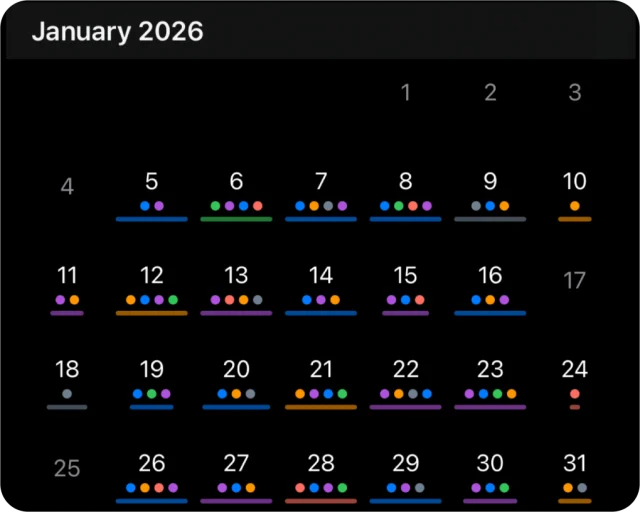
See the month, then the money.
Your days on a calendar. With Lifetime Access, Stats adds daily, weekly and monthly reports with project breakdowns, billable share and earnings, the change against the period before, and a heatmap of your last weeks.
-
04 Export
A CSV for the invoice.
Mark entries billable and set an hourly rate per project. With Lifetime Access, export today, yesterday, this or last week, or this or last month as a CSV with description, project, tags, start, end, hours, billable and earnings.
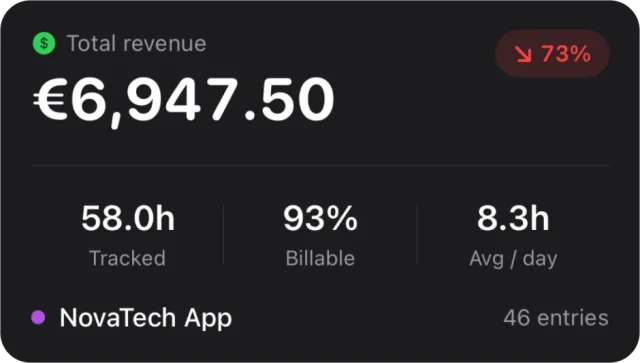
Hours you can invoice.
Every entry is billable unless you switch it off; set each project’s hourly rate and currency. With Lifetime Access, Stats shows tracked hours, billable share and earnings for each project, and CSV export gets your entries ready for a client invoice.
Questions
What can I do for free?
Track a limited number of projects and see your recent history, with every widget, the Control Center timer and the Live Activity. Lifetime Access adds unlimited projects, tags, full history, Stats with earnings, CSV export and Siri timer actions. It’s a one-time purchase with no subscription, and Family Sharing is included.
Can I start a timer without opening the app?
Yes. Tap a project in the Home Screen widget, use Quick Start on the Lock Screen or the Timer control in Control Center, and stop it from the Live Activity. Starting and stopping timers with Siri or Shortcuts needs Lifetime Access; without it, Siri still answers “What’s running in Tempo” and “How much did I track in Tempo”.
What if I forget to stop a timer?
A running timer is a start time, not a clock ticking in the background, so it costs no battery, survives a restart and keeps counting until you stop it. iOS ends a Live Activity after eight hours, so a long timer leaves the Lock Screen and the Dynamic Island while the timer itself runs on; opening Tempo brings the Live Activity back. Stop the timer, then correct its end time.
How do I turn hours into an invoice?
Mark entries billable and set an hourly rate on the project, then export a CSV from Stats for your spreadsheet or invoicing app. Stats and CSV export are part of Lifetime Access. Tempo doesn’t create invoices itself.
Does Tempo round my hours?
No. Every entry keeps its exact start and end, and the CSV gives hours as a decimal. If a contract bills in 6- or 15-minute blocks, round on the invoice and keep the exact record in Tempo.
Can I export one client’s hours on their own?
The CSV covers every project in the range you pick, with a Project column on each row. Filter by that column in your spreadsheet before you send a client their hours.
Which currency does Tempo use?
Each project has its own currency and hourly rate, and its own view shows earnings in that currency. The combined Stats totals use the currency of your iPhone’s region.
Does Tempo sync my hours to the cloud?
No. Projects, entries, rates and reports stay in local storage on your iPhone. There is no Tempo account and no cloud sync for time data. The App Store also offers Tempo on iPad, where it runs as an iPhone app with hours of its own; there is no Mac version.
Is Tempo for teams?
No. It’s an iPhone app for one person, with no account, team workspace or web dashboard.
Pairs well with
Flow times focused work in blocks; Tempo records which project the hours belong to.
Turns the client calls on your calendar into iPhone alarms, at the start time or a few minutes before.
Availability
Free with a limited number of projects and recent history. Lifetime Access unlocks unlimited projects and tags, full history, detailed statistics, CSV export and Siri timer actions.
- Devices
- iPhone
- Download
- Free to download
- Purchase options
- Lifetime Access · One-time purchase · No subscription
Prices vary by country; the App Store shows your local price.
Tempo support and purchase help
Designed and built by Daniel, an independent Apple developer. Every release is listed in the changelog.