Say it once. Keep what matters.
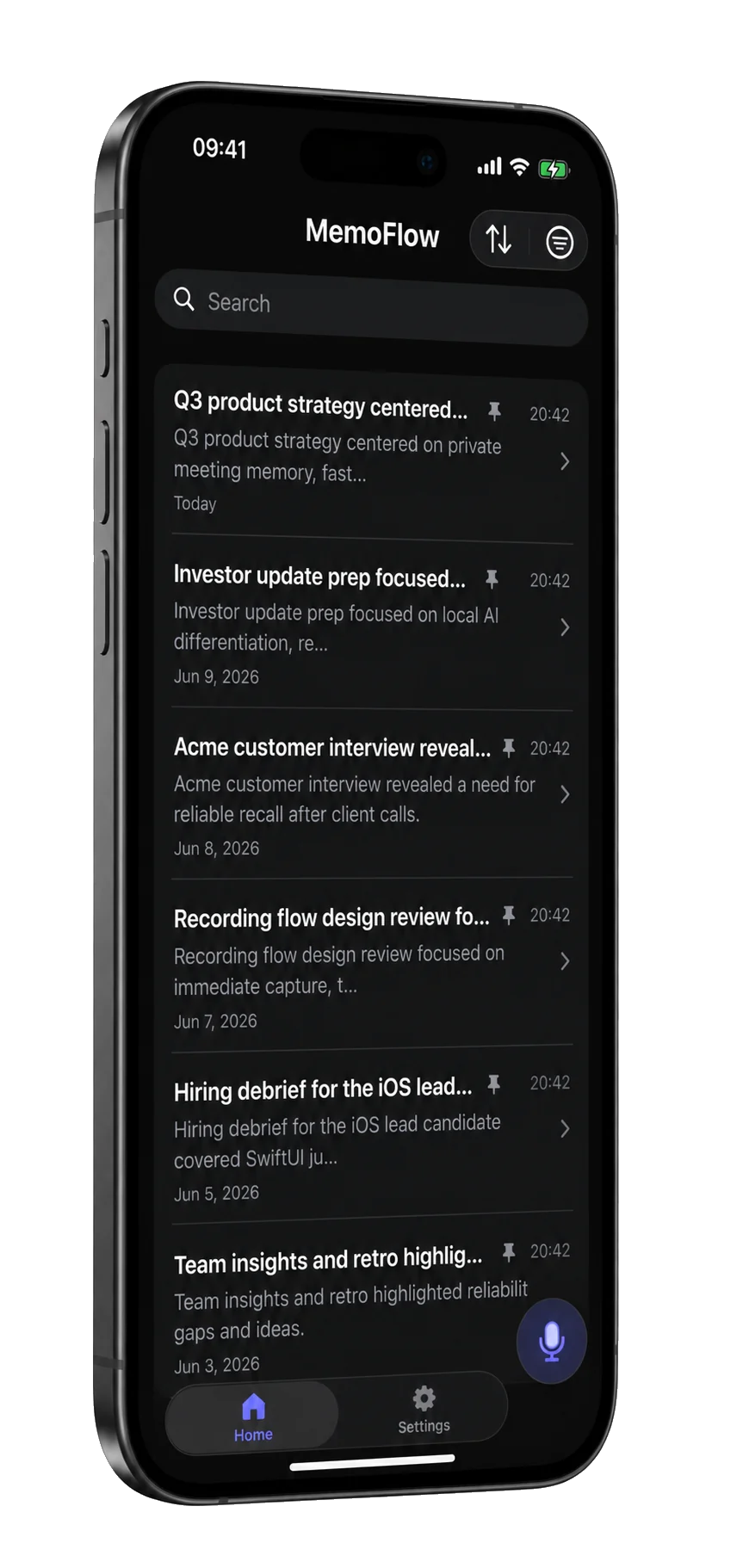
MemoFlow is a voice recorder for iPhone that transcribes meetings, lectures and ideas on the device, then pulls out the summary, decisions and action items. No account, no uploads.

At a glance
- Devices
- iPhone
- Requires
- iOS 26 or later
- Price
- Free download · Lifetime Access $14.99 · One-time purchase · No subscriptionUS App Store price, checked October 10, 2026 · Family Sharing included
- Free version
- A limited number of projects, each with every feature
- Languages
- 44
- Your data
- Recordings, transcripts, summaries and chats stay on your iPhone and are processed there. Nothing is uploaded.
- Version
- 26.0.1 · updated
Works with
- Live Activities
- Apple Intelligence on device
Summaries and questions need Apple Intelligence turned on, on a compatible iPhone; recording and transcription don’t.
Jump to the moment it was said.
Timed segments sit beside the audio. Tap a timestamp to listen back, or search the transcript instead of replaying the whole recording.
Verbatim from the demonstration recording shown above.
- Maya opened by framing Q3 around private meeting memory, not generic notes.
- Leo said beta users keep asking for faster ways to find decisions after a call.
- Leo will prepare a beta digest with quotes about summaries, action items, and transcript search.
Ask the recording, not your memory.
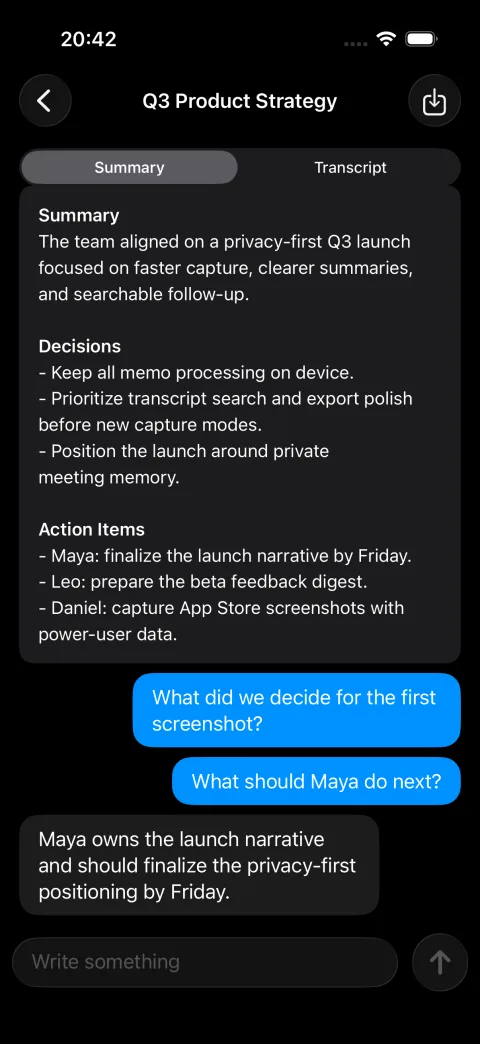
Get the main points, decisions and action items, then ask follow-up questions about what was said. Answers come from the project’s transcript; check them against the original recording.
Summaries and questions need a compatible iPhone with Apple Intelligence on, in a supported language and region. Recording, playback and transcription with Apple Speech do not.
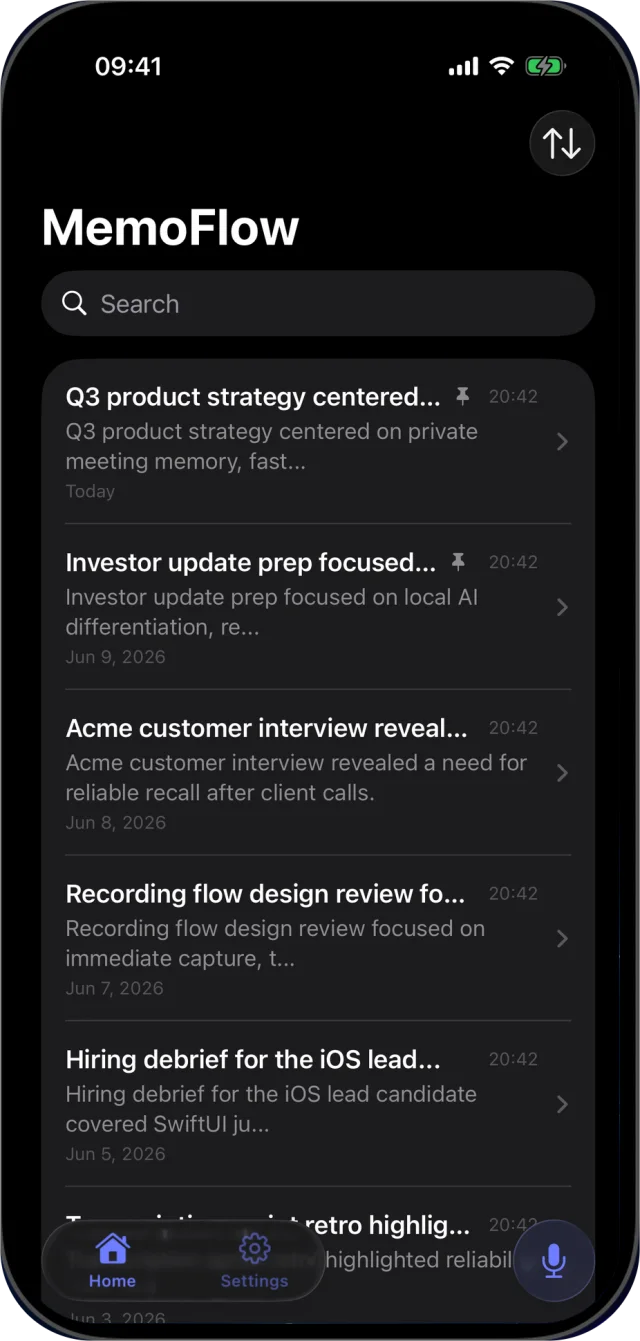
Every recording becomes a project.
Transcript, summary and your questions stay together, searchable and pinnable. Export the text, the original M4A audio, or the conversation as a readable or structured file.
Good to know.
- Keep recording with the screen locked.
- Recording continues in the background, and a Live Activity on the Lock Screen and in the Dynamic Island shows that MemoFlow is recording, with a Stop button. You can pause and resume. If a call or Siri interrupts, MemoFlow pauses, keeps what it has and waits for you to resume or finish.
- Transcribed after you stop.
- MemoFlow transcribes the saved audio on your iPhone. Transcription Language is Automatic, which follows your iPhone’s language, or any language Apple’s on-device speech model offers. Each language’s model downloads once.
- What a summary holds.
- A title, a short recap, two or three key points and a conclusion, written from the first 10,000 characters of the transcript. For more, ask a follow-up question, such as which decisions were made or what the action items are.
- Take it with you.
- Export the transcript as text, the recording as M4A, the chat as text or JSON, or the whole project as a ZIP file.
- What it doesn’t do.
- MemoFlow doesn’t label who is speaking, and it transcribes only what it records itself: iOS doesn’t give apps the audio of a phone call, and there is no import for recordings made elsewhere.
- Nothing trains on it.
- Nothing is uploaded, so nothing you record is used to train a model, and there is no account to close.
Questions
Is Apple Intelligence required to transcribe audio?
No. Transcription uses Apple Speech on your iPhone. Apple Intelligence availability applies to summaries and transcript questions, not to recording, playback or transcription. Apple lists the compatible iPhones and languages in its Apple Intelligence requirements.
Which languages can MemoFlow transcribe?
Choose Automatic or a language in Settings → Transcription Language. The list comes from Apple’s on-device speech model, and each language’s model downloads once. If Apple’s model doesn’t offer your iPhone’s language, Automatic transcribes in English.
Does MemoFlow work offline?
Recording and playback do. Transcription runs on your iPhone once the speech model for your language has downloaded, and summaries and questions run on the device with Apple Intelligence. Nothing is uploaded, so nothing is used to train a model.
Can MemoFlow record phone calls?
No. It records what the microphone hears, which suits meetings in the room, lectures and dictation. iOS doesn’t give apps the audio of a phone call; since iOS 18.1 the Phone app itself can record a call into Notes with a transcript, in supported countries, and everyone on the call hears a notice.
Does it tell speakers apart?
No. The transcript is timed, not labelled by speaker. Search and timestamps take you to the moment, and the recording tells you who said it.
Can it transcribe a recording I already have?
Not in version 26.0.1: MemoFlow transcribes its own recordings. What you record in MemoFlow can be exported as M4A at any time.
Notes and Voice Memos already transcribe on iPhone. What does MemoFlow add?
Apple’s apps transcribe when your iPhone’s language is one of the ten they support, and Notes can summarize with Apple Intelligence. MemoFlow keeps each recording as a project of its own, with the transcript, a summary and a thread of questions answered from that transcript; lets you pick the transcription language yourself; and exports the audio as M4A, the transcript, the chat as JSON or the whole project as a ZIP file. Nothing in it syncs or uploads.
What is free, and what does Lifetime Access add?
Free projects come with every feature. Lifetime Access is a one-time purchase with no subscription that unlocks unlimited projects, and Family Sharing is included.
What happens if transcription fails?
Your audio is saved before transcription, so it stays in the project. You can still play it and retry processing where the app offers it.
Should I tell people I’m recording?
Yes. Nothing leaves your iPhone, but the rules on recording a conversation differ by country and state, and a meeting goes better when everyone knows.
Does MemoFlow run on iPad or Mac, and does it sync?
MemoFlow is an iPhone app. The App Store also offers it on iPad, where it runs as an iPhone app; there is no Mac version. Nothing syncs, because nothing is uploaded: each iPhone keeps its own projects, and they leave only as exports.
Availability
Start with free projects. Lifetime Access unlocks unlimited projects with one purchase and no subscription.
- Devices
- iPhone
- Download
- Free to download
- Purchase options
- Lifetime Access · One-time purchase · No subscription
Prices vary by country; the App Store shows your local price.
MemoFlow support and purchase help
Designed and built by Daniel, an independent Apple developer. Every release is listed in the changelog.