Keep the moment. Let the sound go.
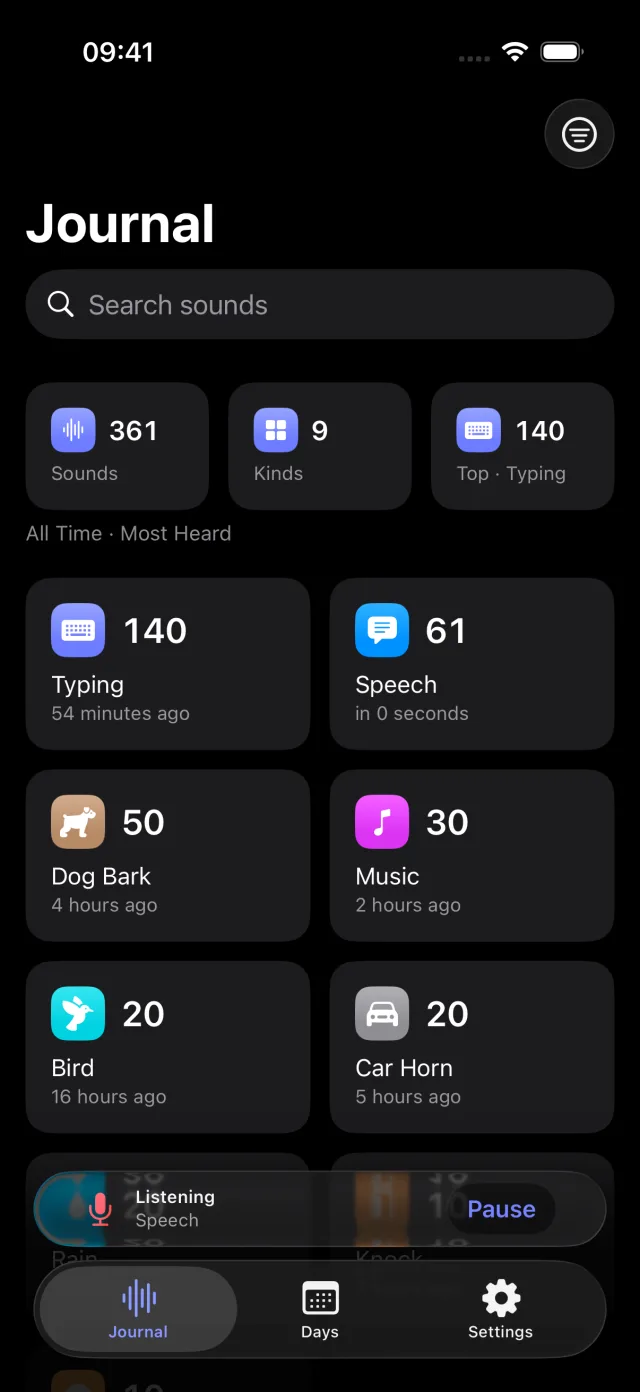
QuietTrace is a private sound journal for iPhone and iPad, with an Apple Watch companion. It names what it hears and notes the time. It never keeps the audio, so there is nothing to replay.

At a glance
- Devices
- iPhone · iPad · Apple Watch
- Requires
- iOS 18, iPadOS 18 and watchOS 11 or later
- Price
- Free download · Lifetime Access $9.99 · One-time purchase · No subscriptionUS App Store price, checked October 11, 2026 · Family Sharing included
- Free version
- Listening, the full journal and the Apple Watch companion
- Languages
- 44
- Your data
- Sound names and times stay on your device; with Lifetime Access you can sync them through your private iCloud database. Microphone audio is never kept or sent.
- Version
- 26.0.0 · updated
Works with
- Apple Watch app
- Control Center
- Live Activities
Every integration is free. The Listening control also works on the Lock Screen and the Action button; Apple Watch can pause or stop listening, never start it.
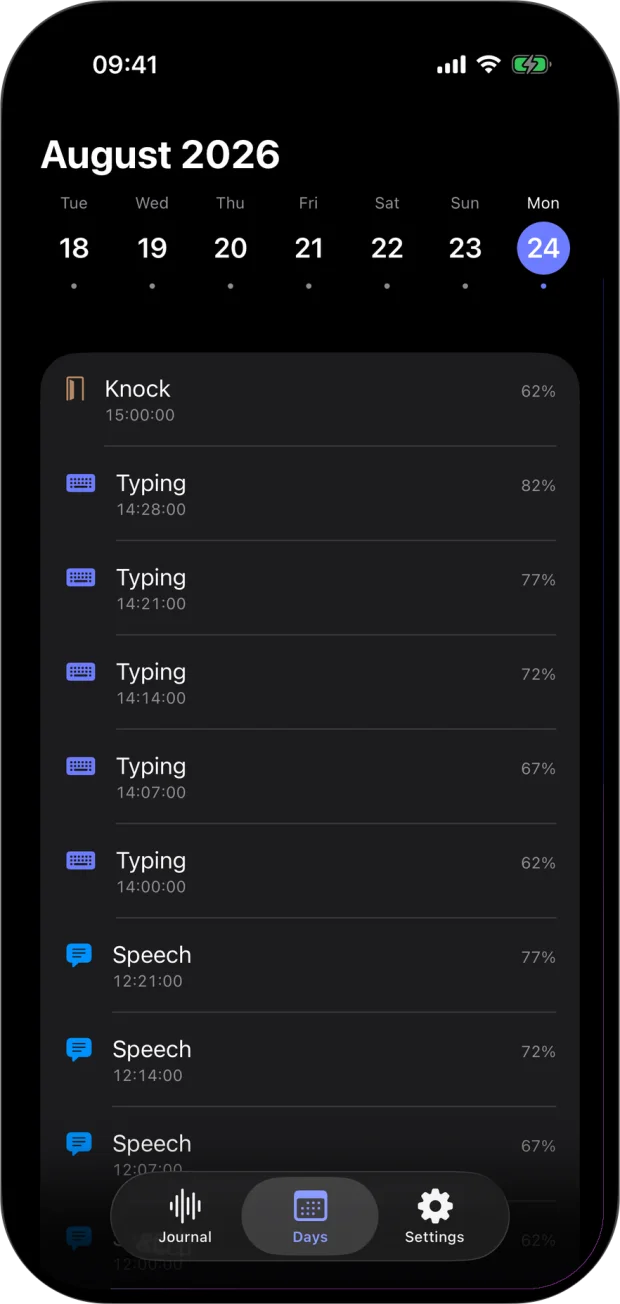
Words, not waves.
- Knock
- Typing
- Typing
- Typing
- Speech
- Speech
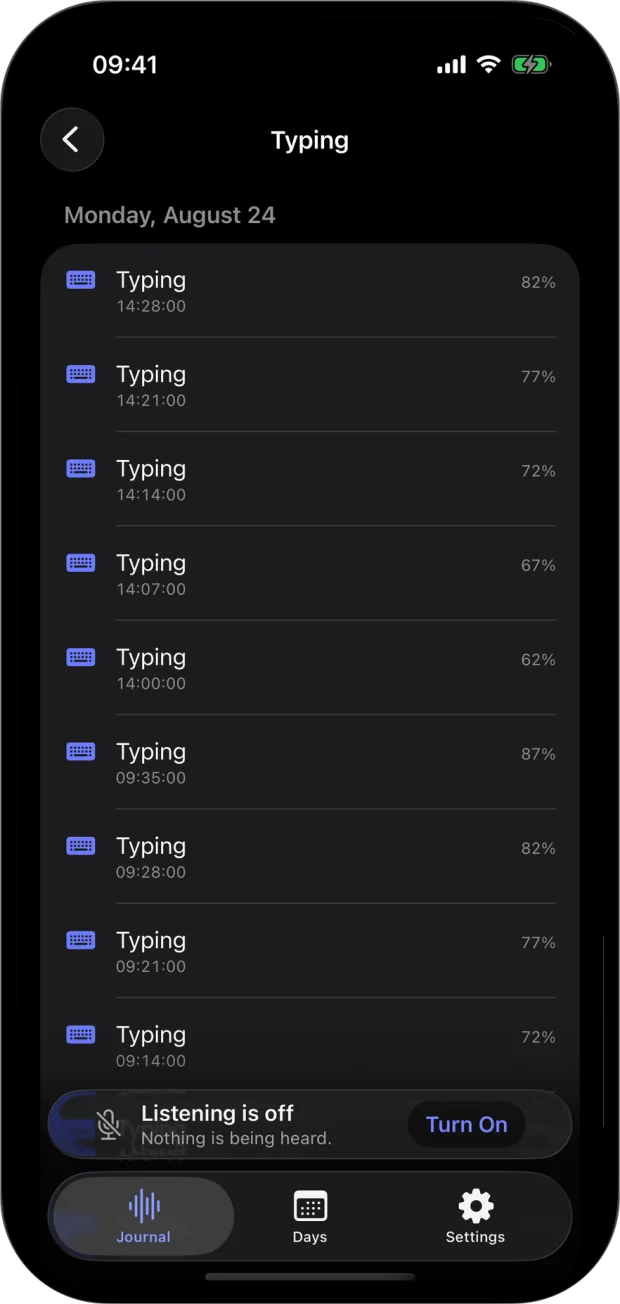
An excerpt from Monday, August 24 in the demonstration journal below: sound names and times, never the audio.
How it decides.
QuietTrace uses Apple’s built-in sound classifier, which knows more than 300 kinds of sound. It listens in overlapping moments of a second and a half. A sound is written down only when the same name comes out on top, at 55% confidence or more, in two moments in a row, and the same sound isn’t written again within 12 seconds.
Each entry is a sound name, a time and the classifier’s confidence. There is no audio, waveform, loudness or location to keep.
- Dog Bark
- Knock
- Door Bell
- Door Slam
- Baby Crying
- Snoring
- Rain
- Thunder
- Typing
- Speech
- Fireworks
A journal, not a meter.
Read your soundscape one day at a time or across the whole archive: at home, while travelling, around pets, through quiet hours or on a walk. Classification happens on the device.
Always visible. Always stoppable.
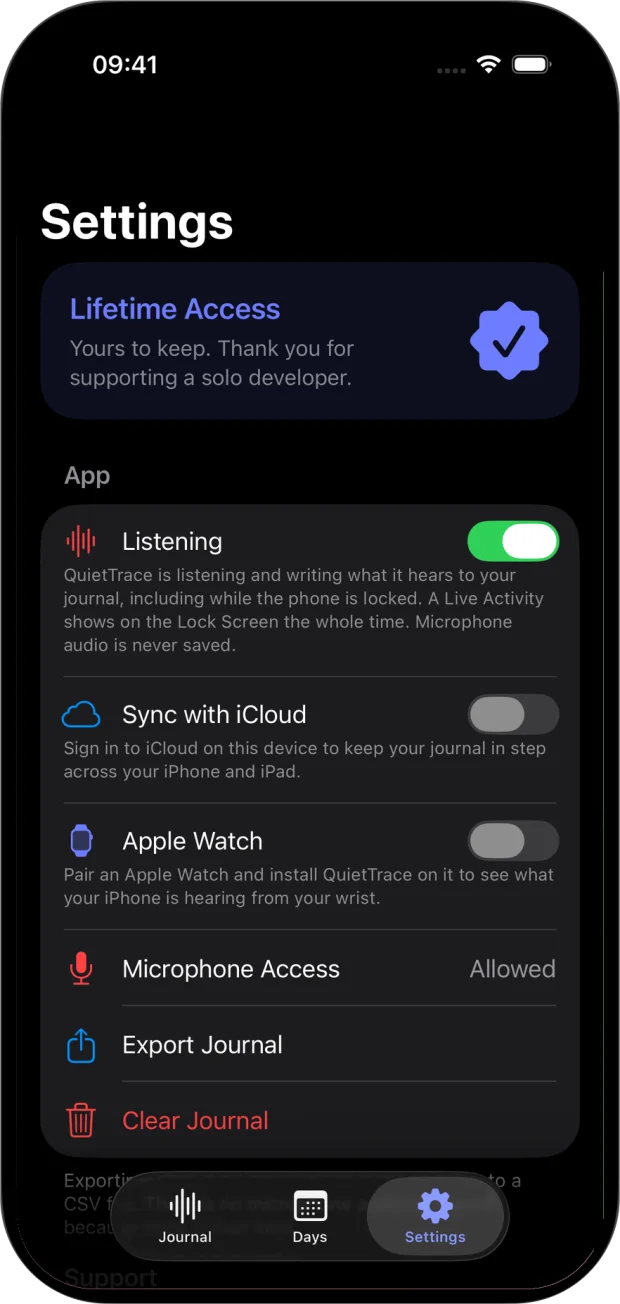
Turn listening on once and it continues in the background and on the Lock Screen until you turn it off. The system microphone indicator and a Live Activity stay on screen the whole time, and the Live Activity shows the latest sound it named. The Listening control in Control Center, on the Lock Screen or on the Action button turns it on or off. QuietTrace never starts itself after a force-quit or restart; if you left listening on, it resumes when you next open the app.
- 1 Settings
- 2 The Live Activity
- 3 Control Center
- 4 The journal
- 5 Apple Watch
The journal is complete for free.
Always-on listening, live classification, the full local journal and the Apple Watch companion cost nothing. Lifetime Access adds search across the whole archive, CSV export and private iCloud sync between your own devices. Sound names and times only; there is no audio to sync.
QuietTrace is not a calibrated decibel meter, a safety tool or an audio recorder.
Questions
Does QuietTrace record or send audio?
No. Microphone audio is classified on your device and is never kept or sent. The journal holds sound names and times, so there is nothing to replay.
Which sounds can it name?
More than 300 kinds, from Apple’s built-in sound classifier: dog barks, knocks, door slams, rain, snoring, typing, speech and many more. It writes a sound down only when it is reasonably sure, and it can still be wrong when sounds overlap or are far away.
How do I turn listening on and off?
Turn it on in the app, or with the Listening control in Control Center, on the Lock Screen or on the Action button; turning it on opens QuietTrace. Turn it off in Settings, from the Live Activity or the control, pause it from the journal, or pause or stop it from your Apple Watch. The watch mirrors your iPhone and never opens a microphone of its own, and it can never turn listening on.
Does it understand what people say?
No. The classifier names a stretch of sound Speech, the way it names Rain or Typing; no words are recognized, kept or sent, and there is no speech recognition in the app at all.
Can I play music or a podcast while it listens?
Yes. QuietTrace opens the microphone in a mode that mixes with other audio, so music and podcasts keep playing. A phone call still takes the microphone, as below.
Does it keep listening during a phone call?
No. iOS hands the microphone to the call, or to another app that asks for it, and QuietTrace shows Reconnecting until it can listen again, then carries on by itself. Nothing is written down while the microphone is away.
How much battery does it use?
Listening keeps the microphone open and the classifier running, so it costs battery through the day. When the battery runs low, QuietTrace pauses itself and shows Paused to save battery, then starts again once the battery recovers, for example on a charger.
Can it log my dog’s barking while I’m out?
Only from a device left in the room. QuietTrace hears what its own microphone hears, so an iPad or a spare iPhone with listening on, plugged in and left at home, keeps the journal while your own iPhone is with you.
Can I use it as a noise meter or a safety alarm?
No. It doesn’t measure loudness or send alerts, and it is no substitute for Apple’s Sound Recognition or another accessibility or safety feature.
iPhone already has Sound Recognition. What is different?
Sound Recognition is an accessibility feature: it listens for a short list of sounds you choose, such as a doorbell, a siren or a crying baby, and notifies you as each one happens. QuietTrace names more than 300 kinds, keeps the journal of when they happened, and never alerts you.
What does Lifetime Access add?
Search across the whole journal, CSV export and private iCloud sync between your devices. It is a one-time purchase with no subscription, and Family Sharing is included. Listening, the full journal and the Apple Watch companion stay free.
Pairs well with
When you do want the words, MemoFlow records and transcribes on your iPhone; QuietTrace keeps only sound names.
Availability
Listening, the full journal and the Apple Watch companion are free. Lifetime Access adds search, CSV export and private iCloud sync.
- Devices
- iPhone · iPad · Apple Watch
- Download
- Free to download
- Purchase options
- Lifetime Access · One-time purchase · No subscription
Prices vary by country; the App Store shows your local price.
QuietTrace support and purchase help
Designed and built by Daniel, an independent Apple developer. Every release is listed in the changelog.